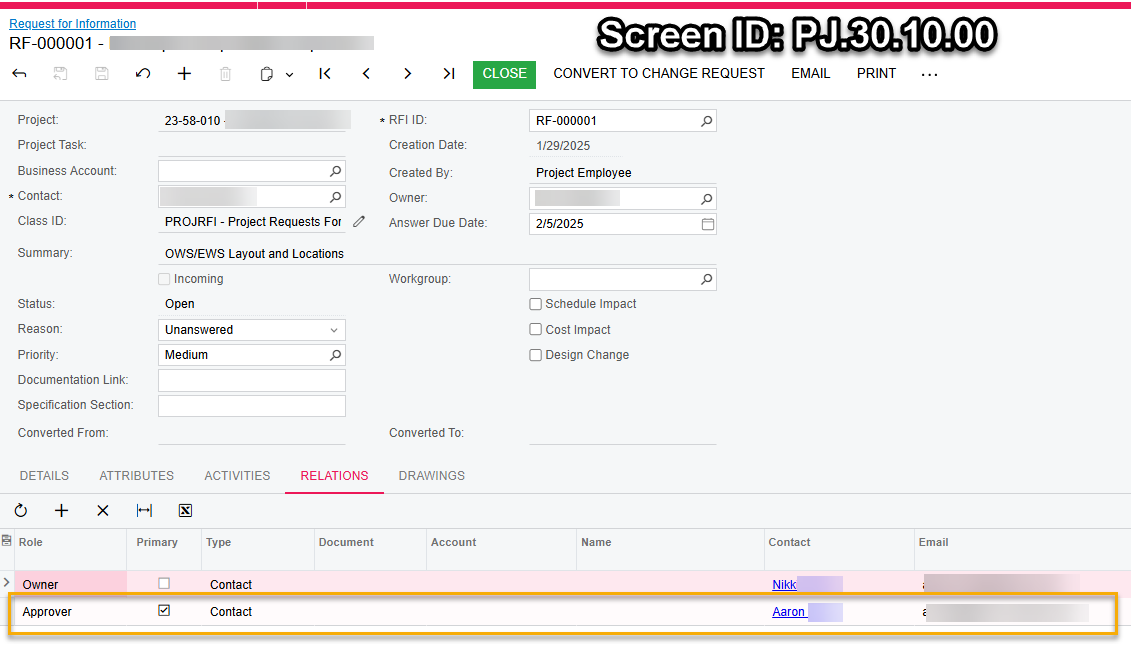
I am trying to use the primary contact email in the “To:” field in an email template based on the Request for Information Screen. Does anyone know how I indicate to use the primary contact email? I only see Relations.ContactID.Email and that keeps returning the first email in the list rather than the primary contact email.
Best answer by meganfriesen37
The “Email” menu will populate the template, but you are correct that creating an email from the Activities tab (or generally using the “Email” button from a report as well) will not populate with a template or if there is a template the placeholders will not be displayed and not replaced with the values.
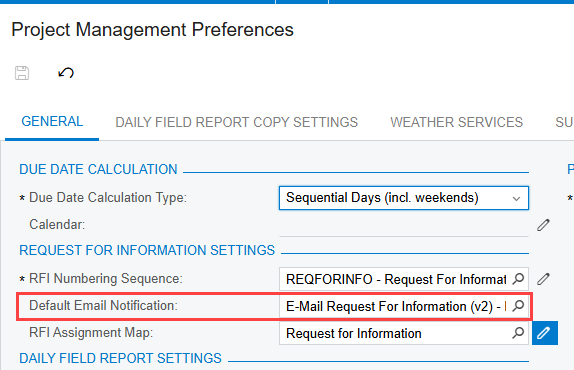
We are going to use the contact in the header field. However, when you add the template as a default in PM Preferences it only adds the email address if you use the email button in the actions menu. If you try to Create Email from the activities tab, it does not add any email at all. Using the template as a default also does not allow for a unique description field, it completely ignores it. I am opening a case with ACU Support on this.
I just found it odd that Relations is a node in the selector box, and IsPrimary exists, but there is no node for Primary contact options.
The “Email” menu will populate the template, but you are correct that creating an email from the Activities tab (or generally using the “Email” button from a report as well) will not populate with a template or if there is a template the placeholders will not be displayed and not replaced with the values.
We will use the Email button in the actions menu because it populates the template (mostly, still having issues with the subject line and file attachments). It is odd because the template still populates in the body of the email (the “to” field and unique subject values in the header do not populate from the template) if we use the “Create Email” button in the activities menu. If that button is for unique emails, why does a template populate at all?