Answer

Price Worksheet

  • May 4, 2023
  • 7 replies
  • 174 views

Forum|alt.badge.img

I set price in price worksheet of acumatica. It’s working properly. But when I am running process a week or more a week, the price go wrong. After I restart IIS in server, it’s back to normal price. Please advice me 

Best answer by kevinheng21

I upgrade to acumatica 2022R2. It solved

7 replies

Laura03
Captain II
Forum|alt.badge.img+19
  • Captain II
  • May 4, 2023

Hello @kevinheng21 ,

Please, show us a screen shot of where the pricing is set, and where you see the price go wrong. We need to know if your system has customizations published on the sales price worksheets and/or on the screen where the price goes wrong. Thank you.


Forum|alt.badge.img
  • Author
  • Jr Varsity II
  • May 5, 2023

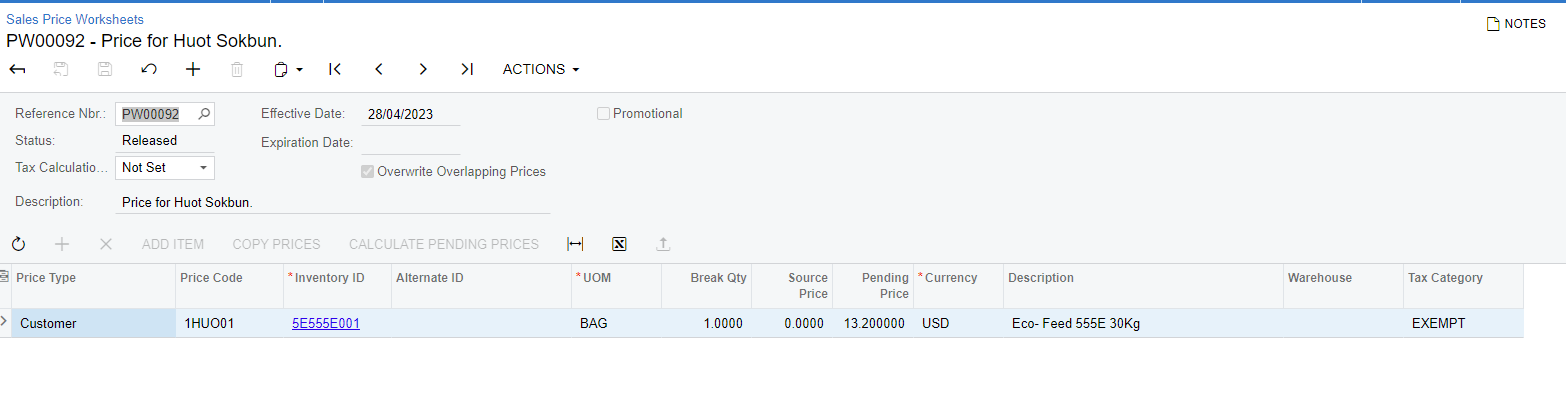
No customize on sale price worksheet. Set price here 

When we input sale order of this customer, it trigger the wrong price. After I restart IIS, It’s working propery


Kandy Beatty
Captain II
Forum|alt.badge.img+17

HI @kevinheng21 

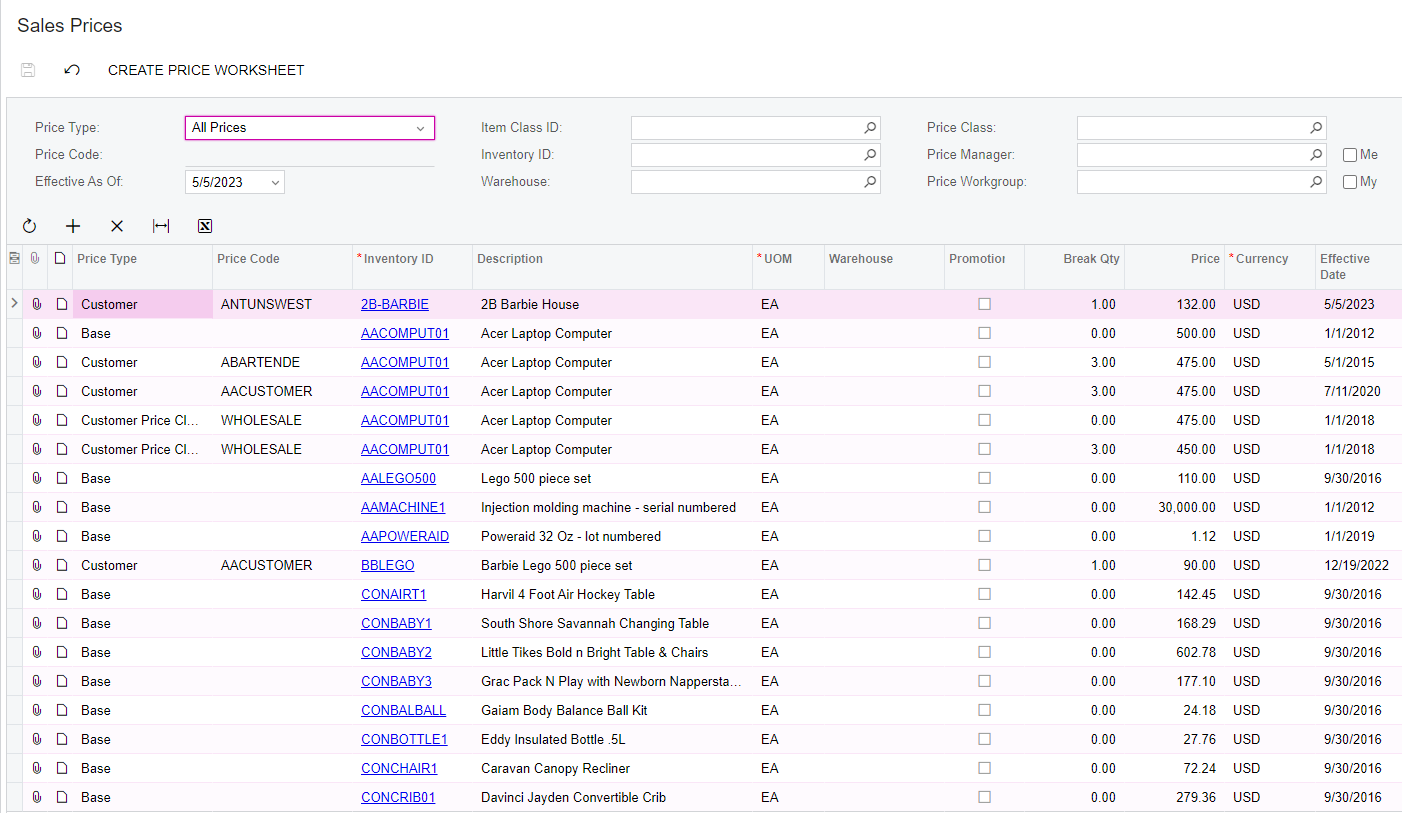
What does it show for that customer under Sales Prices? Does it have overlapping prices?


Also, Could you try to put the price back in?


Forum|alt.badge.img
  • Author
  • Jr Varsity II
  • May 8, 2023

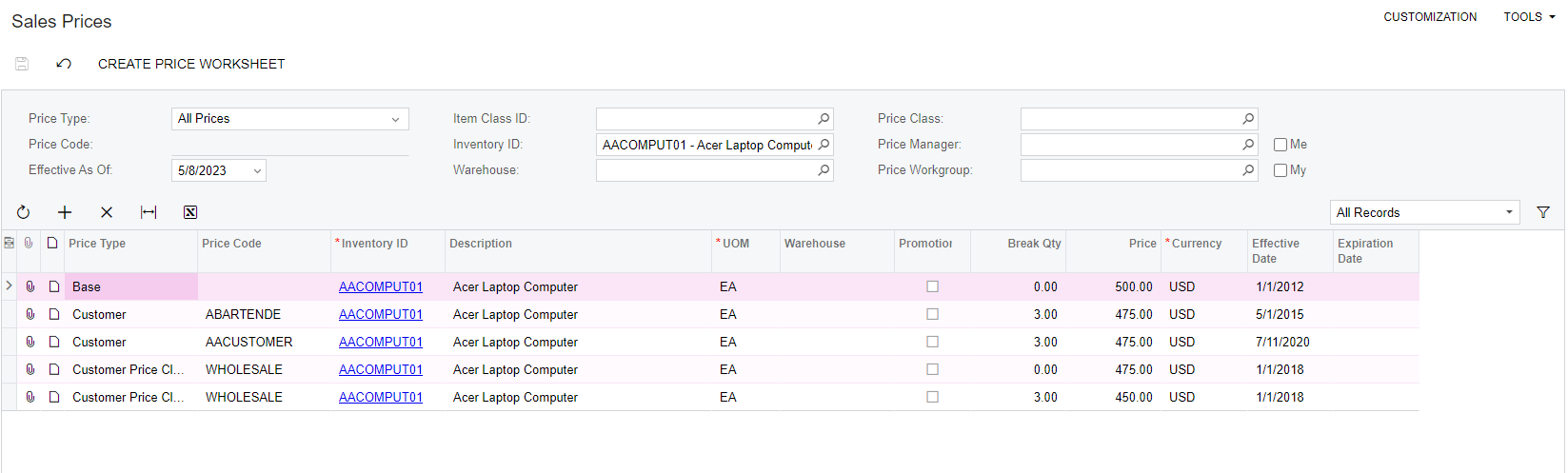
That item have two option price 1. base customer 2. base on price class. customer is the first process for trigger. 


Kandy Beatty
Captain II
Forum|alt.badge.img+17

HI @kevinheng21 

Can you share what the actual Sales Prices looks like for the item?


Chris Hackett
Community Manager
Forum|alt.badge.img
  • Acumatica Community Manager
  • June 21, 2023

Hi @kevinheng21 were you able to find a solution? Thank you!


Forum|alt.badge.img
  • Author
  • Jr Varsity II
  • Answer
  • June 27, 2023

I upgrade to acumatica 2022R2. It solved