Answer

How Disable Quick Check Option

  • April 18, 2024
  • 4 replies
  • 110 views

Forum|alt.badge.img

Hi,

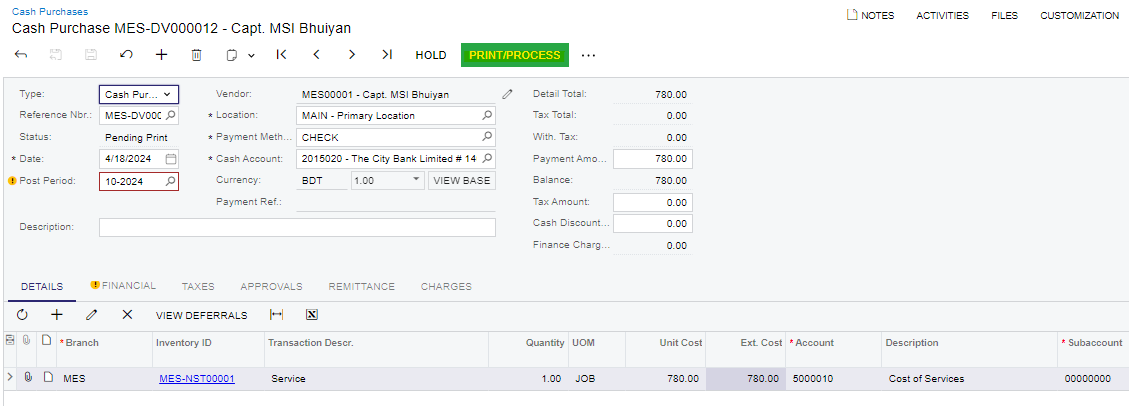
Could please let me know that is there any option to disable the quick check option in “Cash Purchases” (AP304000) screen ?

Thank you

Best answer by Laura03

Hello,

I recommend making a new Payment Method that does not require printing in AP and use the new method in place of CHECK payment method.

For example, in Banking → Preferences → Payment Methods, copy CHECK and call the new Payment Method “ePayment” or “OnLine Pmt”.  Change Additional Processing option to Not Required.
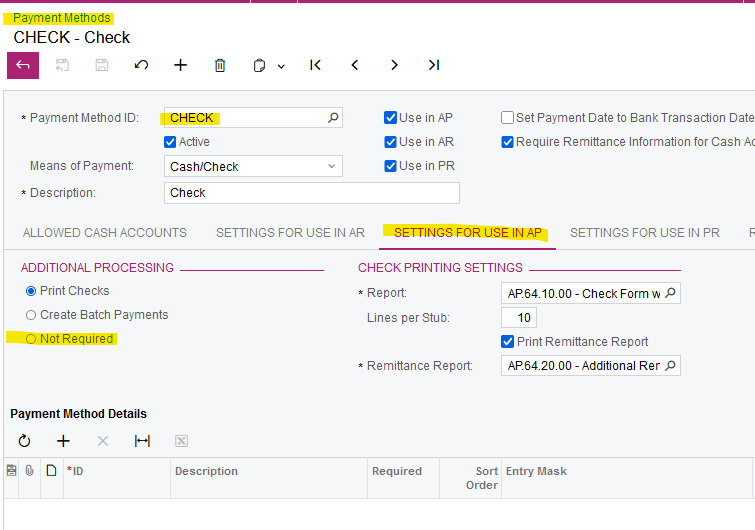
Use ePayment method in Cash Purchases screen and printing will no longer be required.

Laura

4 replies

Laura03
Captain II
Forum|alt.badge.img+19
  • Captain II
  • April 18, 2024

Hello,

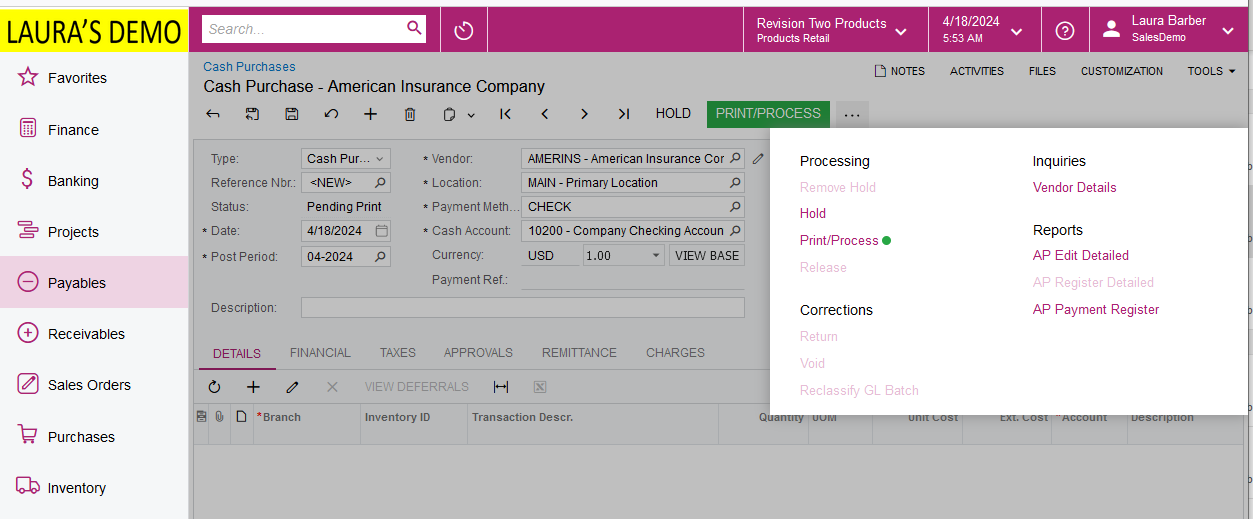
Can you show a picture, please?  I do not see a “Quick Check” option in Cash Purchases screen.

Do you mean, you want to restrict user’s choice in Payment Method field ?

Do you mean, you don’t want Printing check to be an available Processing step?

Version 2024 R1 is shown.  Thank you.

Laura


Forum|alt.badge.img

Hi @Laura02 

Without click on Print/Process, currently we cannot relase this transaction. Therefore, I need to disable that print option. I need to release these cash purchases once they are remove hold (without printing them).


Laura03
Captain II
Forum|alt.badge.img+19
  • Captain II
  • Answer
  • April 18, 2024

Hello,

I recommend making a new Payment Method that does not require printing in AP and use the new method in place of CHECK payment method.

For example, in Banking → Preferences → Payment Methods, copy CHECK and call the new Payment Method “ePayment” or “OnLine Pmt”.  Change Additional Processing option to Not Required.

Use ePayment method in Cash Purchases screen and printing will no longer be required.

Laura


Forum|alt.badge.img

Hi @Laura02 

Thank you so much for your kind support. It is worked as we expected. Highly appreciated your guidence. 

Thank you