Solved

Cstr function not showing all data

  • September 2, 2024
  • 15 replies
  • 163 views
  • Translate All

Forum|alt.badge.img

Hi,


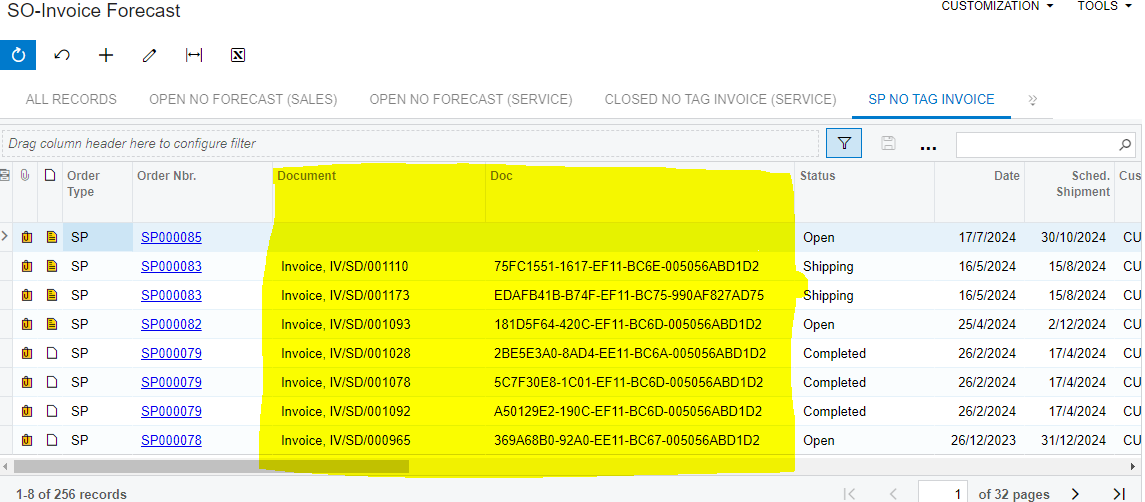
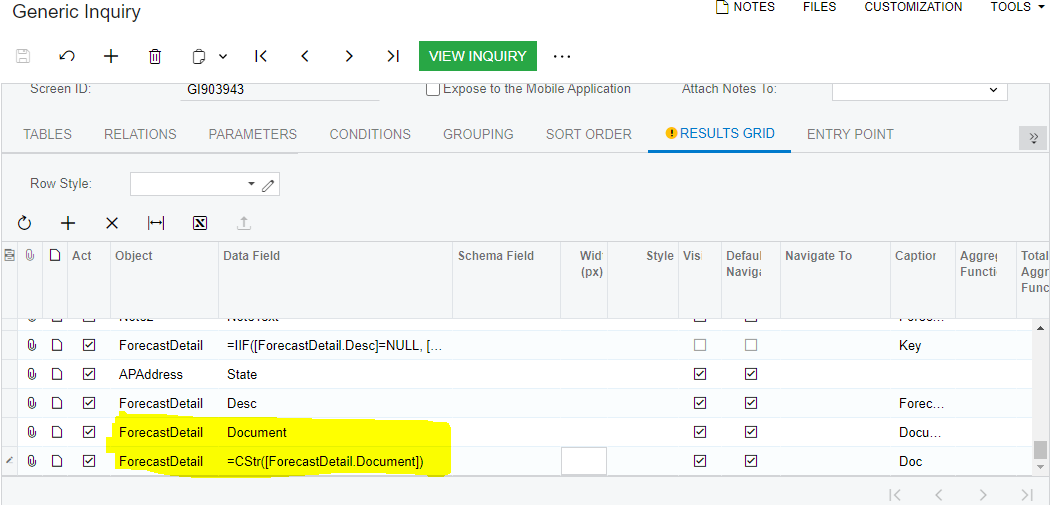
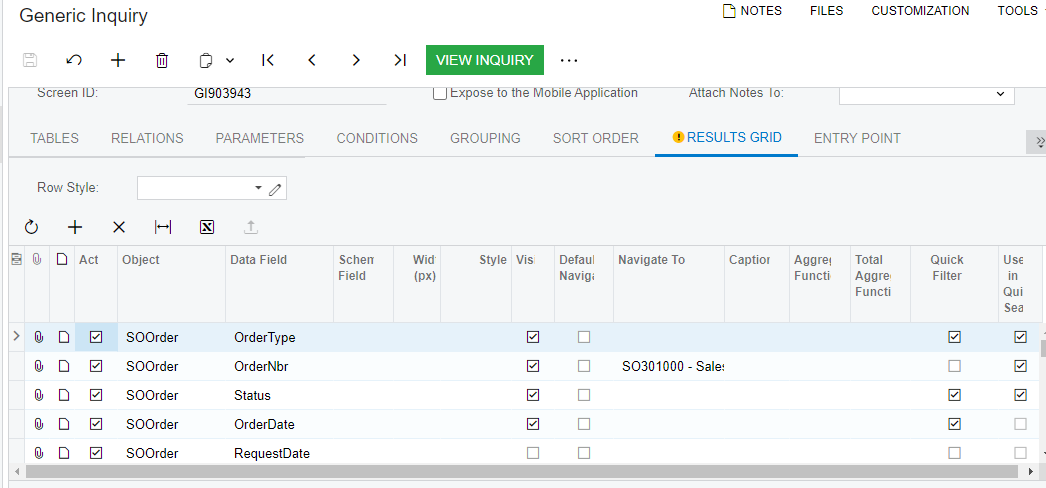
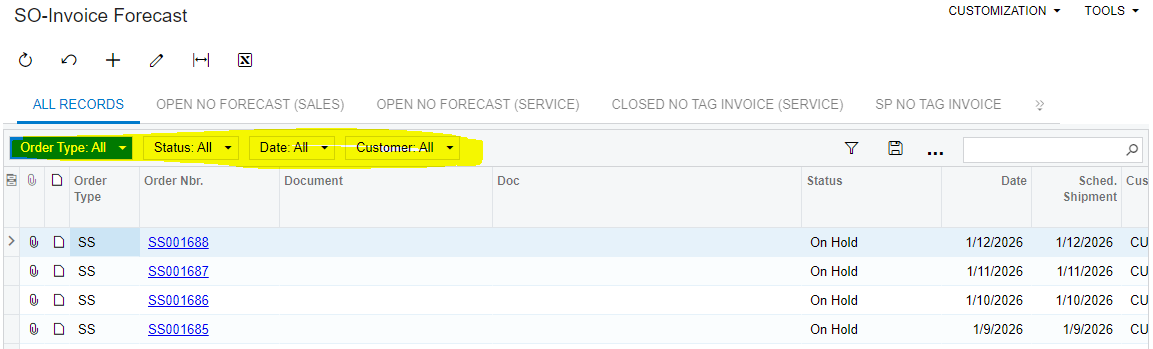
I am using cstr() function on Document column in generic inquiry as filter is not working on the column, but when I use cstr() GI is showing rows with a null value in the column. Below is the screenshot for reference of cstr() followed by GI screenshot


Kindly suggest to resolve.
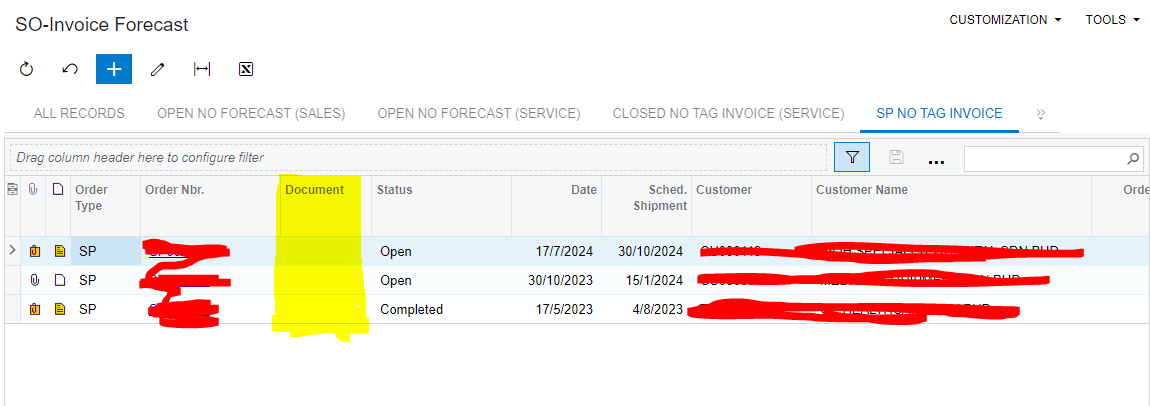


Screenshot of GI without using CStr()
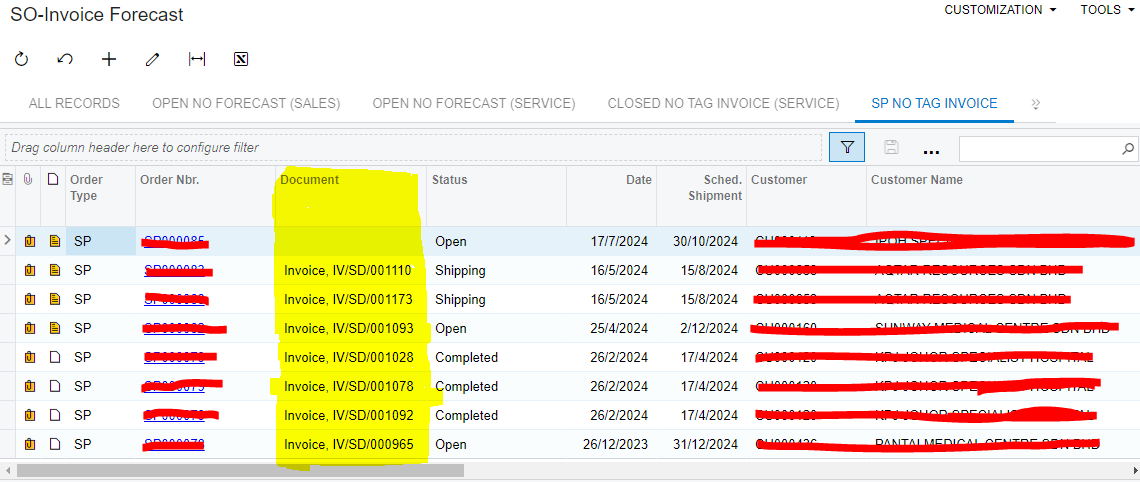


Best answer by aiwan

Thanks @suchit39 


What is happening is the CStr() is removing the “mask” from the raw value of the unique identifier.


I don’t think that you should use this column for filtering, it would be like filtering with NoteID.


Aleks

View original

15 replies

Forum|alt.badge.img+11
  • Captain II
  • September 2, 2024

Hi @suchit39 


What is the use of using CStr(), I am sure you know, but the function is case sensitive.


Aleks

Translate

Naveen Boga
Captain II
Forum|alt.badge.img+20

@suchit39  CStr() is useful for Converts expression to a String but not for the filter the details.


If possible, share your GI so that it will helpful for us to review.

Translate

Forum|alt.badge.img
  • Author
  • Freshman I
  • September 3, 2024

@Naveen Boga I used  CStr() function just to convert in to string as filter was not working in GI I tries suggestion available in Acumatica community on below link. It will be a great help if you could help me out with filtering issue as I am not able to filter one column in GI.


Translate

Naveen Boga
Captain II
Forum|alt.badge.img+20

@suchit39 Please share your XML format of GI here.

Translate

Forum|alt.badge.img
  • Author
  • Freshman I
  • September 3, 2024

@Naveen Boga Please find the attached XML format of GI

Translate

Naveen Boga
Captain II
Forum|alt.badge.img+20

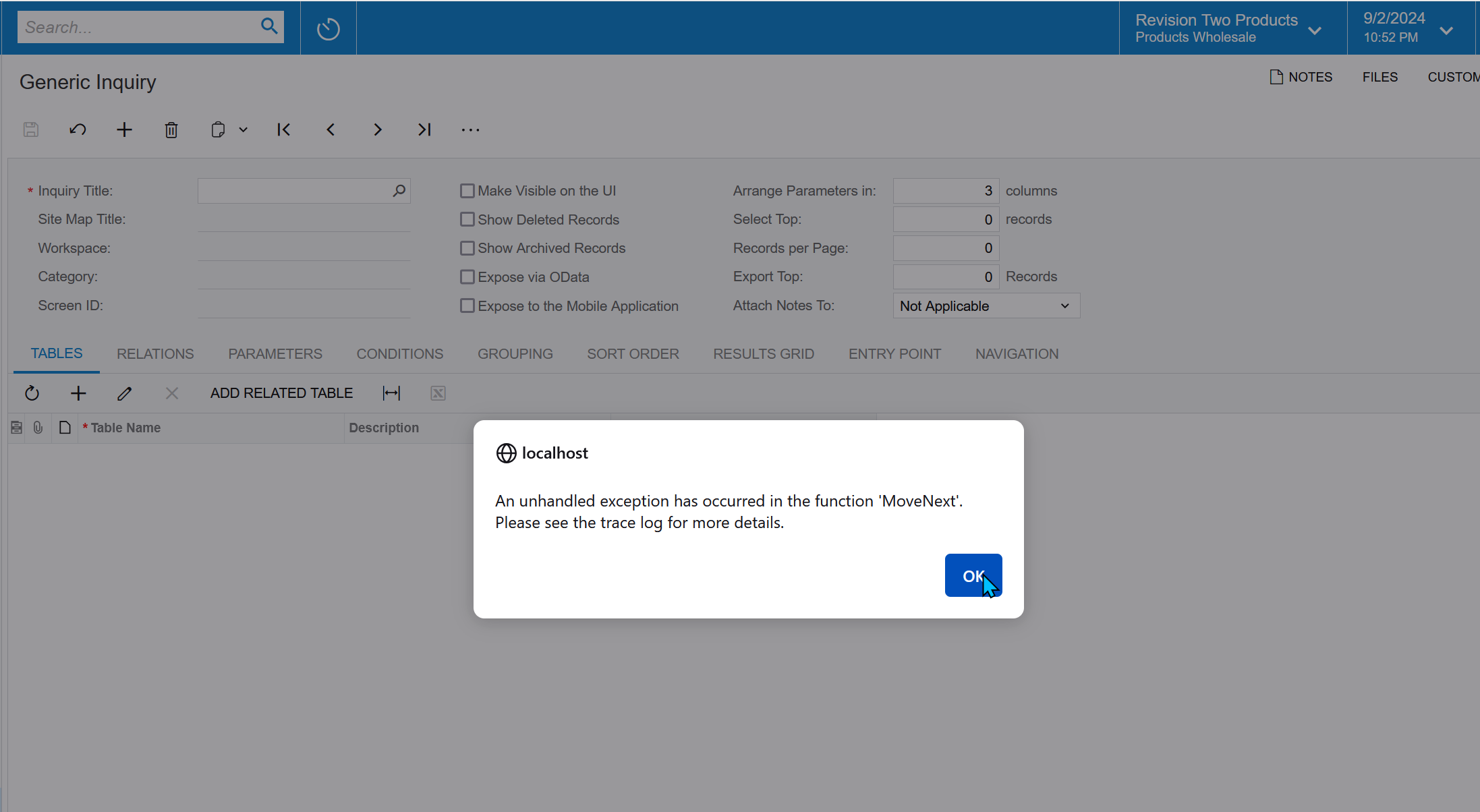
@suchit39  I’m not able to import above provided Gi in the 23 R2 instance and getting below error.


Translate

Forum|alt.badge.img
  • Author
  • Freshman I
  • September 3, 2024

Hi @Naveen Boga Can try this new attached xml

Translate

Forum|alt.badge.img
  • Author
  • Freshman I
  • September 3, 2024

@Naveen Boga filter is not working on Document column

Translate

Forum|alt.badge.img
  • Author
  • Freshman I
  • September 3, 2024

Hi @Naveen Boga,

I have tried CStr() function on Document column but values are getting corrupted highlighted in below screenshot (Document column is without CStr() which is not getting filtered out and Doc column is using CStr())


Translate

Naveen Boga
Captain II
Forum|alt.badge.img+20

@suchit39  As you are using the custom table, it won’t works for me.

Anyways, can you please provide the screenshot that how are you filtering the data..


Using

  1. Parameter with condition?
  2. Conditions tab?
  3. Grid column filter?
  4. Shared filter?
Translate

Forum|alt.badge.img
  • Author
  • Freshman I
  • September 3, 2024

@Naveen Boga 


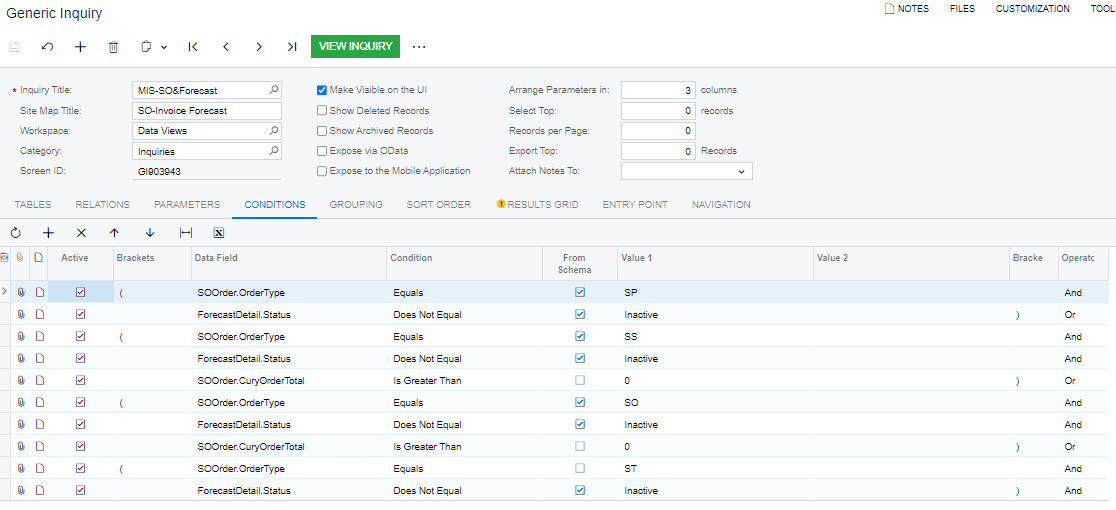
Please find the below details

  1. Parameter with condition- We have not added any parameter
  2. Conditions tab- 


  3. Grid column filter?


  4. Shared filter?


Translate

Forum|alt.badge.img+11
  • Captain II
  • September 8, 2024

Hi @suchit39 


Looking at the doc value, it looks like the field is a unique identifier.


Could you please share the DAC for this table?


Aleks

Translate

Forum|alt.badge.img
  • Author
  • Freshman I
  • September 9, 2024

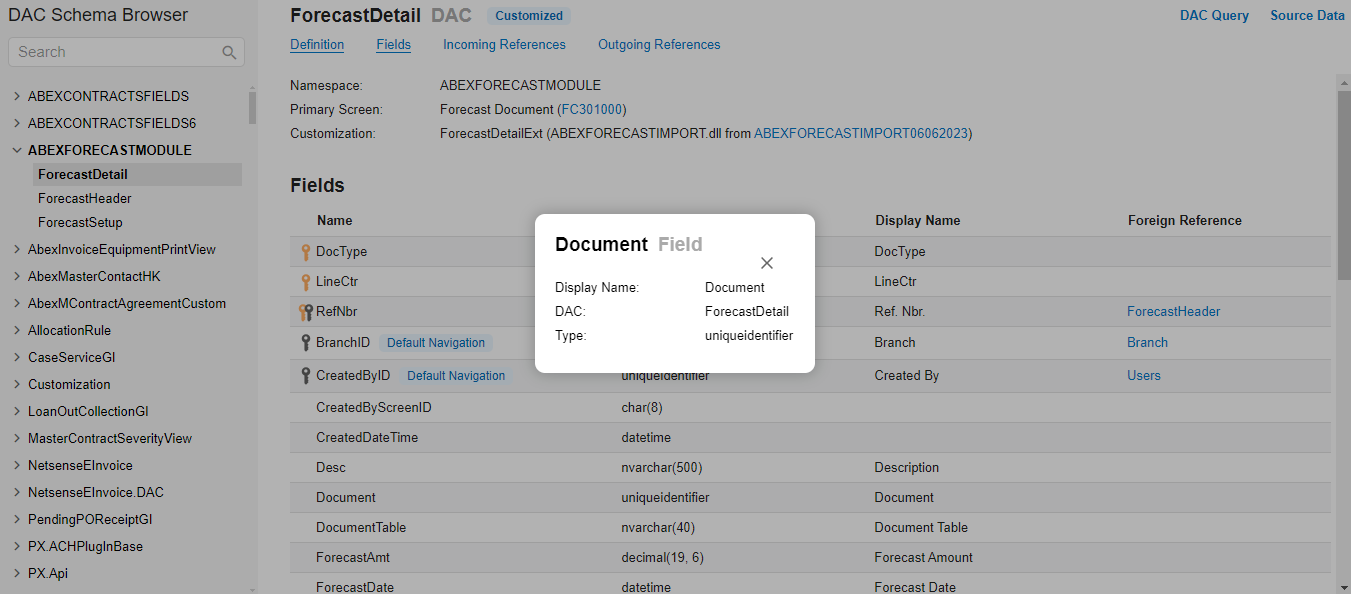
Hi @aiwan Please find the below details of the field


Translate

Forum|alt.badge.img+11
  • Captain II
  • Answer
  • September 9, 2024

Thanks @suchit39 


What is happening is the CStr() is removing the “mask” from the raw value of the unique identifier.


I don’t think that you should use this column for filtering, it would be like filtering with NoteID.


Aleks

Translate

Forum|alt.badge.img
  • Author
  • Freshman I
  • September 9, 2024

Hi @aiwan Thank you. It was helpful.


Translate