Answer

Passing Generic Inquiry Parameters to Pivot Table

  • November 22, 2021
  • 10 replies
  • 841 views

Forum|alt.badge.img

Hello,

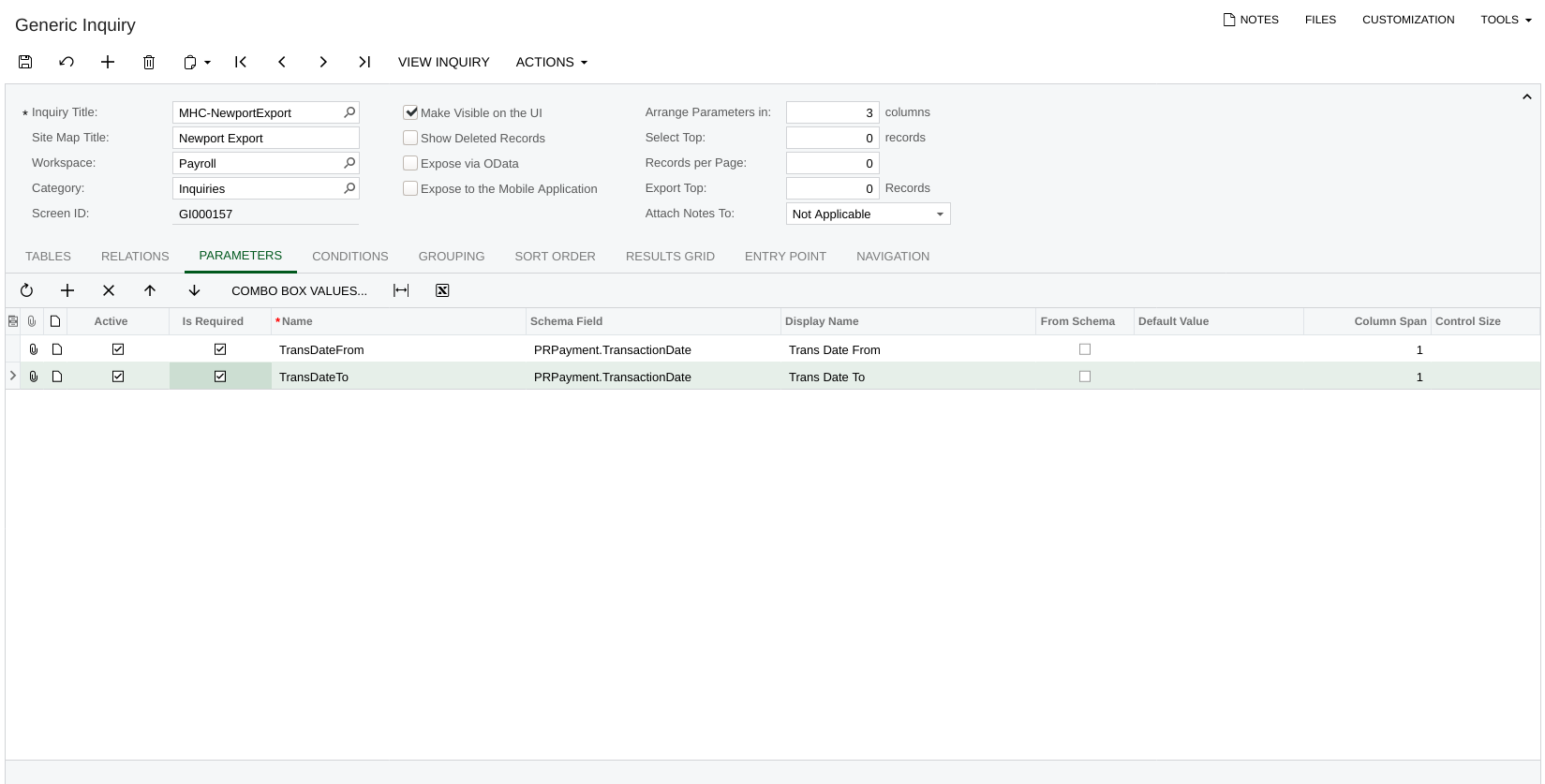
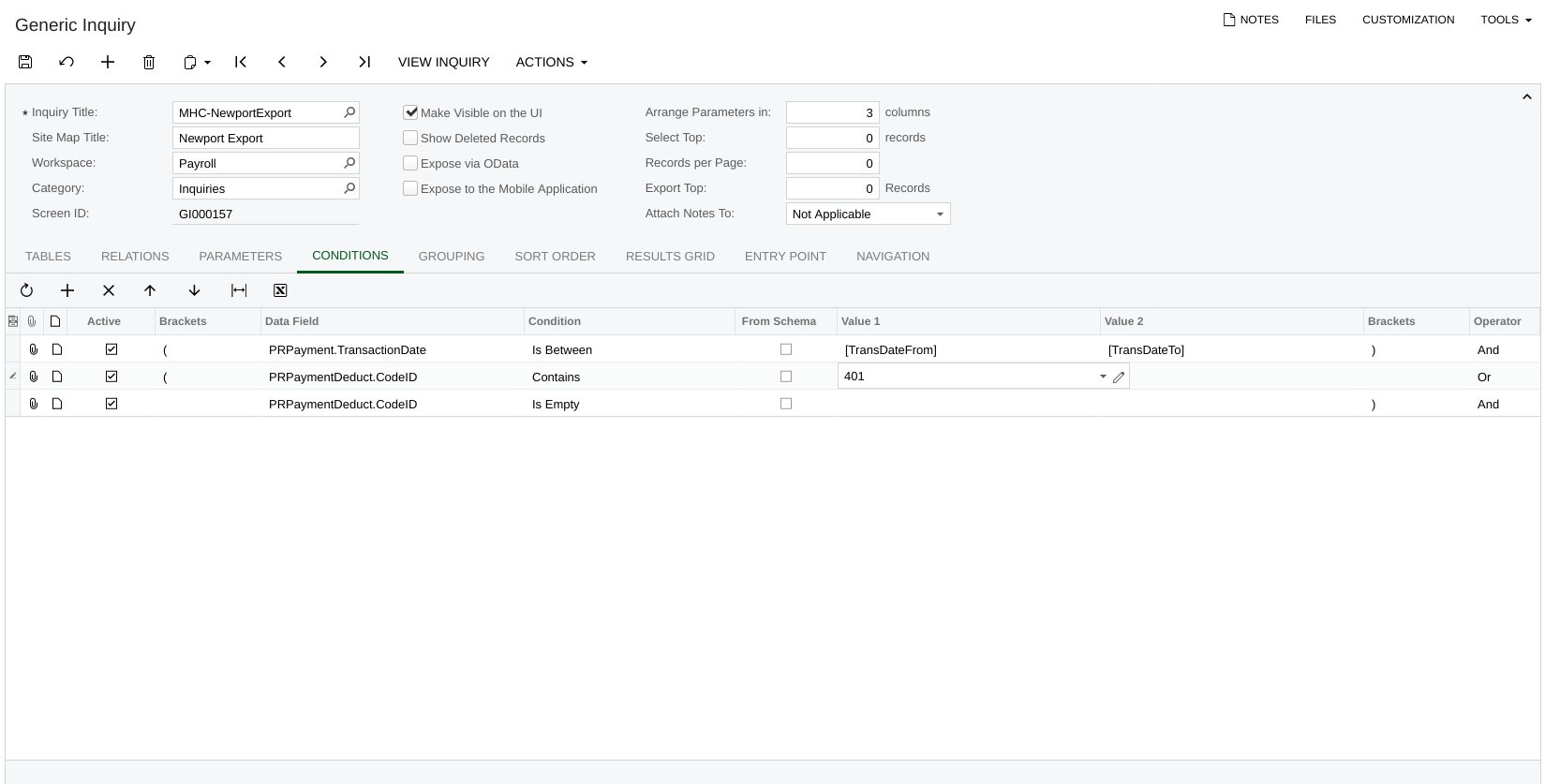
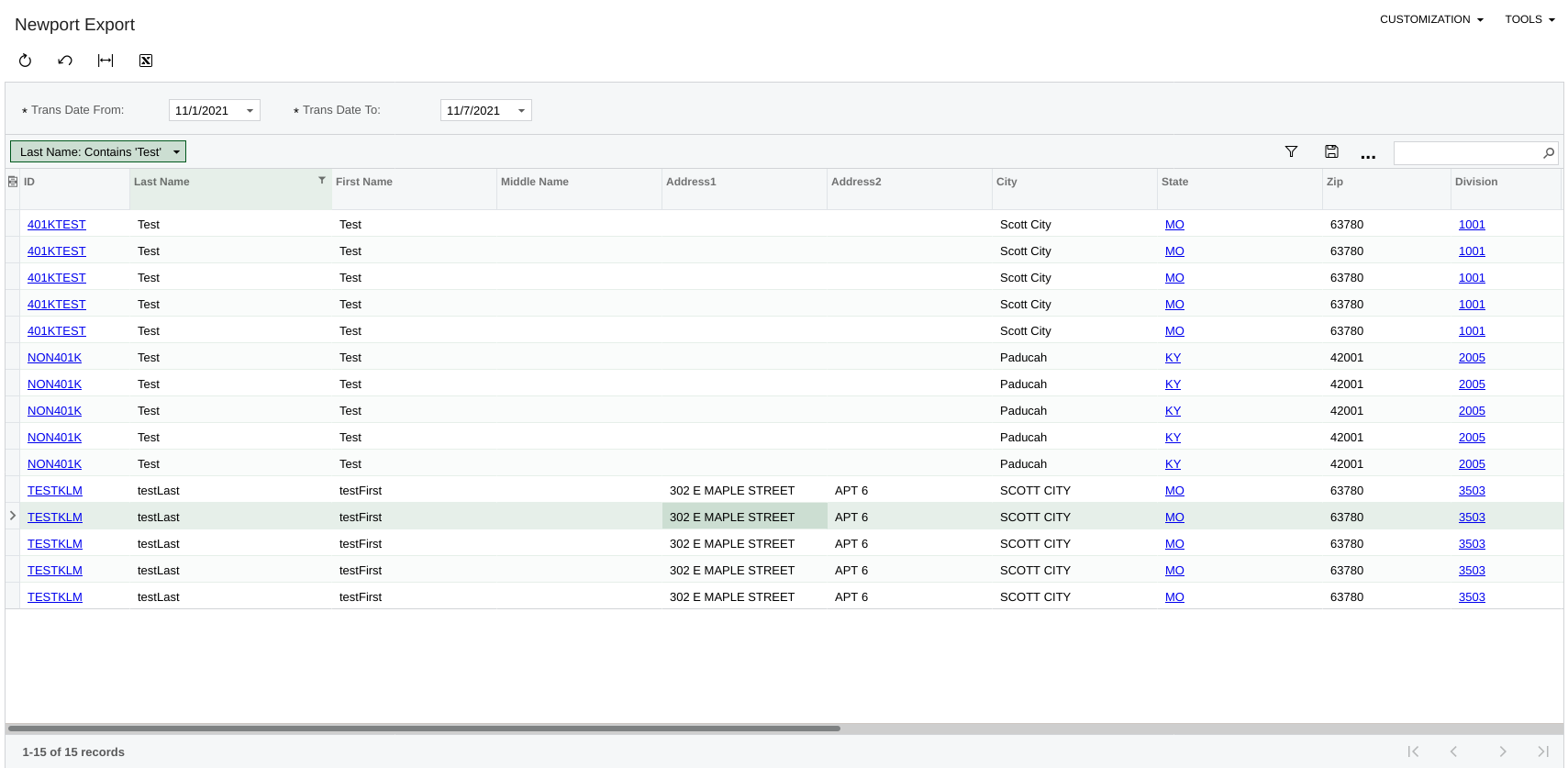
I built a simple GI that has two parameters - a date from and date to. These parameters are required and used as part of the Condition to load data.

Everything works as expected for the GI. I supply the parameters and the appropriate data records are returned. However, this becomes a problem when I try to create a Pivot table from it. Specifically, no data loads and there seems to be no way to supply the parameters specified as required in the GI. I cannot use Pivot Table Filters either, since, presumably this requires some data to actually filter on.

To get the Pivot Table to function, I realize I could remove the condition from my GI and then rely on Pivot Filters. However,  this is not ideal for my use case since I would like to keep the GI parameters and conditions as is.

How might I accomplish this?

Thanks.

Best answer by KellyMarchewa

@Chris Hackett  no I was never able to figure this out with the GI + Pivot Table. I ended up settling for a different approach (a report created via the Report Designer).  Thanks!

10 replies

Forum|alt.badge.img+8
  • Semi-Pro I
  • November 22, 2021

Hi @KellyMarchewa Please post additional information like Screenshots of the Generic Inquiry Tabs, and the output. Also, if possible export the Generic Inquiry and attach it here, so that it will be easy to understand and provide solutions.

Thanks


Forum|alt.badge.img
  • Author
  • Freshman II
  • November 22, 2021

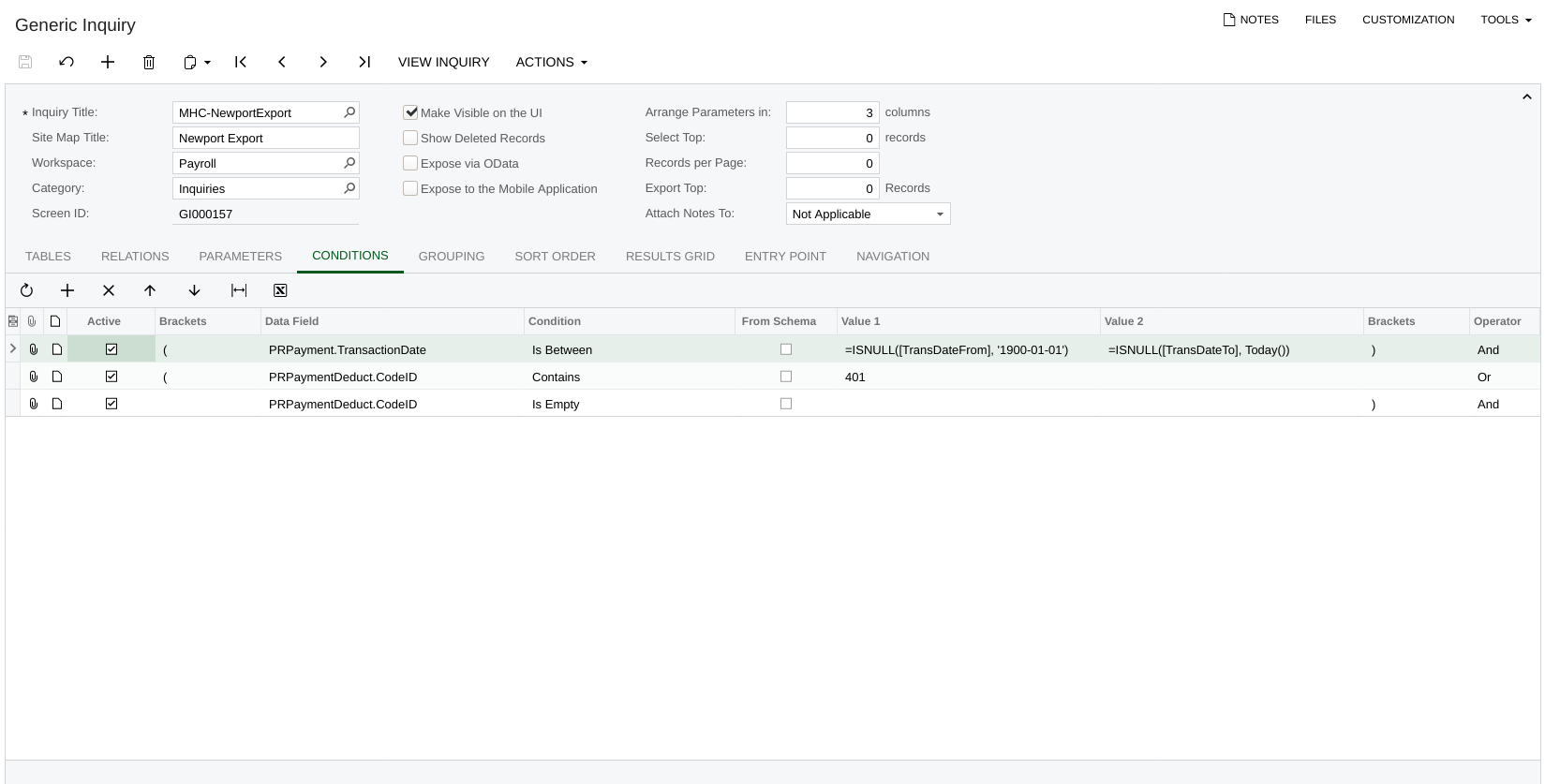
@ChandrasekharM . Unfortunately, can’t really export and upload full output, but please see screenshots below.

Thanks.


Forum|alt.badge.img+12
  • Acumatica Support Team
  • November 23, 2021

Hi @KellyMarchewa 

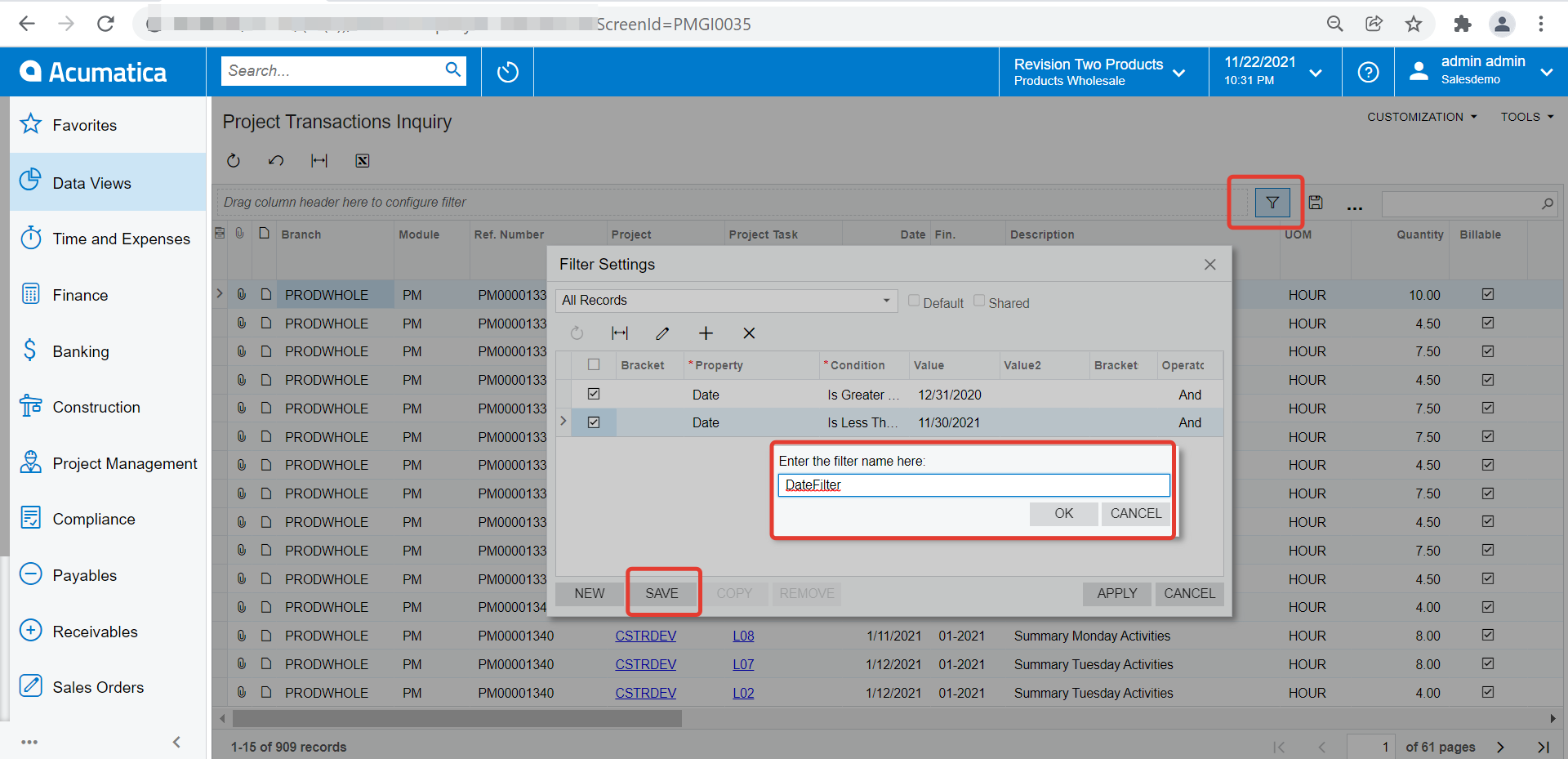
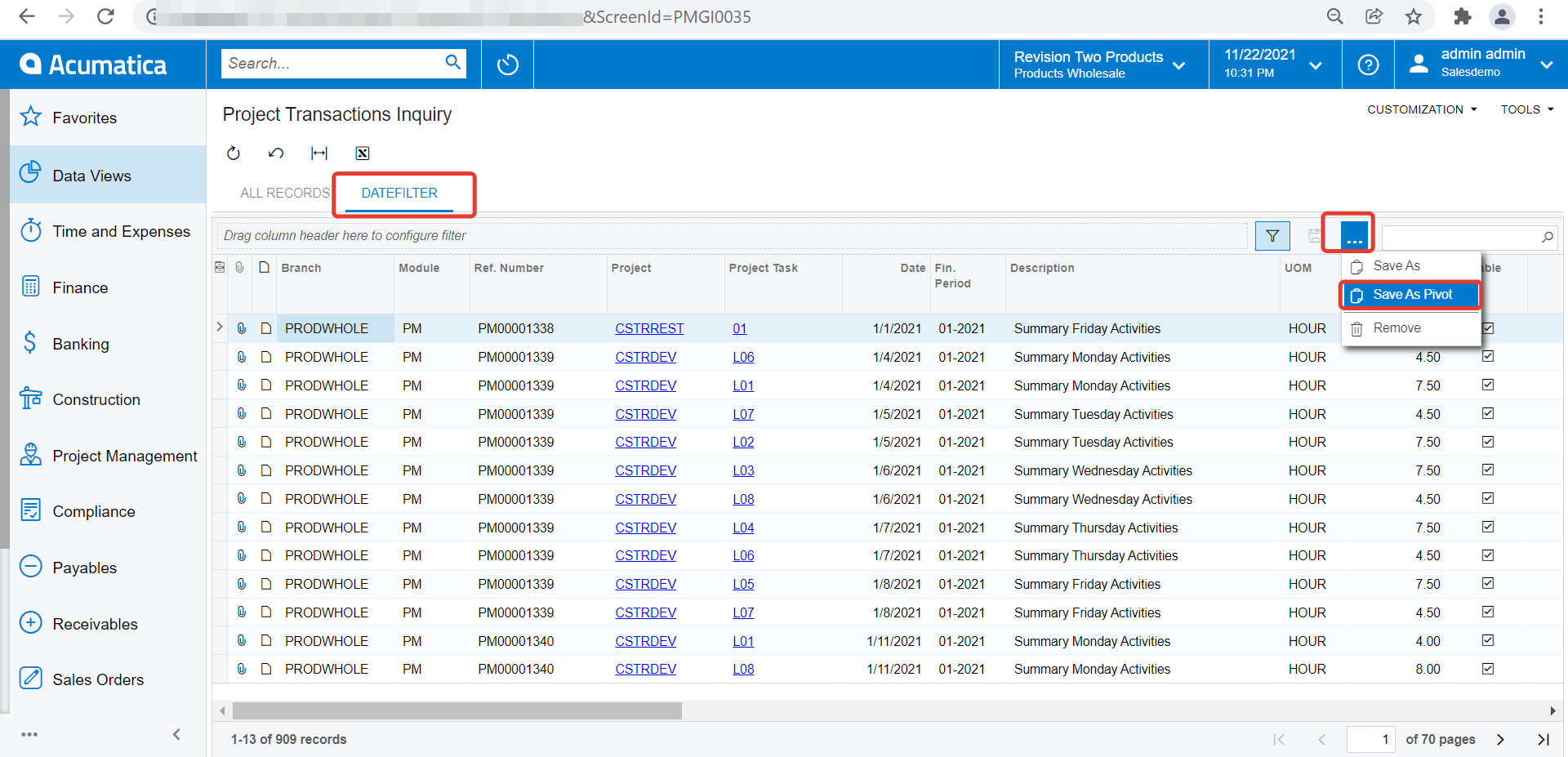
Please try using filter on GI result window and create a Pivot from filtered result content of the GI. 

  • Create filter on GI output
  • A new tab with filtered output reflects on GI result
  • Create a Pivot from that filtered content tab


Let me know if this helps,

Regards,


Forum|alt.badge.img
  • Author
  • Freshman II
  • November 24, 2021

@vkumar  Thanks much for the advice. It is certainly helpful. :slight_smile:

However, still not quite what I was looking for. Is there any way to use the GI filters to dynamically filter the Pivot? To give a more concrete example:

I adjusted the Conditions on my GI slightly to provide defaults if the parameters are not provided:


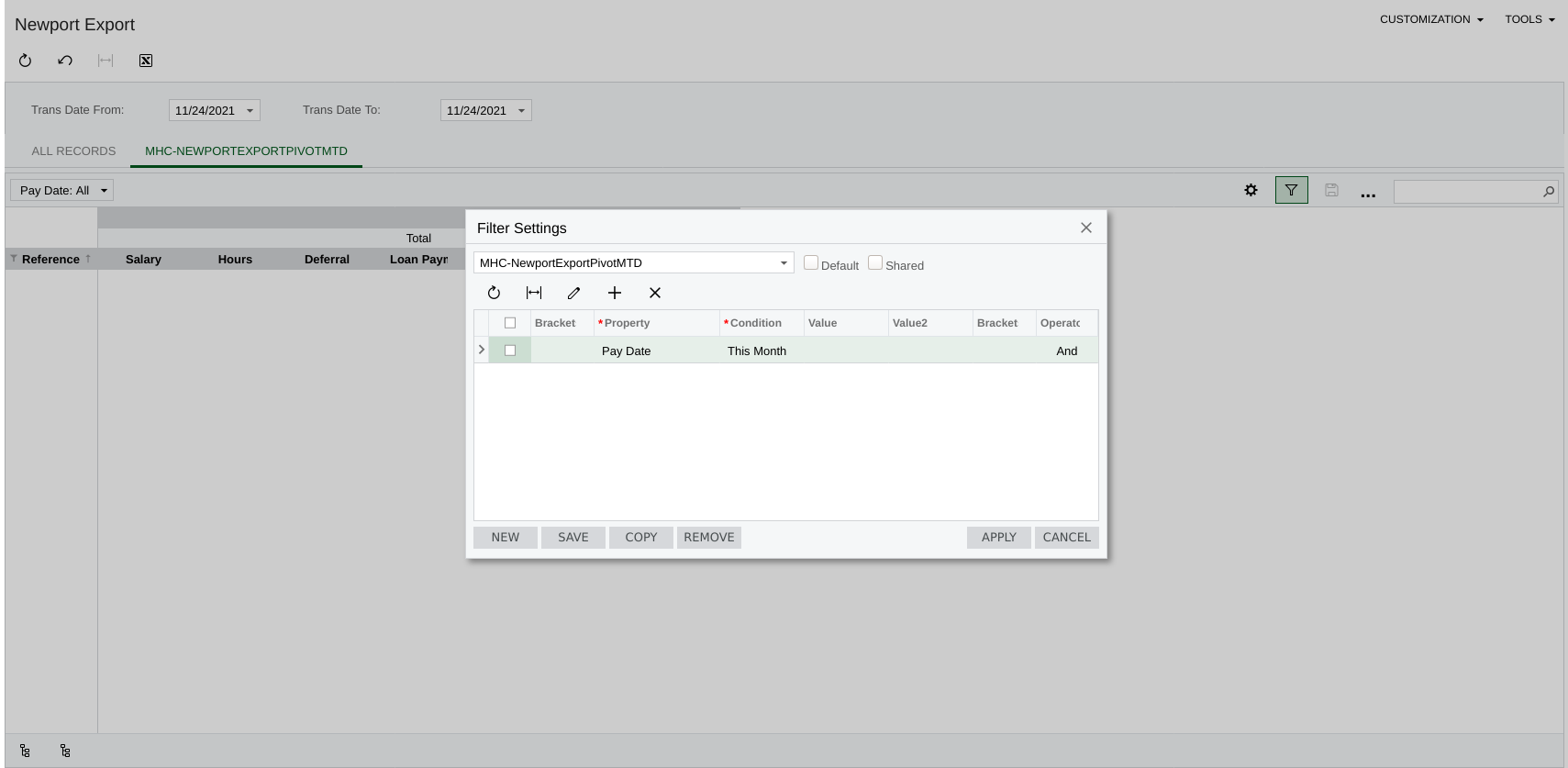
Based on your advice, I created a Pivot Table as a filter:


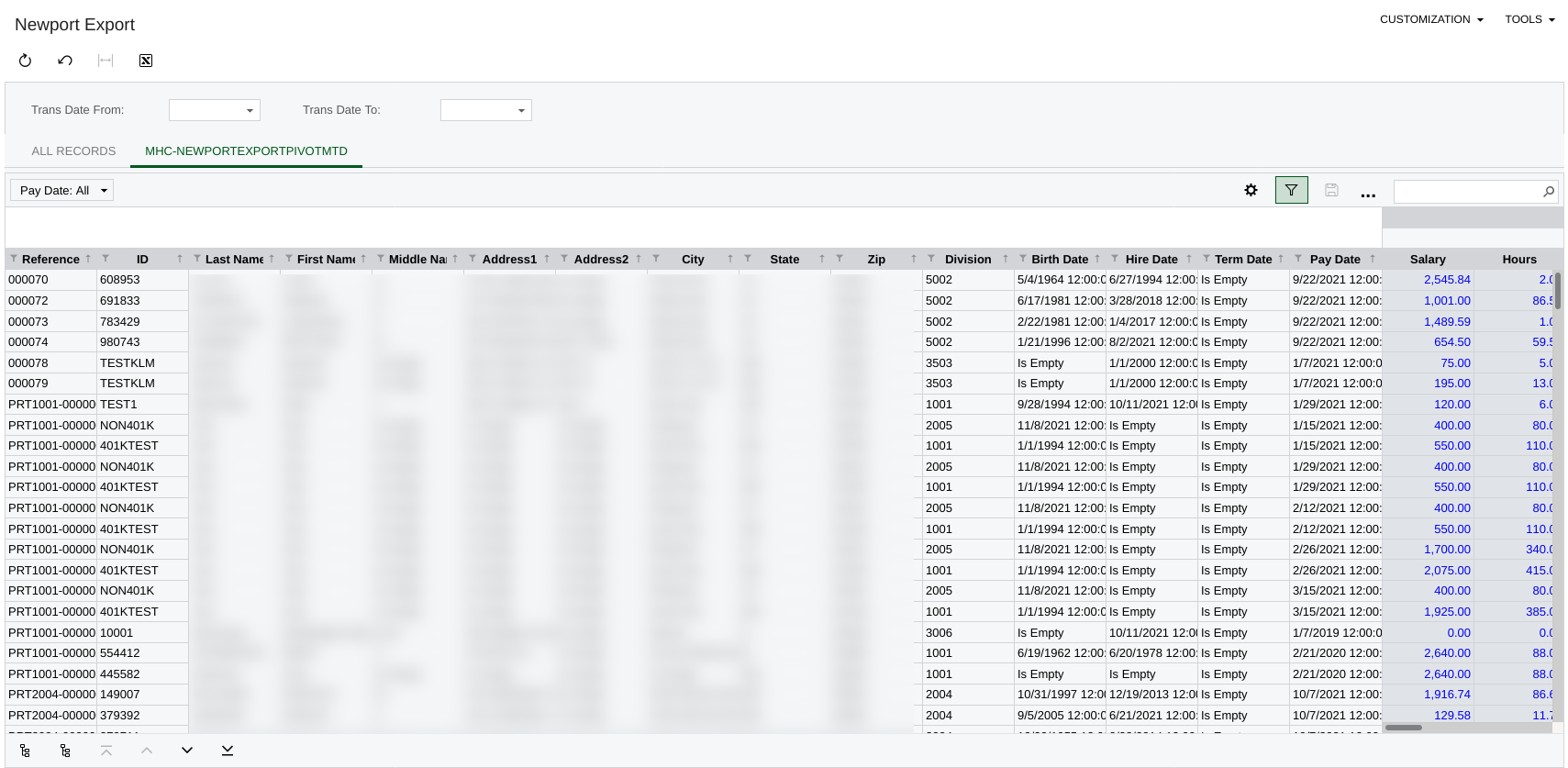
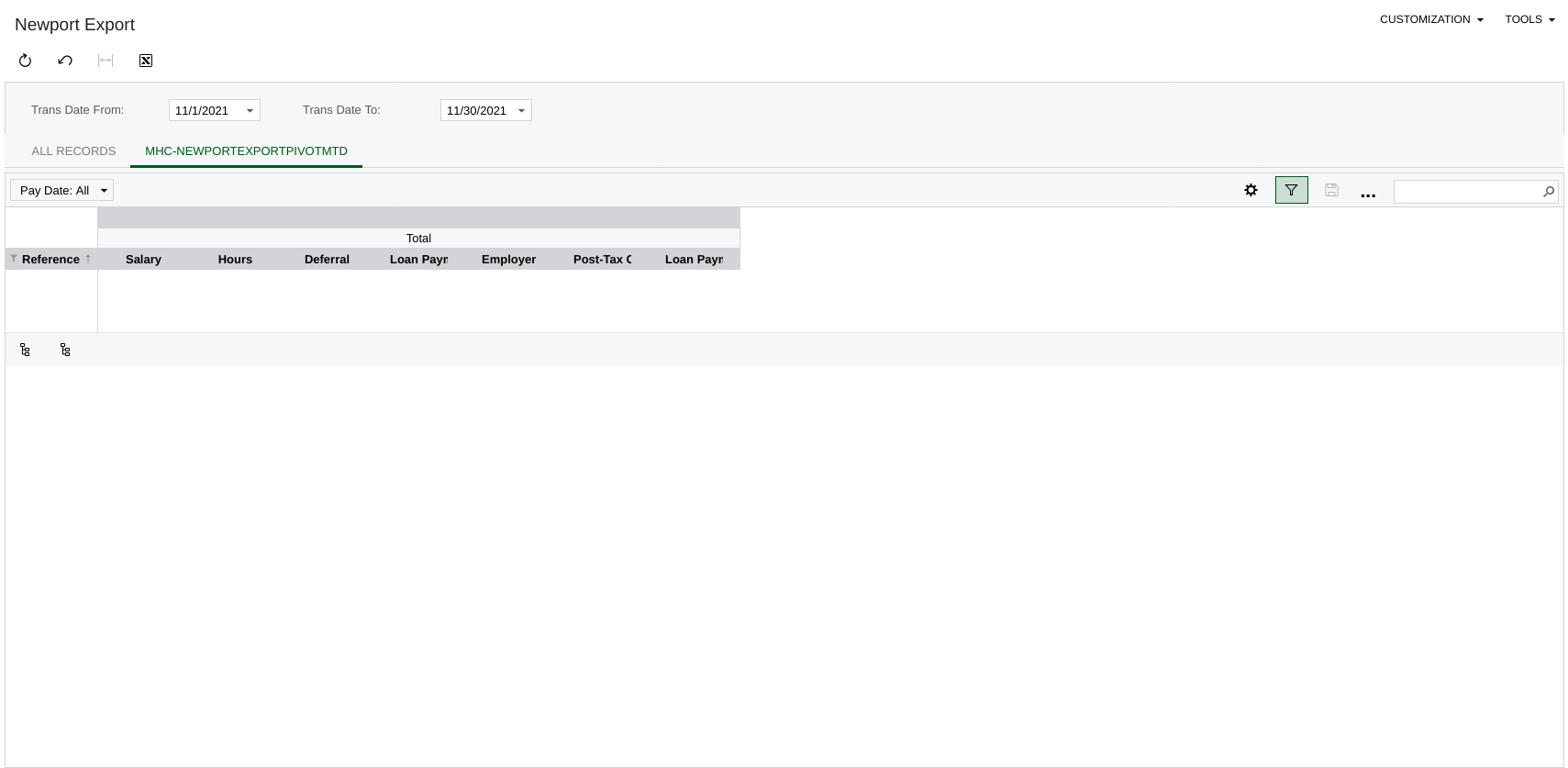
The data loads fine if I do not supply the Trans Date From/To parameters (presumably since the the default dates are passed to the Condition):


However, if I fill in the Trans Date From/To parameters, I get nothing in the Pivot Table:


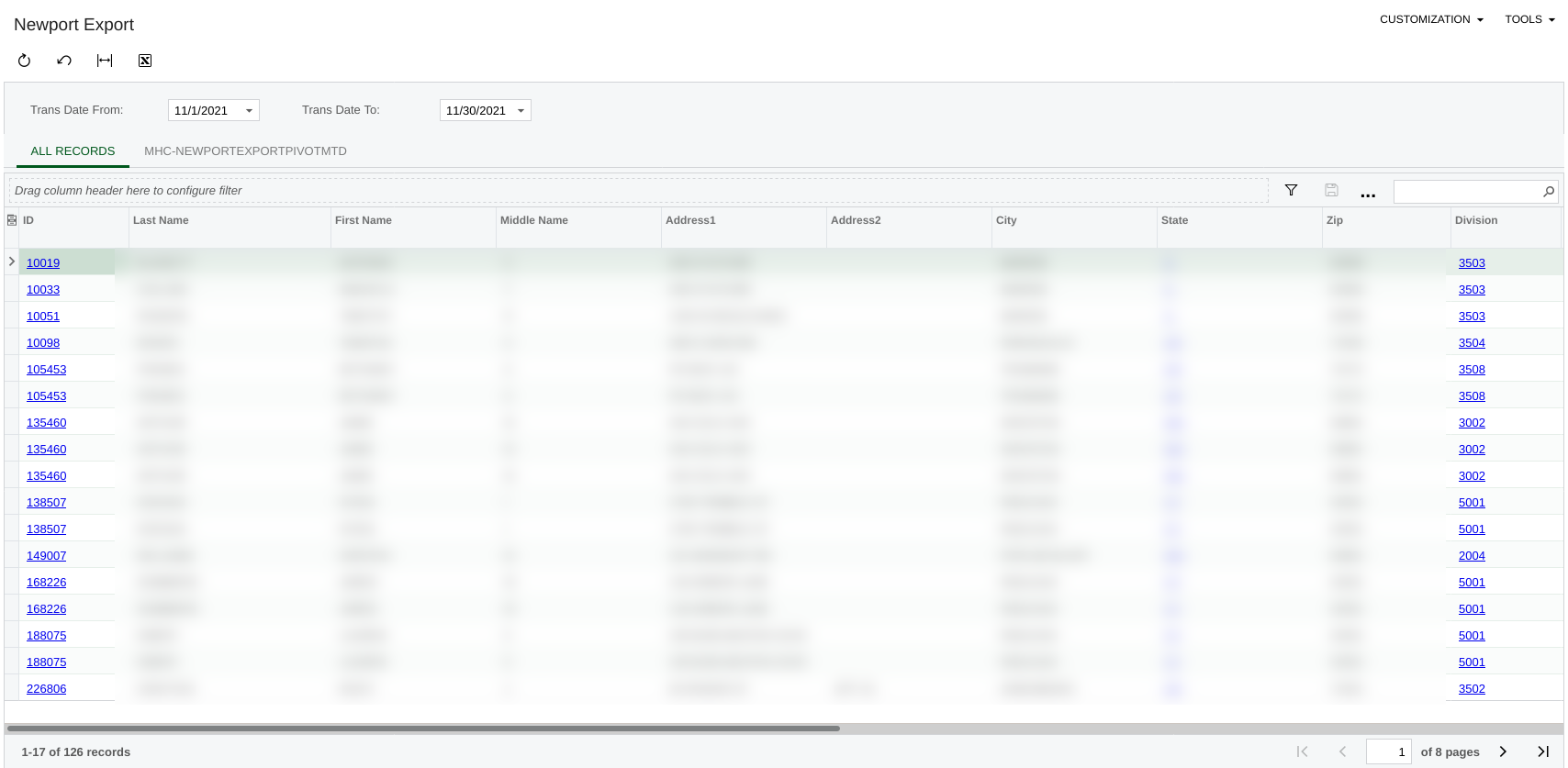
But the data loads just fine in the main GI tab:


My question is, is there anyway to use the parameters and conditions specified in the GI in the Pivot Table?

Using the example above, would it be possible to (a) require both the Trans Date To/From parameters (modifying the GI condition to load no data if they are not present), and (b) load filtered data in both the GI and Pivot Table when (and only when) these parameters are supplied?  I can get the GI to work just fine; it is the Pivot table that is problematic.

Thanks again.


Chris Hackett
Community Manager
Forum|alt.badge.img
  • Acumatica Community Manager
  • January 24, 2022

Hi @KellyMarchewa were you ever able to figure this out? Thanks!


Forum|alt.badge.img
  • Author
  • Freshman II
  • Answer
  • January 24, 2022

@Chris Hackett  no I was never able to figure this out with the GI + Pivot Table. I ended up settling for a different approach (a report created via the Report Designer).  Thanks!


lauraj46
Captain II
Forum|alt.badge.img+8
  • Captain II
  • March 12, 2024

Hi @KellyMarchewa  @Chris Hackett ,

I came across this post and wanted to share a solution that I found to pass parameters from a GI to a pivot table.  

First create a new dashboard and configure the parameters.  Then add the pivot table as a widget on the dashboard.  The dashboard parameters can be passed through on the widget filter settings, and will flow through to the pivot table when it is displayed on the dashboard.

Hope this helps you or others!

Laura


Chris Hackett
Community Manager
Forum|alt.badge.img
  • Acumatica Community Manager
  • March 12, 2024

Thank you for sharing this with the community @lauraj46!


plambert
Semi-Pro I
Forum|alt.badge.img+2
  • Semi-Pro I
  • October 30, 2025

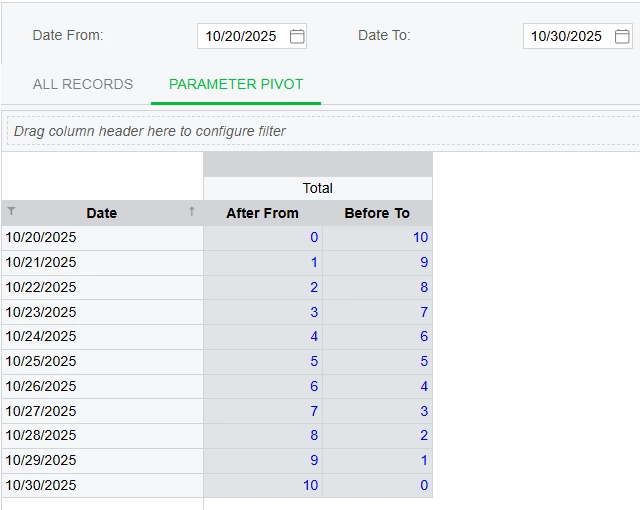
With inspiration from a related situation, I’ve come up with a solution. The general idea is that you recreate the parameters as fields in the Results Grid and then save a filter on the Pivot Table to recreate the conditions.

So, abstractly solving the original scenario, say you have the parameters [dateFrom] and [dateTo] and are filtering based on [DateInfo.Date]. You sometimes have to get reductional since you don’t have access to the same functions in the calculations as you do in the conditions, namely ‘Between’. Here I’ll use DateDiff to check the relative position of [DateInfo.Date] to the parameters. In other situations I prefer to reduce the result down to a true/false and using a checkbox schema so all the logic is contained in the calculation.

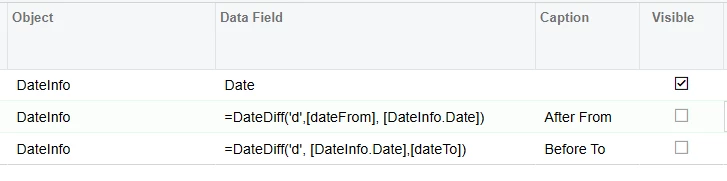
Make two fields - After From and Before To - in the Results Grid:

=DateDiff('d',[dateFrom], [DateInfo.Date])
=DateDiff('d', [DateInfo.Date], [dateTo])

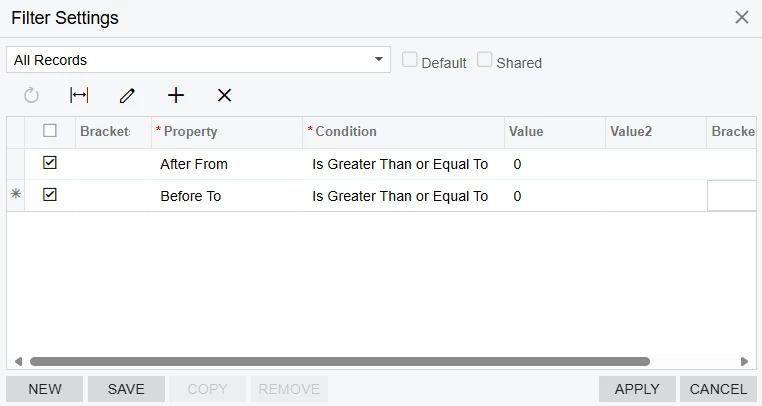
Then, in the pivot table, add filters for your parameter-condition-results to be positive:

On the pivot table, after publishing


After that, you can adjust the parameters and the values will be passed through the Results Grid to the filter of the Pivot Table.


Chris Hackett
Community Manager
Forum|alt.badge.img
  • Acumatica Community Manager
  • October 30, 2025

Thank you for sharing your solution with the community ​@plambert!