Answer

GI : percentage calculation with a formula result divide a result grid with aggregate function

  • August 1, 2023
  • 5 replies
  • 190 views

Forum|alt.badge.img

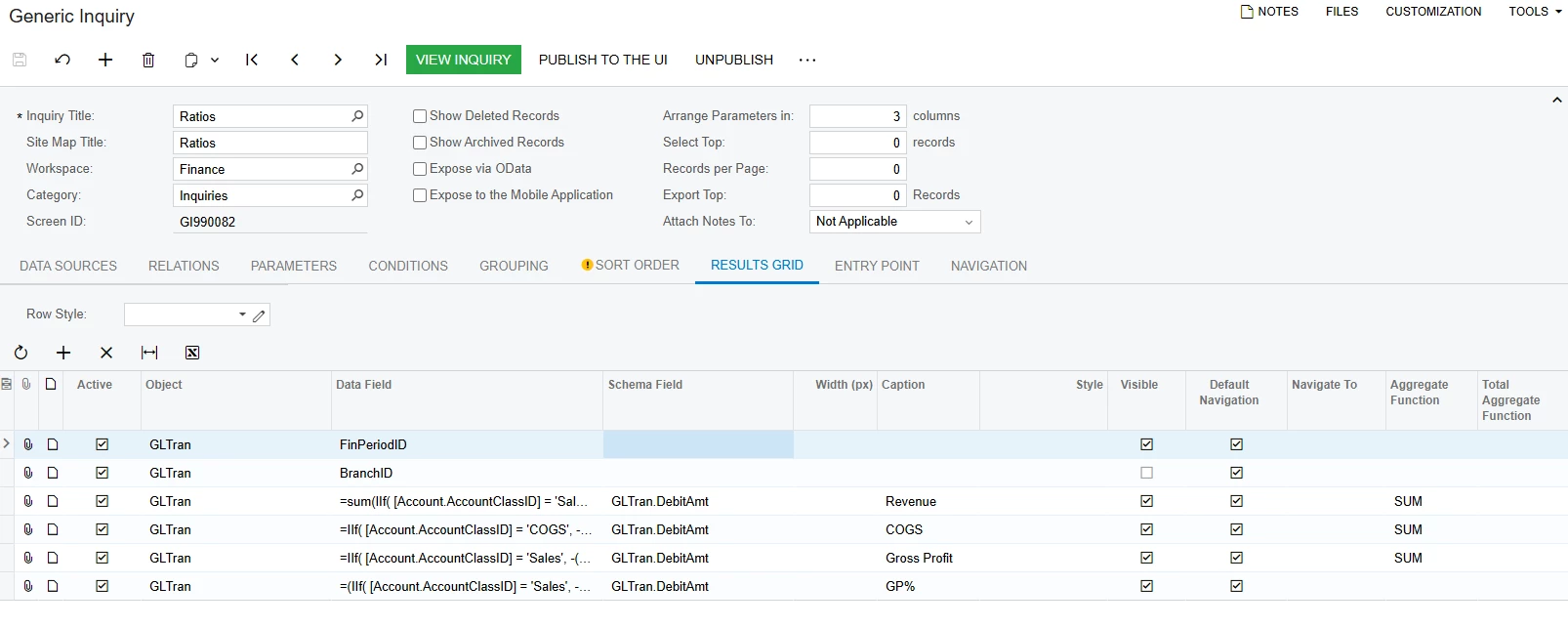
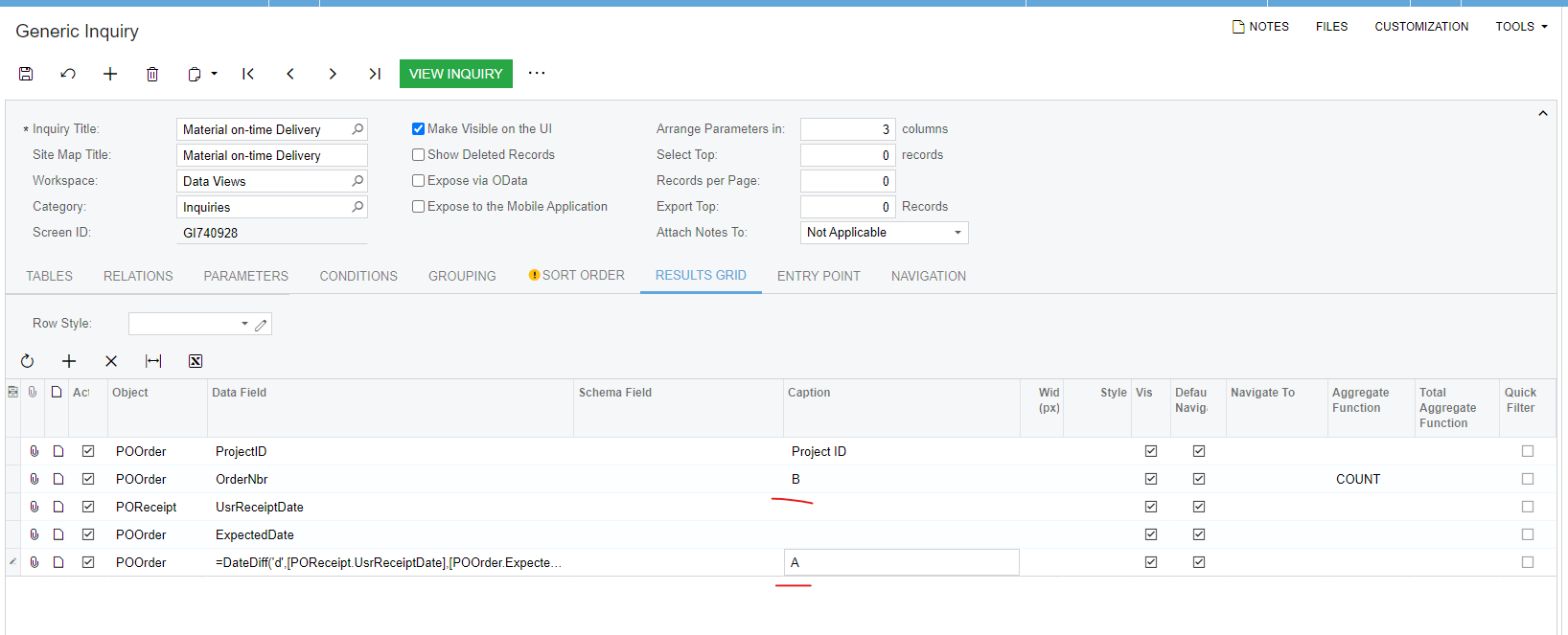
Hi, I am creating a GI and meet an issue. One of my result grids with a COUNT aggregate(A) and another of my result grids is a formula(B). I want to use a formula to divide them to get a percentage result (A/B), how can I do it? Attached with the XML file.



Best answer by lbarker

Hi Even though you have long formulas you just enclose it with sum, so:

=(Sum(Sales)-Sum(Costs)) / Sum(Sales)

It does work, but just takes a while to run it.

Simply replace the Sales etc with your formulas.

Make sure you have the grouping set and remove the aggregate function as you are using it in your data field


5 replies

  • Freshman I
  • August 12, 2025

I also have this problem. Could someone please answer this question?


lbarker
Semi-Pro II
Forum|alt.badge.img+3
  • Semi-Pro II
  • August 13, 2025

You would group by ProjectID in the GROUPING tab and then in the Data field

=Count([POOrder.OrderNbr]) for the B


Then your percentage column is

=(DateDiff(‘d’,[POReceipt.usrReceiptDate],[POOrder.ExpectedDate] / Count([POOrder.OrderNbr]))*100


Schema field for that calculation needs to be a field that has decimal points

That should work


  • Freshman I
  • August 13, 2025


Hi Ibarker,

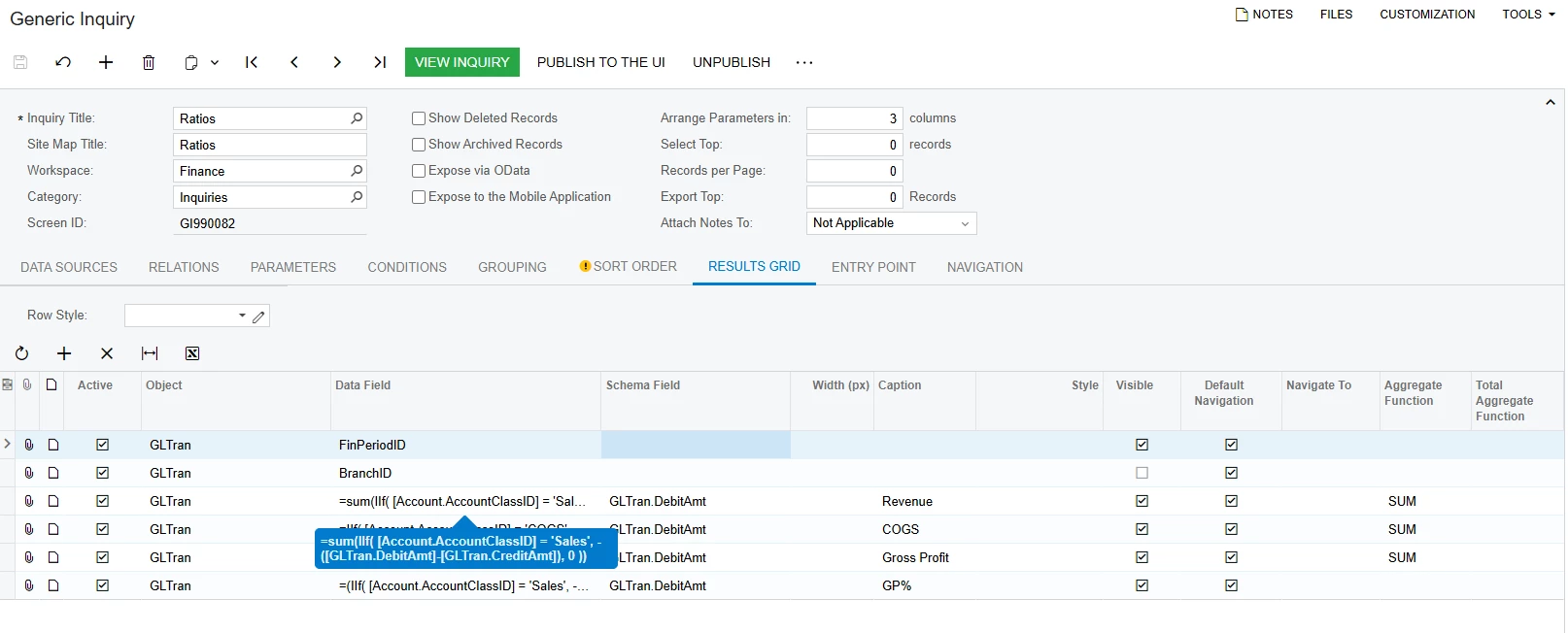
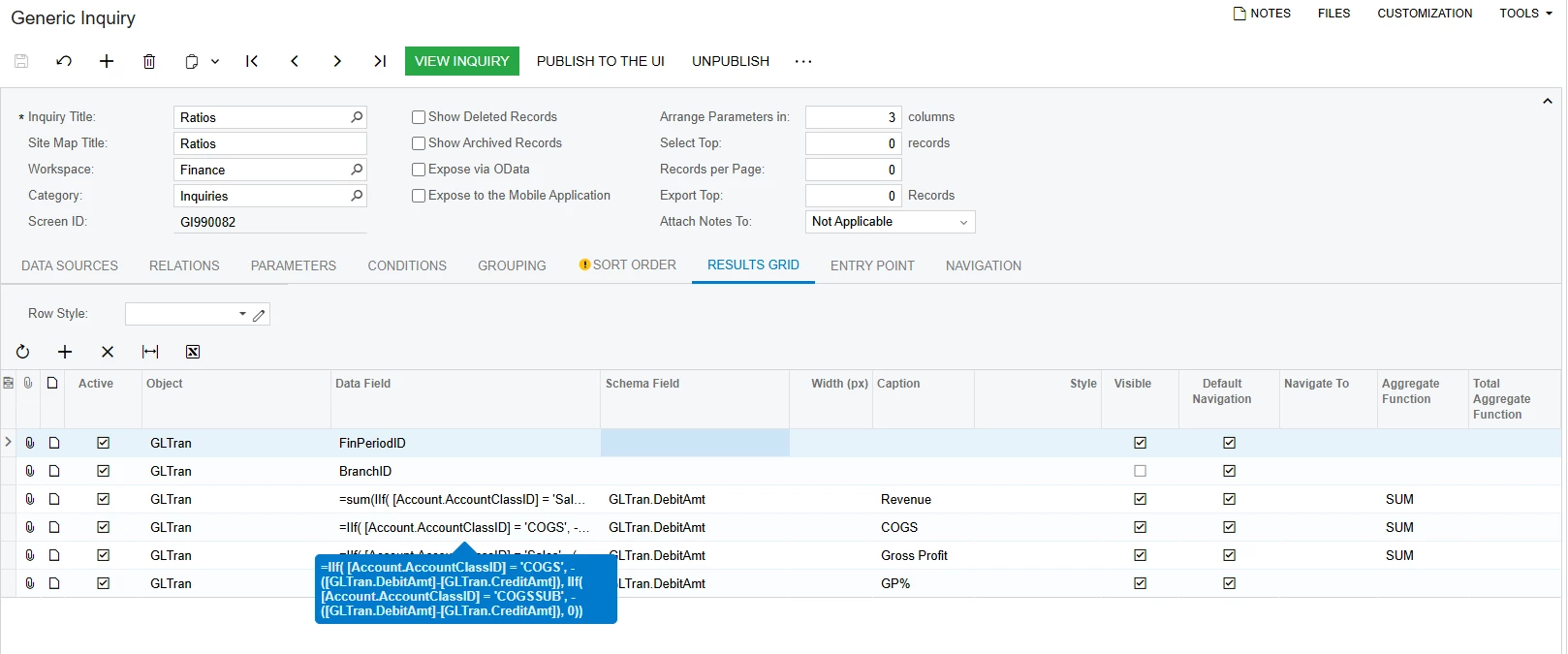
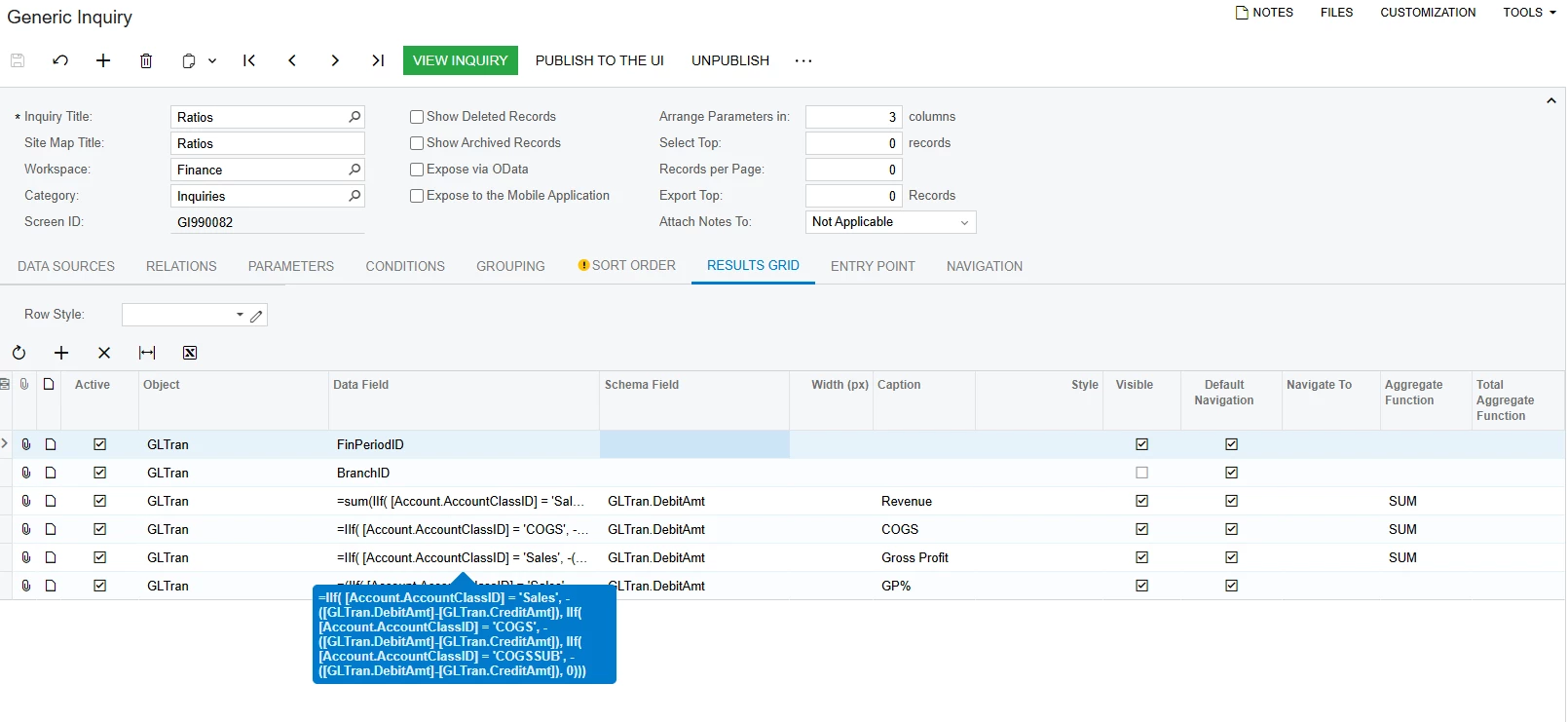
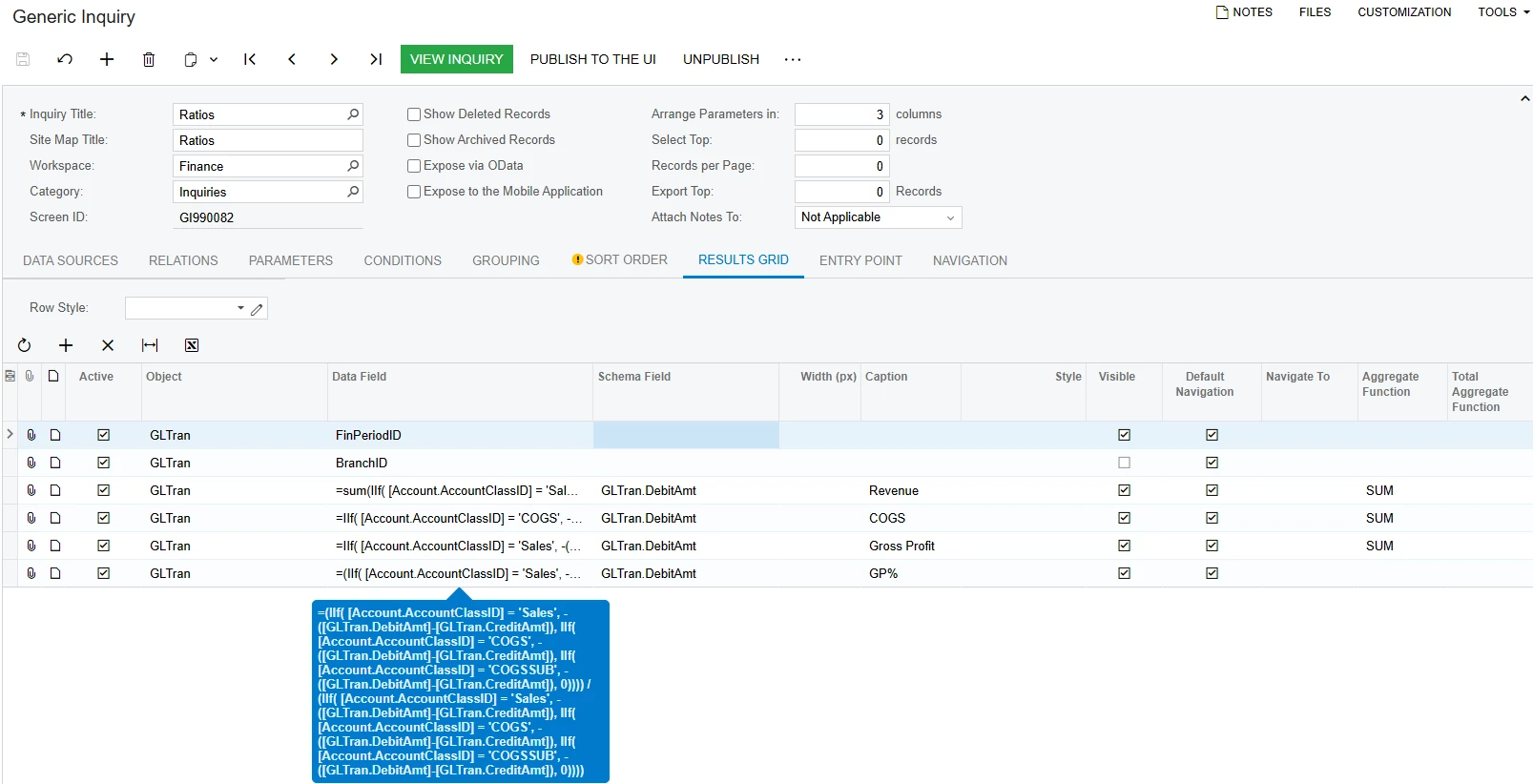
Thanks for your reply. My situation is a little different in that I am using the SUM aggregate function instead of the count. Basically, in the GP% field, I want it to divide the Gross Profit field by the Revenue field. Both the Gross Profit and Revenue fields are aggregated by SUM. How would I go about doing this?


lbarker
Semi-Pro II
Forum|alt.badge.img+3
  • Semi-Pro II
  • Answer
  • August 14, 2025

Hi Even though you have long formulas you just enclose it with sum, so:

=(Sum(Sales)-Sum(Costs)) / Sum(Sales)

It does work, but just takes a while to run it.

Simply replace the Sales etc with your formulas.

Make sure you have the grouping set and remove the aggregate function as you are using it in your data field


  • Freshman I
  • August 14, 2025

Hi ​@lbarker,

Thanks for your help on this. It makes sense now!