

When I try to do AR Print Statement I got error message Error: The report does not contain parameters: StatementMessage.
Please advise on how to solve this issue.
Thanks,
Idrus



When I try to do AR Print Statement I got error message Error: The report does not contain parameters: StatementMessage.
Please advise on how to solve this issue.
Thanks,
Idrus
Best answer by BenjaminCrisman
Hi
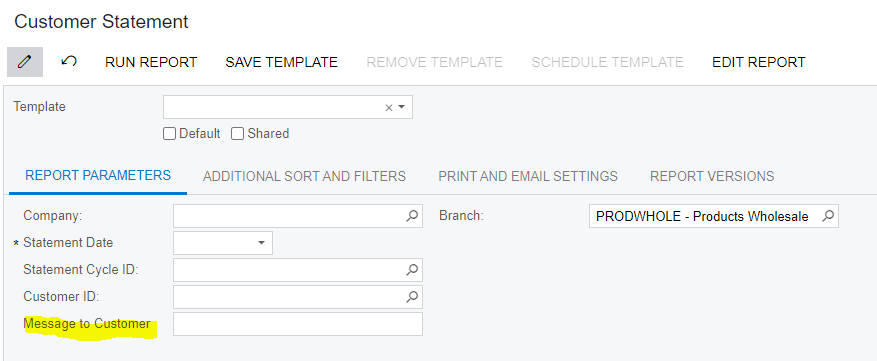
There are two options to troubleshoot this issue, either de-select any customized version of the report on the Report Versions tab (navigate to screenID AR641500 > Report Versions tab)
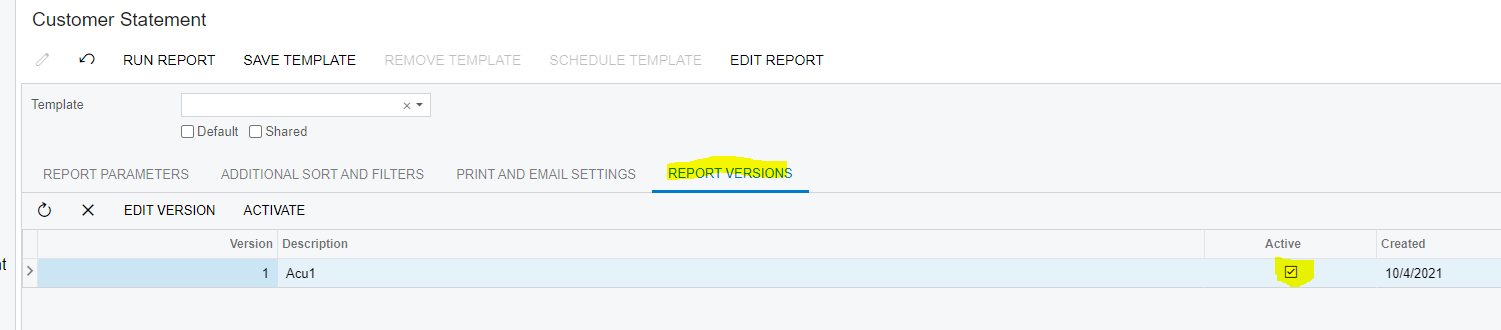
This should bring the report back to the out of the box version which has this parameter.
Alternatively, you can add the parameter to the existing report by opening the report in Report Designer and adding a parameter which looks like the following image:
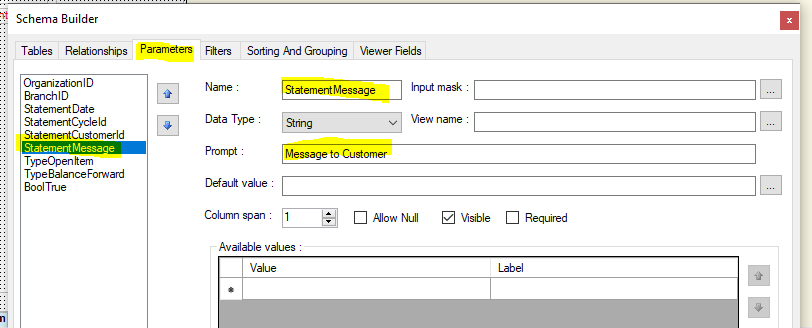
Once saved back to the server, this should allow the report to be generated as expected
Enter your E-mail address. We'll send you an e-mail with instructions to reset your password.


