Answer

Anybody attempt dynamic report titles? For example... Invoice12345.PDF ?

  • April 6, 2022
  • 5 replies
  • 117 views

sean21
Varsity III
Forum|alt.badge.img+1

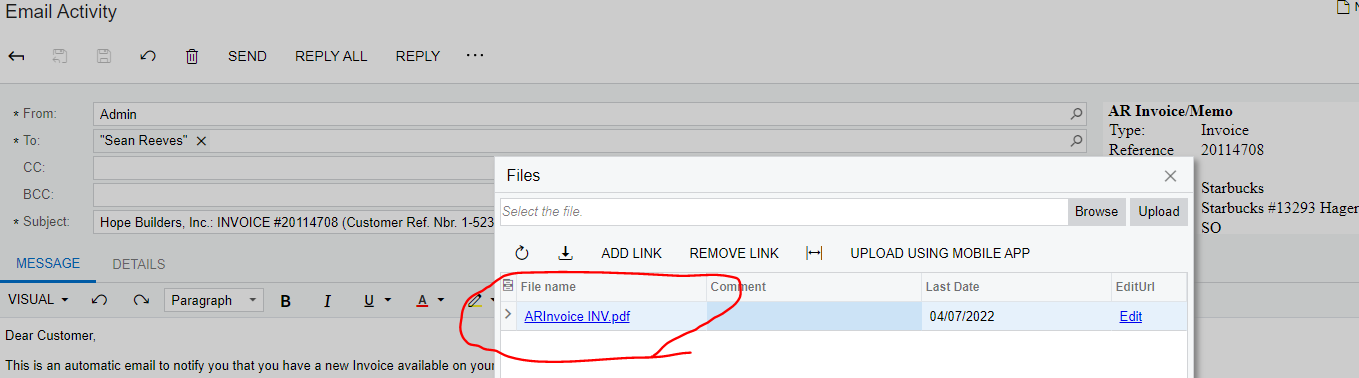
The system names all the PDF’s ARInvoiceINV.pdf for the Invoice report AR641000. Has anybody tried to change this to include the invoice number in the report? Or does anybody know if this is possible. 

For example, can we change it to ARInvoice12345? Or something like that….
Best answer by vkumar

Hi @sean21 

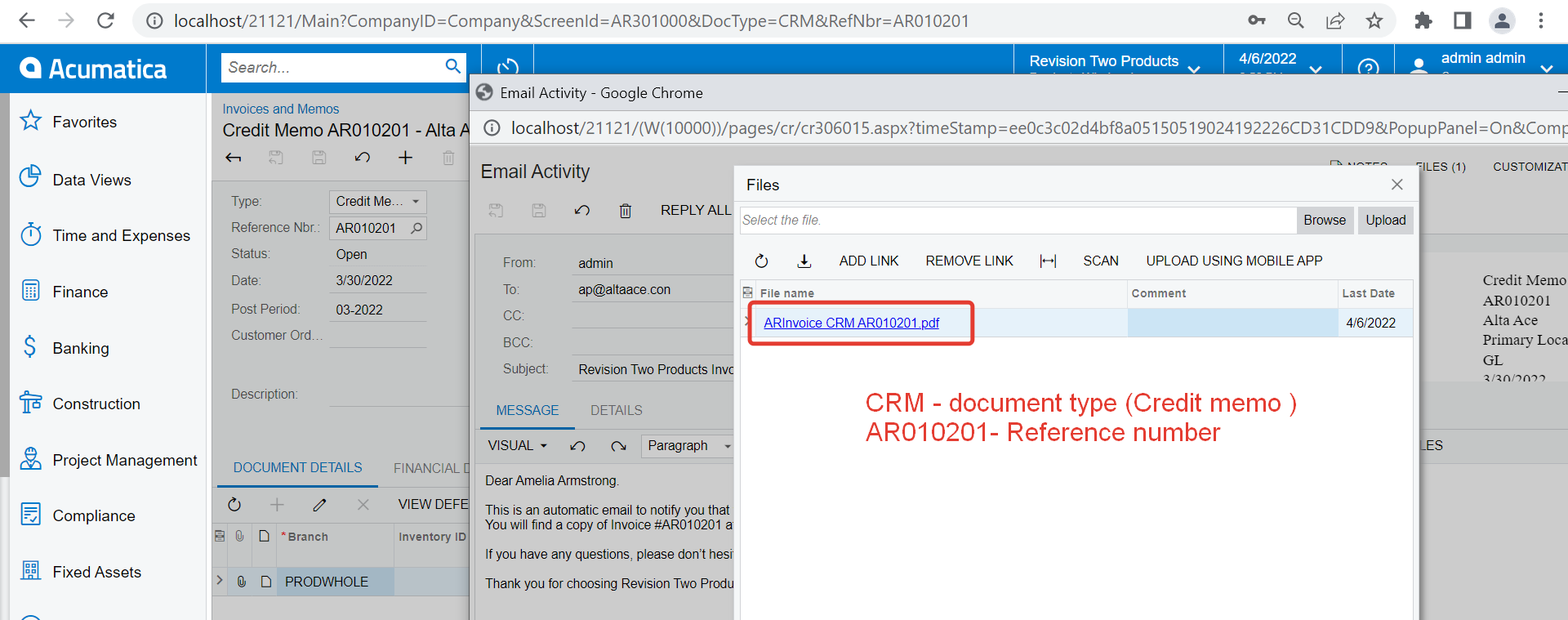
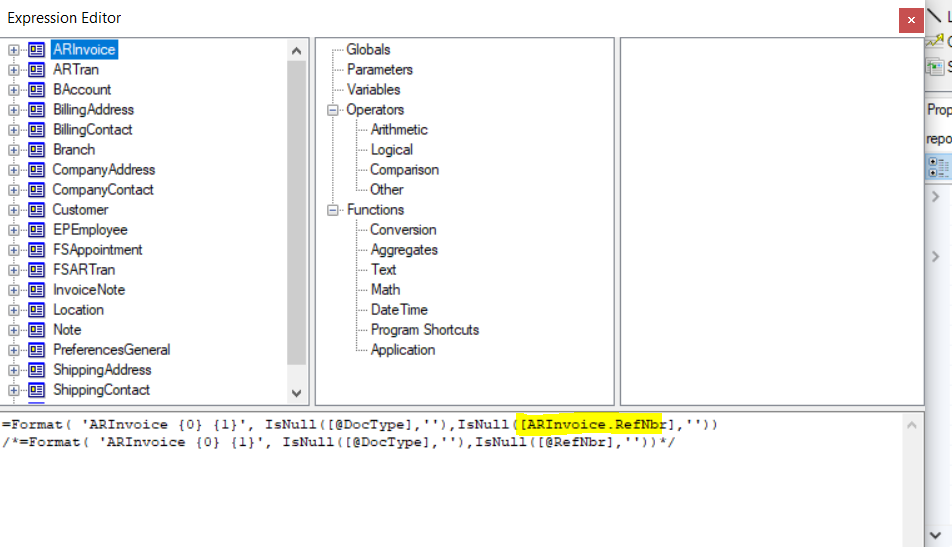
I have checked on our demo tenant. The default file name includes the document type and reference number for AR641000 report. Here is what I see :

Someone may have modified the string on your tenant.

Hope this helps,

Regards,


5 replies

Forum|alt.badge.img+3
  • Jr Varsity I
  • April 7, 2022

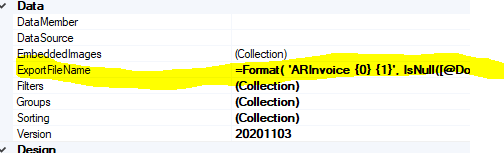
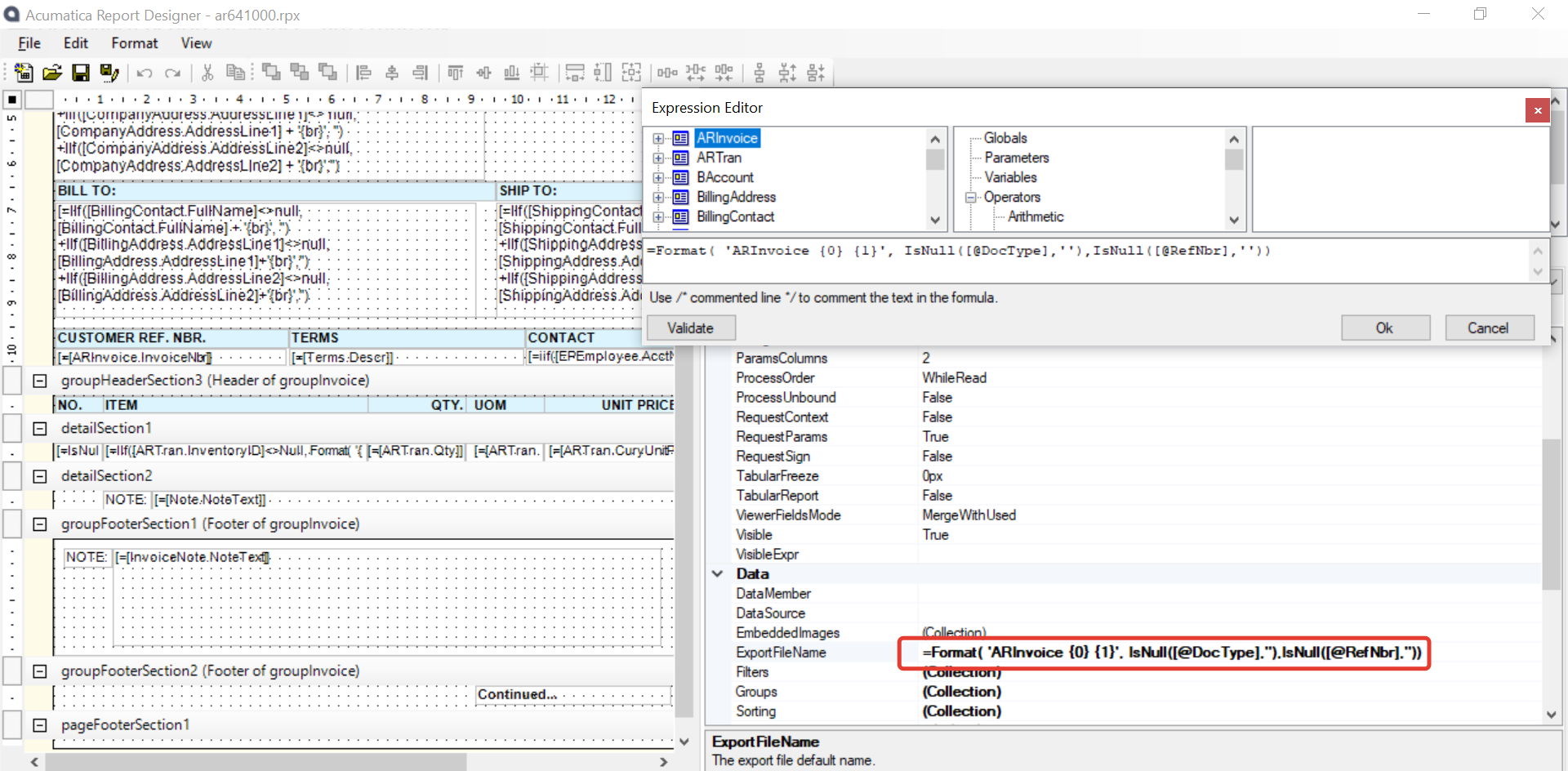
You can change the export name of a report by editing the ExportFileName in report editor. Is this what you are looking for?


Forum|alt.badge.img+12
  • Acumatica Support Team
  • Answer
  • April 7, 2022

Hi @sean21 

I have checked on our demo tenant. The default file name includes the document type and reference number for AR641000 report. Here is what I see :

Someone may have modified the string on your tenant.

Hope this helps,

Regards,


sean21
Varsity III
Forum|alt.badge.img+1
  • Author
  • Varsity III
  • April 7, 2022

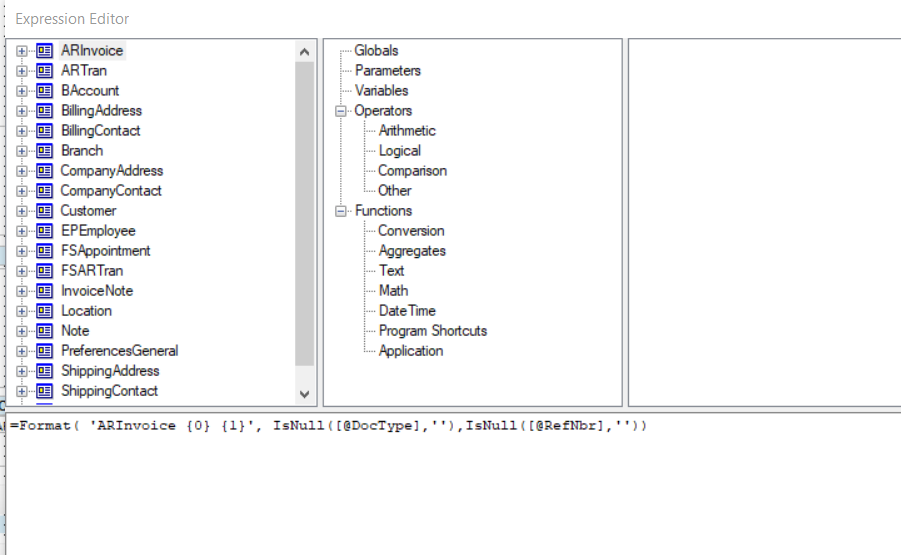
@vkumar interesting… I have the same formula in the ExportFileName but it doesn’t print the RefNbr for some reason… will do some digging. 


sean21
Varsity III
Forum|alt.badge.img+1
  • Author
  • Varsity III
  • April 7, 2022

I just pointed it directly to the [ARInvoice.RefNbr] field and it worked. 


  • Freshman I
  • May 18, 2023

Did anyone have any idea about how to name our files like ARInvoice_1, ARInvoice_2.