

Answer

Prevent Users from marking stock item active while allowing Stock item creation

  • March 11, 2025
  • 4 replies
  • 56 views

I have users with access to create new Stock items but I want to limit who can make the inventory item active post creation. I have looked at locking down via user roles, as well as using an approval map to try and make it an approval process which would also work, but it seems that is only for predefined entities. Is there another way to lock down Stock Item Status? 

Best answer by bwhite49

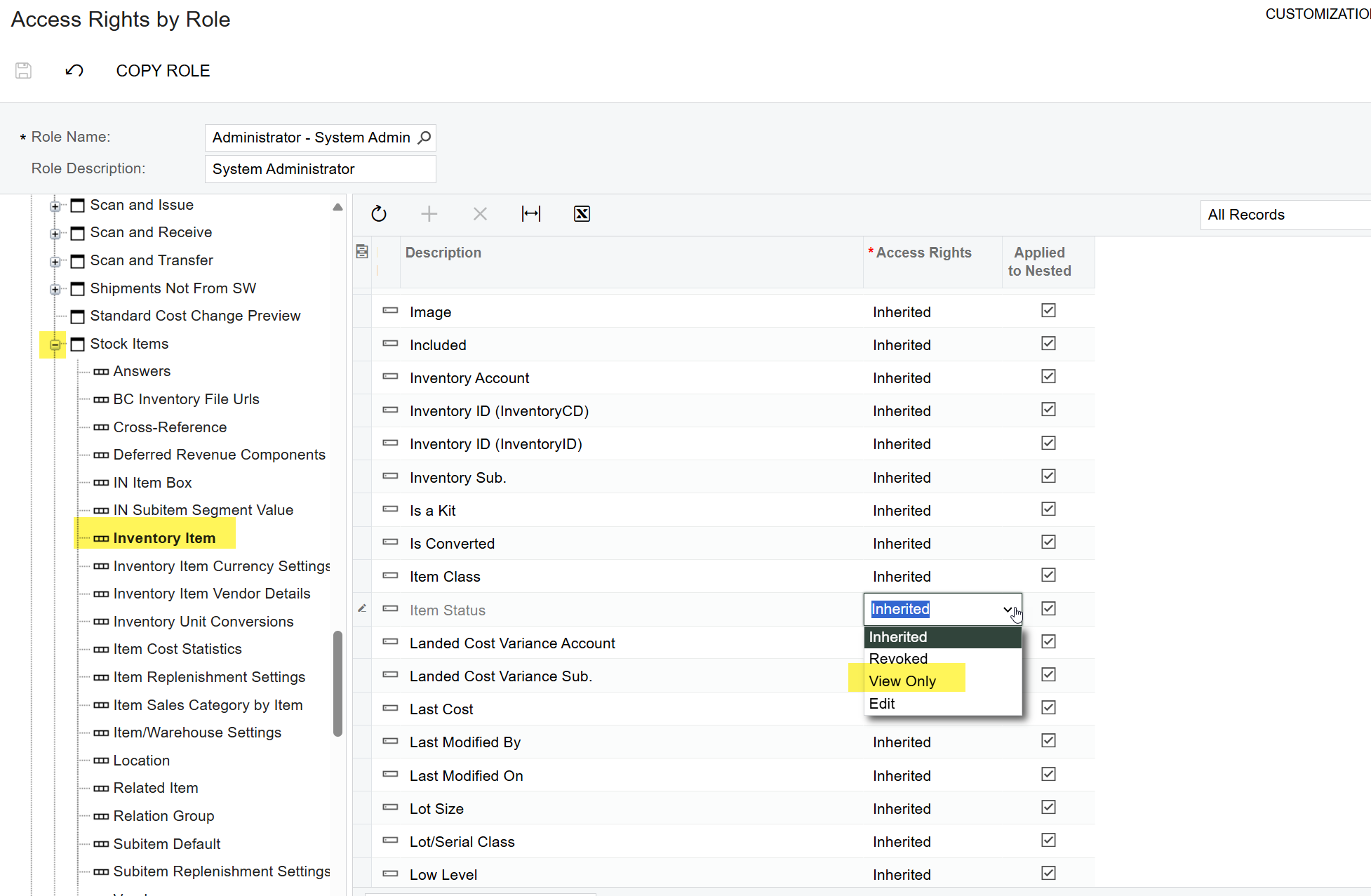
You can modify field/action visibility as well as editing rights using the access rights by role screen.
 

4 replies

Forum|alt.badge.img+2

@kevind34 

Approval maps are predefined, and extending them to certain screens requires customization.

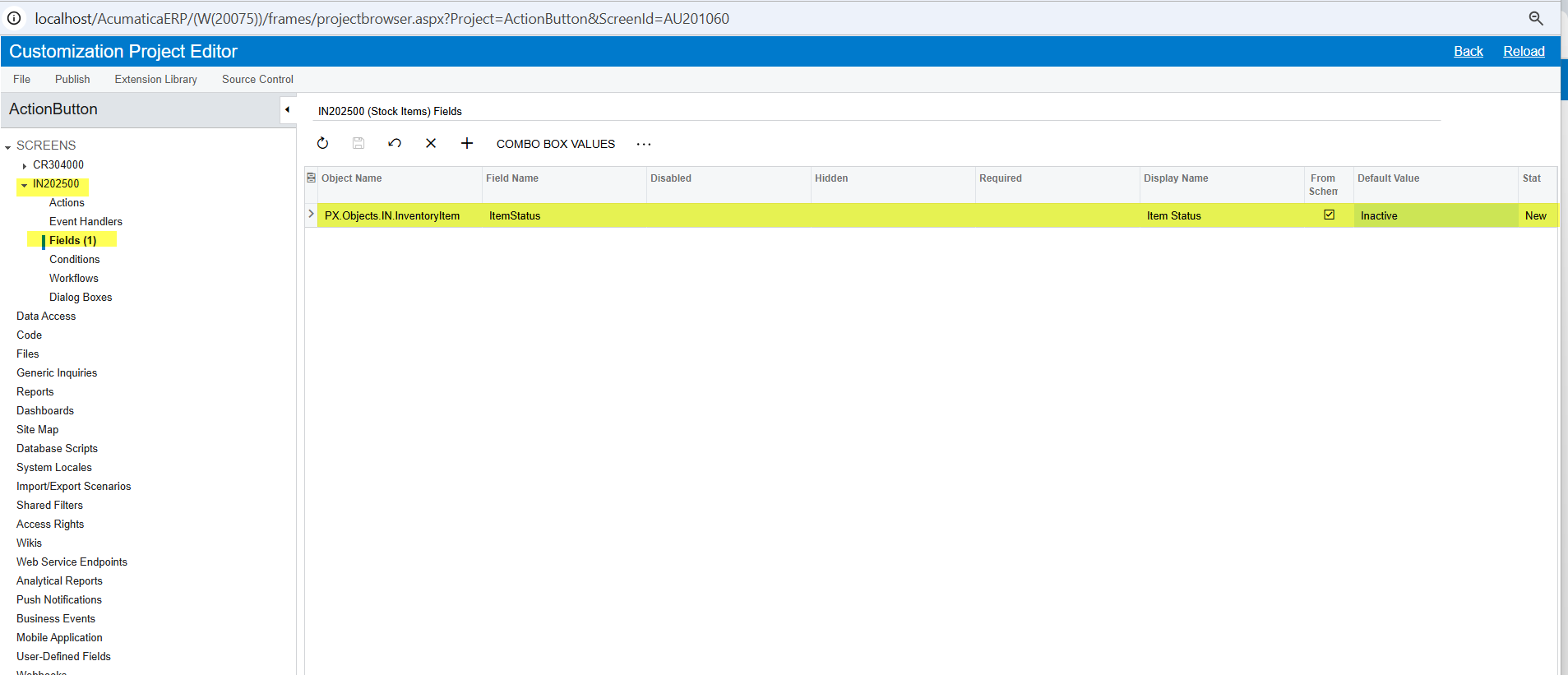
Step 1: You can manage this through access rights, but when a new stock item is created, it is automatically set to "Active" by default. To modify this, you need to create a Low-Code/No-Code customization to set the default item status to "Inactive" upon creation and then publish the package.
 

Step 2: Adjust access rights to hide or disable the edit option for this field for specific users.
 

Step 3: Apply a filter in the Stock Item Generic Inquiry (GI) which are inactive and manually update the stock item status to "Active" as needed.

Please find the customization for your reference.


bwhite49
Captain II
Forum|alt.badge.img+10
  • Captain II
  • Answer
  • March 13, 2025

You can modify field/action visibility as well as editing rights using the access rights by role screen.



  • Author
  • Freshman I
  • March 13, 2025

You can modify field/action visibility as well as editing rights using the access rights by role screen.
Oh my gosh, I was looking in the wrong place I was looking at the Access rights by screen this whole time thank you! 


bwhite49
Captain II
Forum|alt.badge.img+10
  • Captain II
  • March 13, 2025

You can modify field/action visibility as well as editing rights using the access rights by role screen.

Oh my gosh, I was looking in the wrong place I was looking at the Access rights by screen this whole time thank you! 


It’s all very confusing at first. The other screens are really for auditing access rights rather than modifying.