Answer

Parameters Not Showing for Customization Side Panel

  • December 9, 2024
  • 2 replies
  • 73 views

ainscorpwill

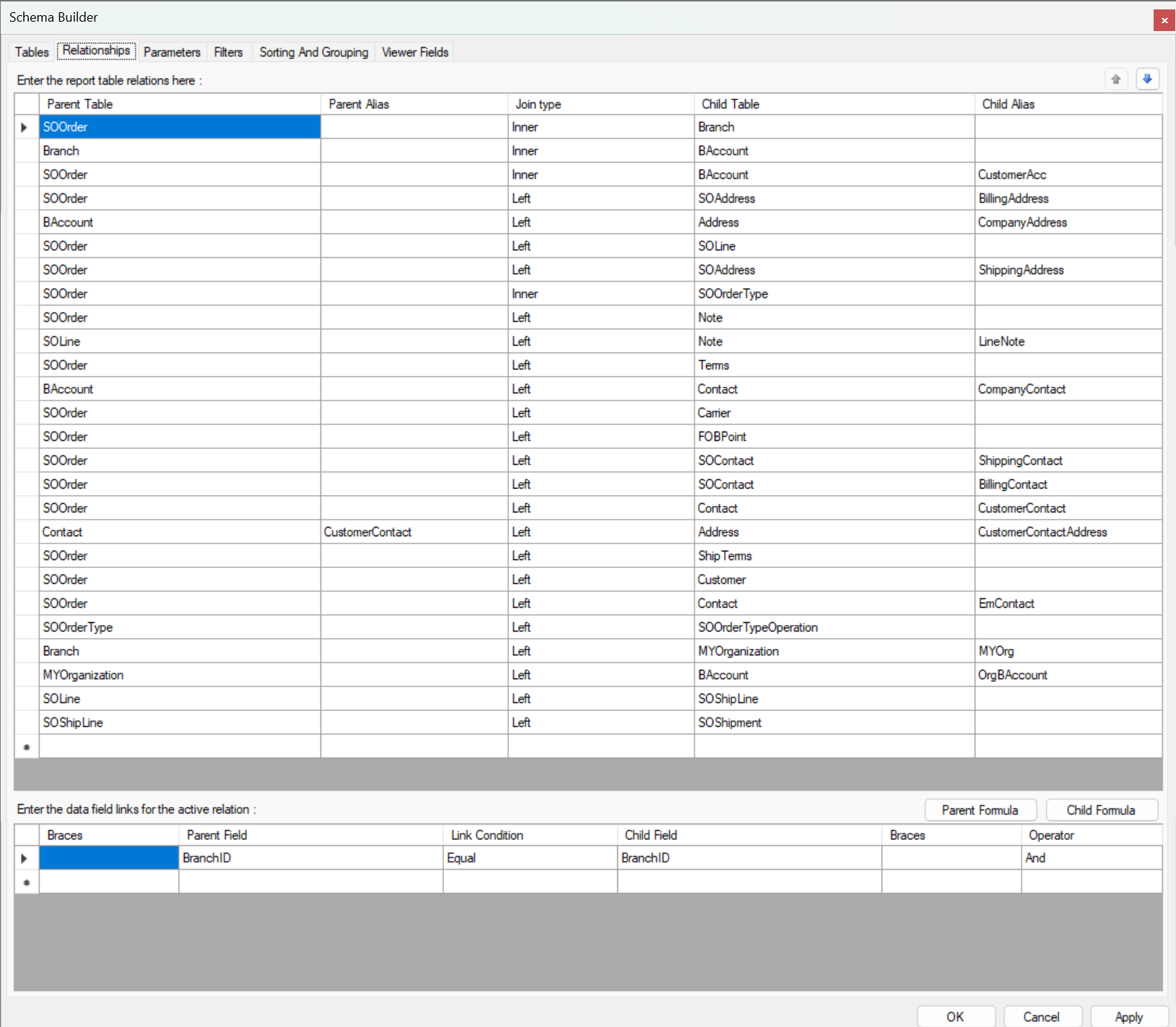
I am trying to set up a customization side panel on the Shipment Entry Screen (SO302000), and it will be linked to a report. This report uses SOOrder to join with other table to pull relevant data related to the Order and Shipment (img 2), and it uses ‘Order Type’ & ‘Order Number’ to generate the report.

My challenge is that when setting up the parameters for the side panel, I cannot find value from Sales Order to match with ‘Order Type’ and ‘Order Number’ (img 1).   I am assuming it’s because this side panel is set up on Shipment Entry screen instead of Sales Order.

Question:  How do I get the parameter value to show up that’s needed from the Sales Order instead of Shipment?

Any help would be really appreciated!!
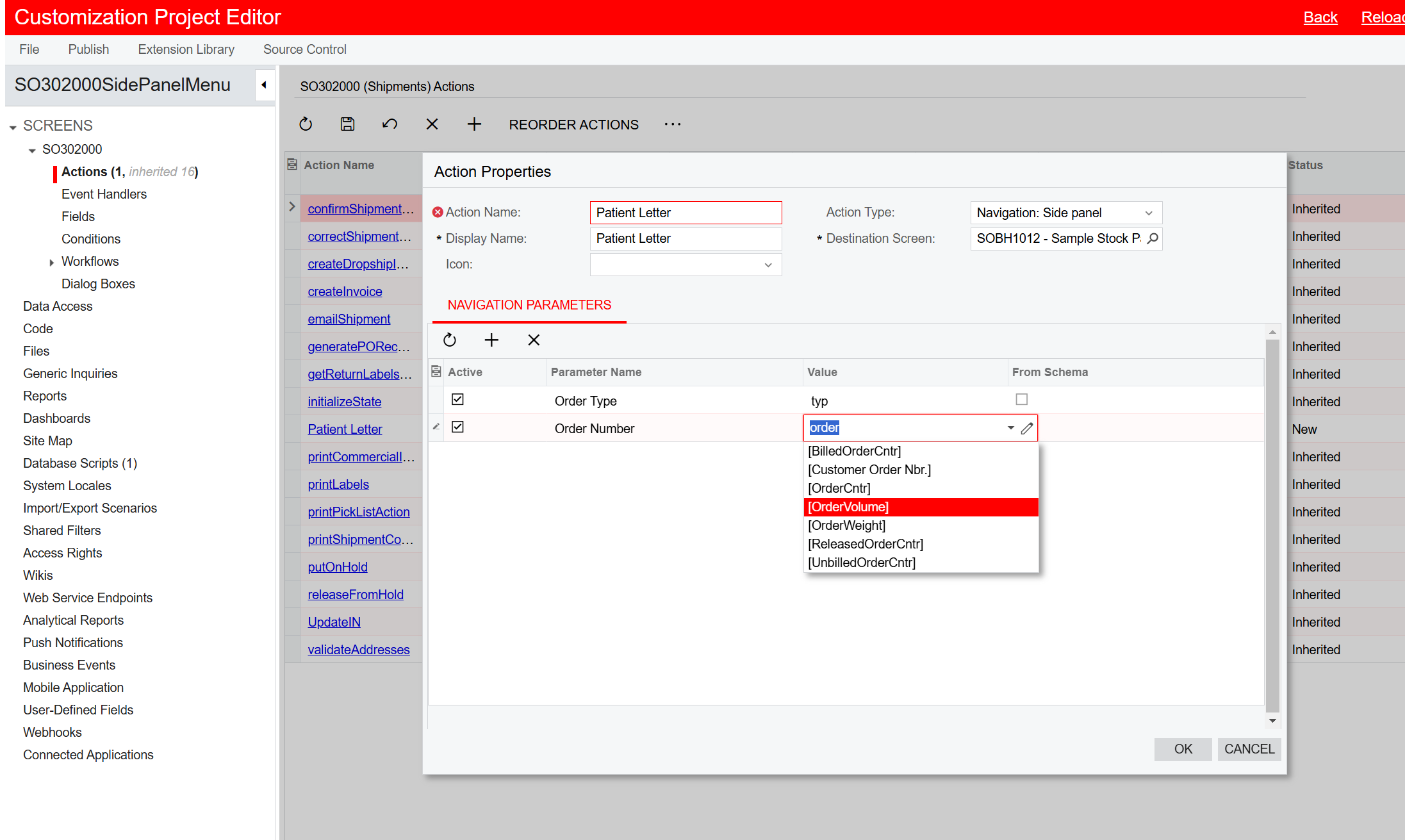
 

(Img 1) - Customization Side Panel Set Up
(Img 2) - Linked Report’s Table & Relationship


Best answer by aiwan

Hi ​@ainscorpwill 


Unfortunately, I don’t think that you will be able to pass the sales order nbr or type to the report.

However, if you set this up on the Sales Order screen, you will be able to achieve your desired result.


Also, I believe there is a potential way to do this with code through the workflow API, which is covered in the T270 training course. The below post also details this step by step.

How to add a side panel by using workflow API | Community

If you follow this example, you may be able to use the SOOrderShipment DAC to pass the values for Order Type and Order Nbr for the parameters.


Hope this helps,

Aleks


2 replies

Forum|alt.badge.img+8
  • Captain II
  • Answer
  • December 13, 2024

Hi ​@ainscorpwill 


Unfortunately, I don’t think that you will be able to pass the sales order nbr or type to the report.

However, if you set this up on the Sales Order screen, you will be able to achieve your desired result.


Also, I believe there is a potential way to do this with code through the workflow API, which is covered in the T270 training course. The below post also details this step by step.

How to add a side panel by using workflow API | Community

If you follow this example, you may be able to use the SOOrderShipment DAC to pass the values for Order Type and Order Nbr for the parameters.


Hope this helps,

Aleks


darylbowman
Captain II
Forum|alt.badge.img+15
  • December 13, 2024

Alternatively, duplicate the report, restructure it, and add different parameters that are accessible from the Shipment screen.