Question

Update Description field for Cross-Reference in StockItem entity

  • January 17, 2025
  • 4 replies
  • 137 views

Forum|alt.badge.img+2

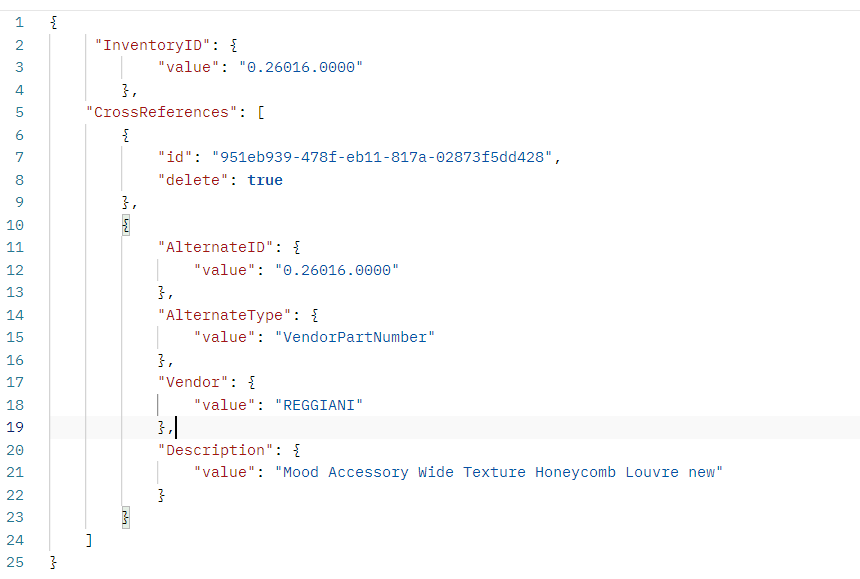
Hi, I need to construct request that will update/create the cross-reference description.
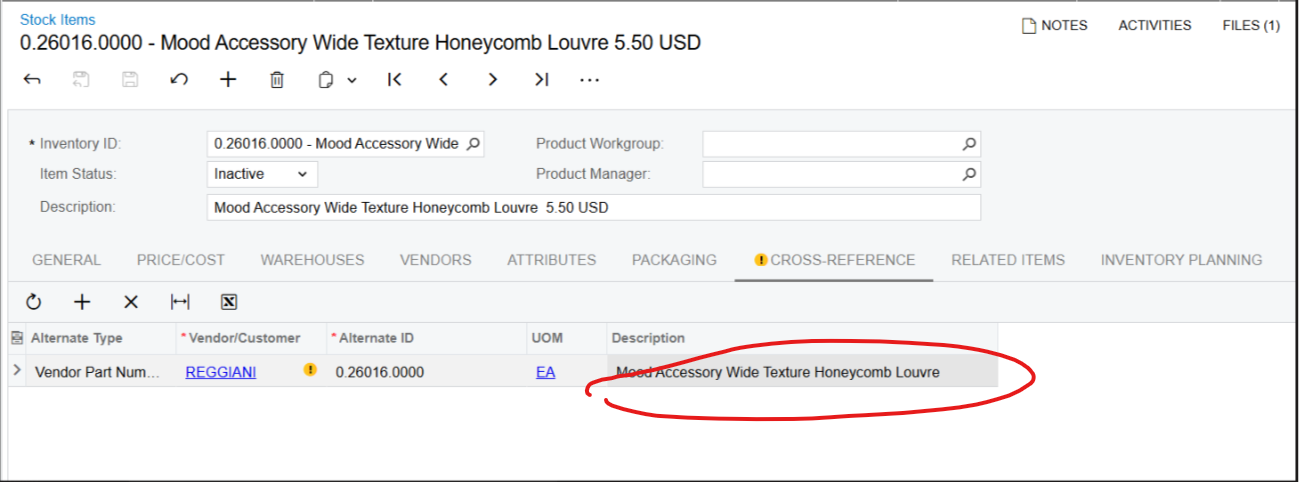
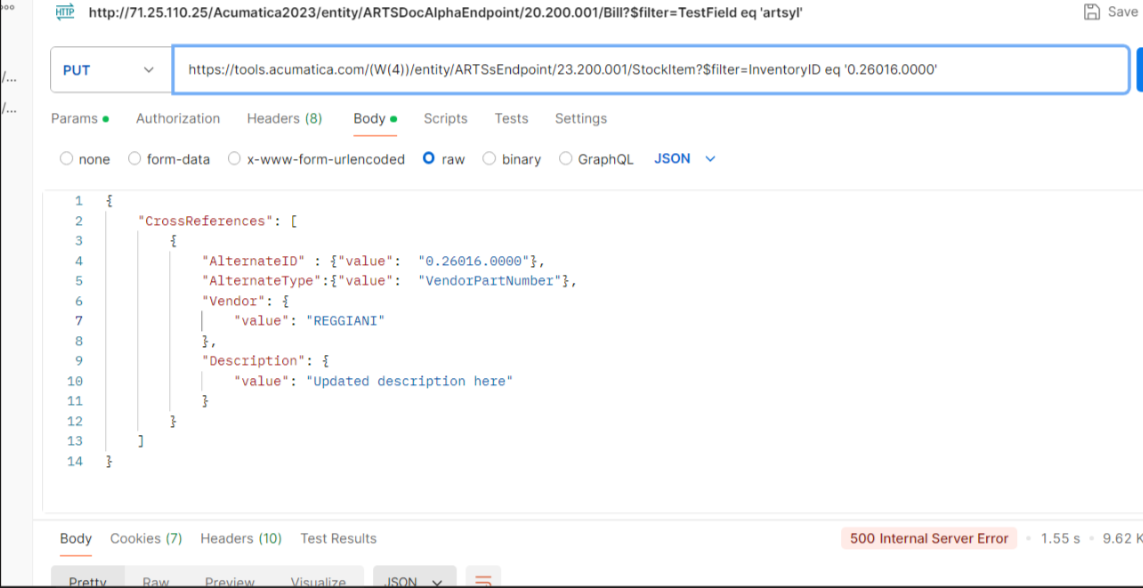
I tried this and many other variations, but it did not work
 

4 replies

Md Kalim Ashraf
Jr Varsity I

Hi! I understand you're trying to update the Cross-Reference description in Acumatica ERP via the REST API. Based on how Acumatica handles Cross-References, here's the correct approach:

This will be a two-step process:

  1. First, you'll need to get the ID of the existing cross-reference:
    GET /entity/Default/20.200.001/StockItem?$expand=CrossReferences&$filter=InventoryID eq '0.26016.0000'
     
  2. Then, use this JSON structure to update by first deleting the old record and adding the new one:
    {
        "CrossReferences": [
            {
                "id": "existing-cross-reference-id",
                "delete": true
            },
            {
                "AlternateID": {
                    "value": "0.26016.0000"
                },
                "AlternateType": {
                    "value": "VendorPartNumber"
                },
                "Vendor": {
                    "value": "REGGIANI"
                },
                "Description": {
                    "value": "Mood Accessory Wide Texture Honeycomb Louvre"
                }
            }
        ]
    }

Important notes:

  • Replace "existing-cross-reference-id" with the actual ID you get from the GET request
  • This approach prevents creating duplicate entries
  • You're effectively removing the old record and adding an updated one in a single request

This solution is based on how Acumatica's API handles cross-reference updates, which requires removing the old record and adding the updated one rather than direct updates.

Let me know if you need any clarification!


DipakNilkanth
Pro III
Forum|alt.badge.img+13

Hi ​@Ivan,

To update the cross reference description, use below.
 

Method: PUT

URL: https:tools.acumatica.com/entity/ARTSsEndpoint/23.200.001/Stockitem

Request:

{

"InventoryID": {

"value": "0.26016.0000"

},

"CrossReferences": [

{

"AlternateID": {

"value": "0.26016.0000"

},

"AlternateType": {

"value": "Vendor Part Number"

},

"Description": {

"value": "TEST"

},

"UOM": {

"value": "EA"

},

"VendorOrCustomer": {

"value": "REGGIANI"

}

}

]

}
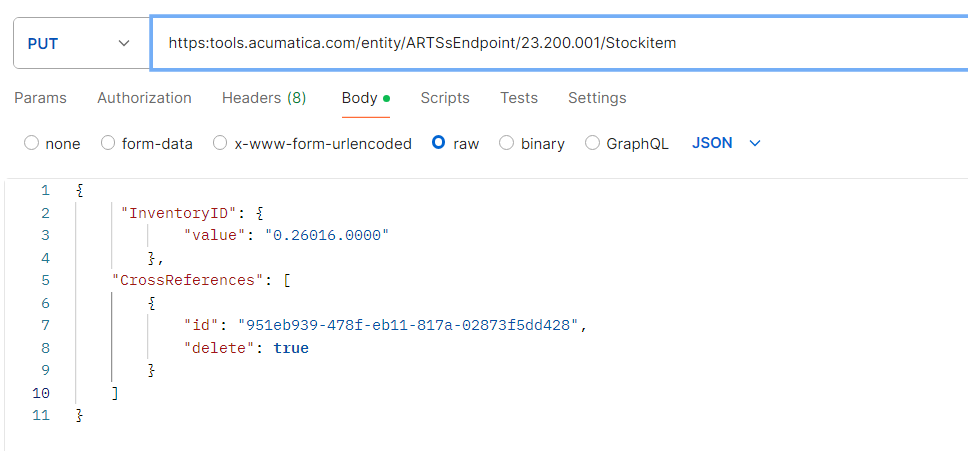
  • If above one is not updating the description, you may need to use below workaround to update the Cross reference tab details as below.

1. Find the ID of Cross reference using GET request.
2. Delete this id using PUT method as below.
 

{
"InventoryID": {
"value": "0.26016.0000"
},
"CrossReferences": [
{
"id": "4f362430-bee5-4511-9989-34ed24720ee6", // cross reference ID found in Get method
"delete":true
}
]
}
  1. Add a new data using PUT request

    Hope, it helps!

Forum|alt.badge.img+2
  • Author
  • Varsity I
  • January 20, 2025

Hi ​@Nilkanth Dipak  ​@Md Kalim Ashraf 

I tried some variations of requests, but nothing worked


Chris Hackett
Community Manager
Forum|alt.badge.img
  • Acumatica Community Manager
  • April 24, 2025

Hi ​@Ivan were you able to find a solution? Thank you!