Question

How to Export Files on a Schedule or in Bulk

  • September 21, 2023
  • 7 replies
  • 831 views

Forum|alt.badge.img

Hello, 

Is there a way to set up an export scenario or automation schedule to export the files from a Shipment? 


We have a customization built in already that captures the Shop for rates carrier info and stores it in the Files of the Shipment. 

I want to be able to export these files and save them on my computer or in OneDrive. I can do this one at a time now, but is there a way to do this in bulk or on a schedule?

Thanks!
 

7 replies

Naveen Boga
Captain II
Forum|alt.badge.img+19
  • Captain II
  • September 22, 2023

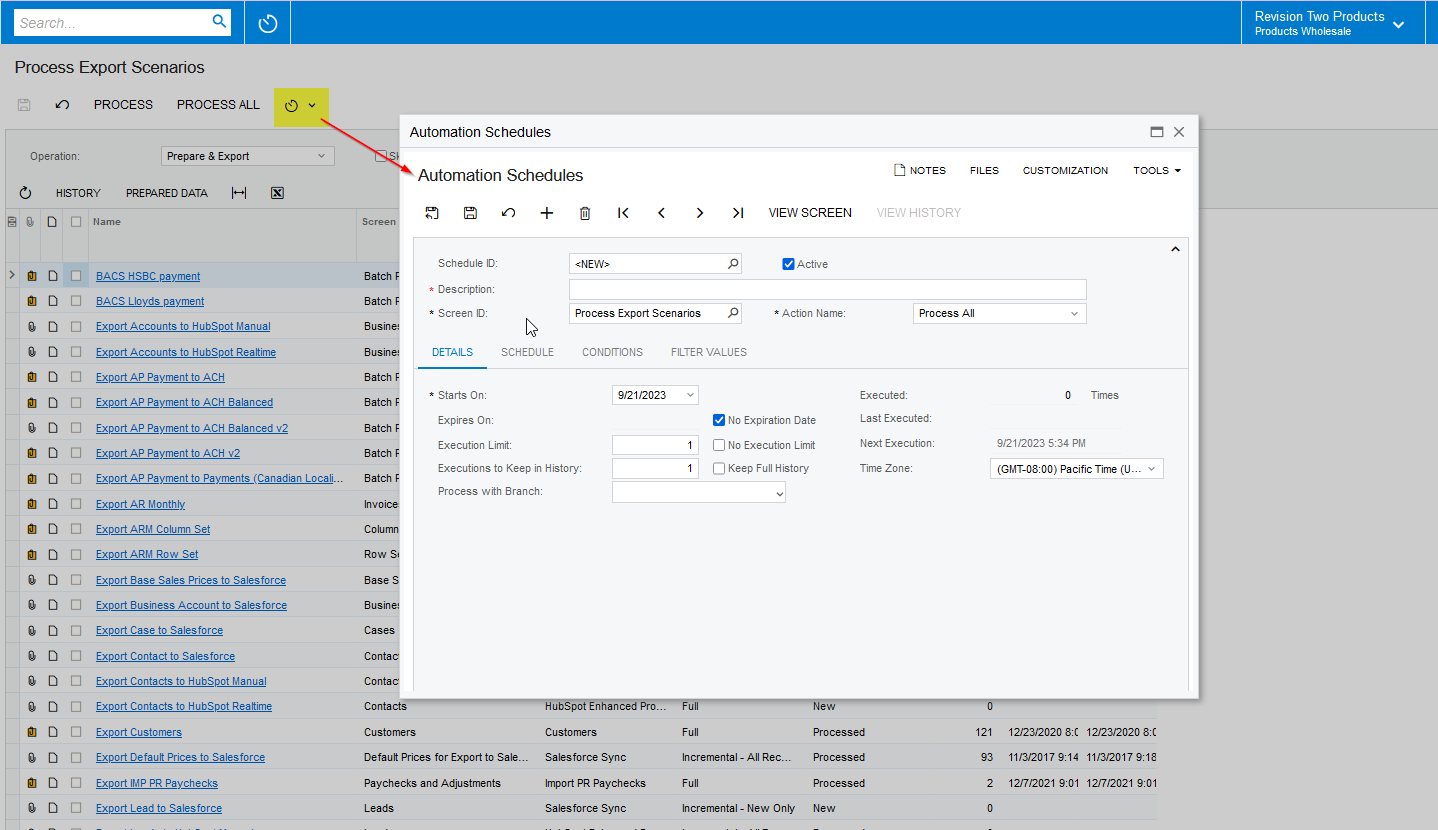
Hi @bclark  If you have created the Export Scenario already, we can schedule the Export Scenarios through the “Process Export Scenarios” (SM207035) screen. Please find the screenshot below for reference.


Laura03
Captain II
Forum|alt.badge.img+19
  • Captain II
  • September 22, 2023

Hello,

I found some ideas for you on Acumatica Community.

Answered by Brian Stevens:


Answered by Chris49:


I hope this helps you!

Laura


Forum|alt.badge.img
  • Author
  • Varsity I
  • September 25, 2023

@Naveen Boga 

I do not already have the export scenario created. That is the part I am struggling with. How do I set up an export scenario to export all the files stored under Shipments? 


Forum|alt.badge.img
  • Author
  • Varsity I
  • September 25, 2023

@Laura02 

Thanks for sharing those other posts. However, our Acumatica instance is on a SAAS environment, so I don’t have access to the External Storage Provider screen. 


Forum|alt.badge.img
  • Author
  • Varsity I
  • September 25, 2023

I'm struggling to create an export scenario that uses the Get File action on the Search in Files screen. I currently have a file saved on most shipments that stores the carrier rate information, and I'm wanting to export that so that it can all be saved in one file instead of each shipment having it's own file. 

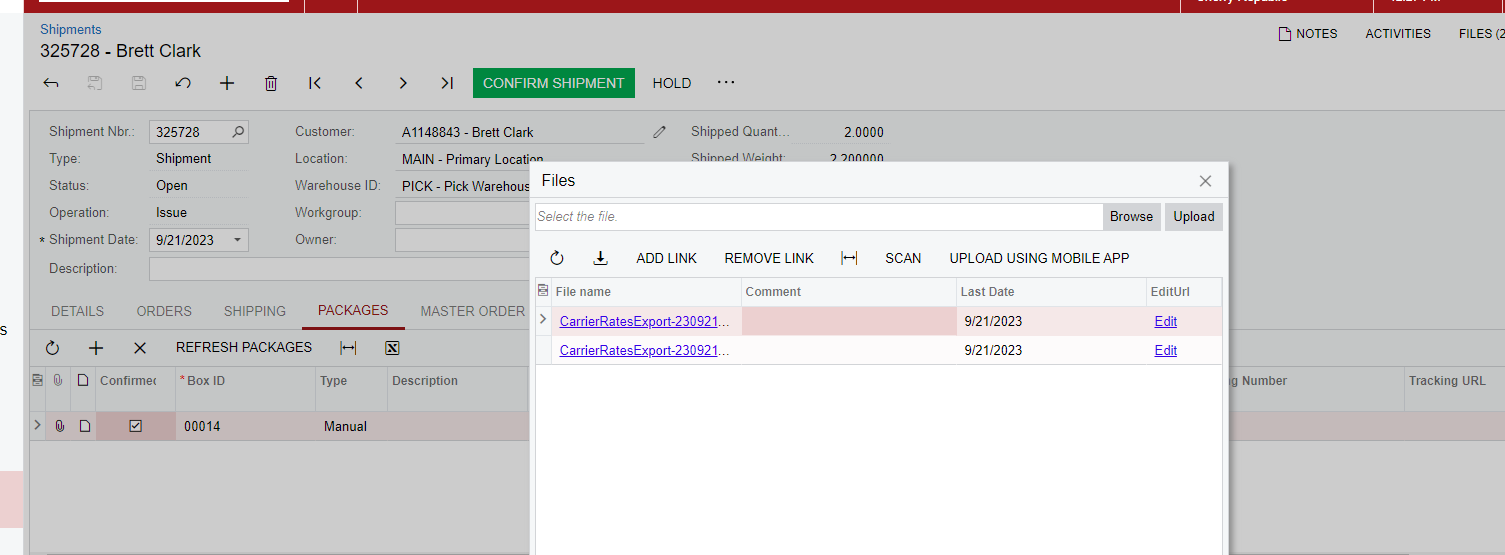
These are the files I'm trying to have the action "Get File" on for each shipment. 

image

Is there a way to have an export scenario go through each one of these and click "Get File" so that it downloads the file to my local computer?


Chris Hackett
Community Manager
Forum|alt.badge.img
  • Acumatica Community Manager
  • October 31, 2023

Hi @bclark were you able to find a solution? Thank you!


Forum|alt.badge.img
  • Author
  • Varsity I
  • October 31, 2023

Hi @Chris Hackett , 

I haven’t been able to find a good solution for this. I was able to create an import scenario that can “Delete” file on the Search in Files screen, but not to “Get File”.