Solved

ARM Report Header

  • January 8, 2024
  • 6 replies
  • 289 views
  • Translate All

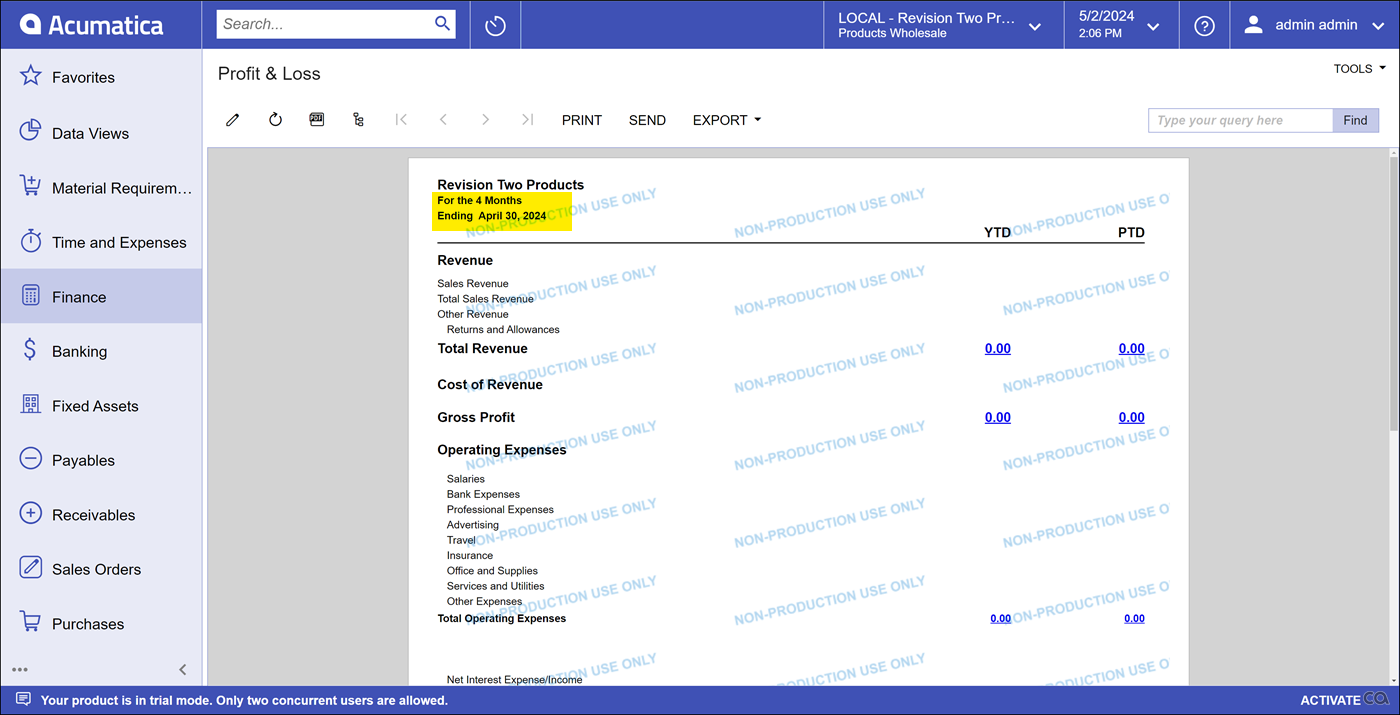
I have a client that wants their report titles to include the following verbiage:

“For the X Months Ending DATE”

Where X equals the number of months (in words, not number) the report represents, and DATE is the period end date (in standard MMMM d, YYYY format). 

What is the best formula/format to attain this outcome?

Thank you in advance.
Best answer by Robert Sternberg

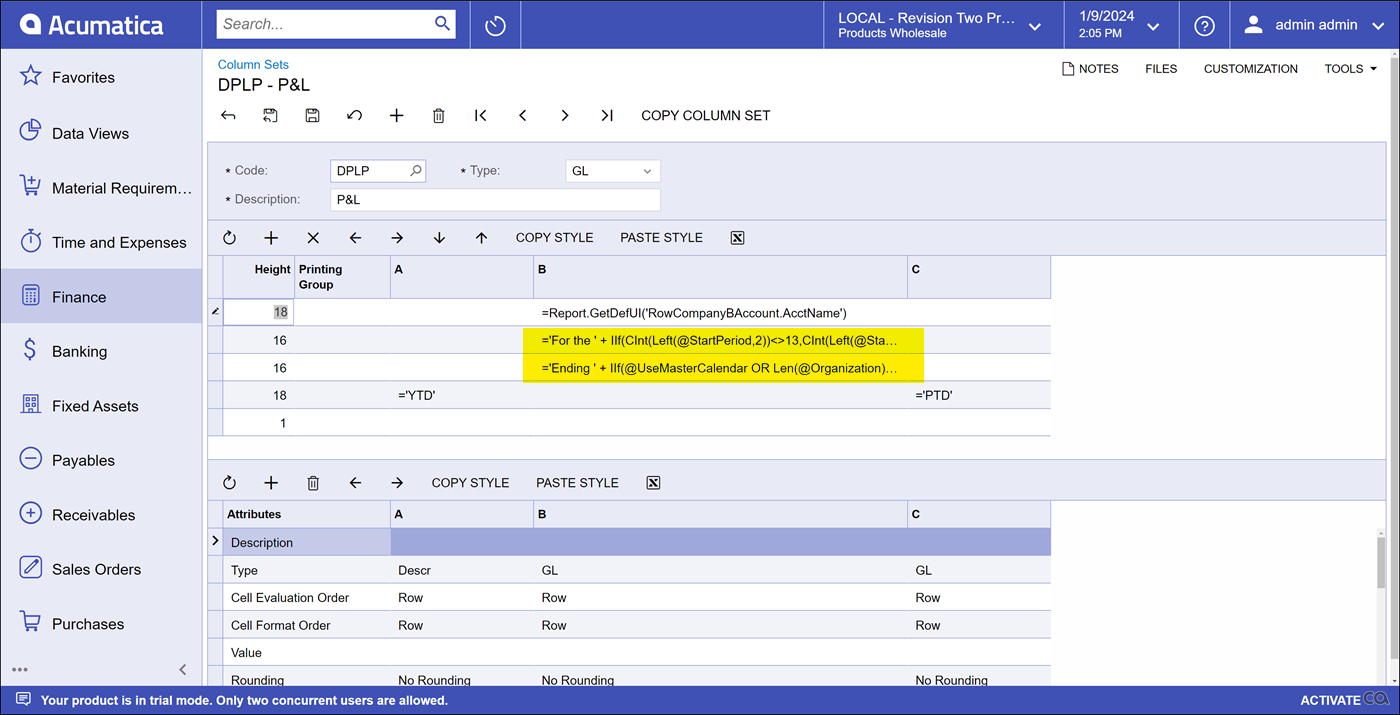
I accomplished this using:


='For the ' + IIf(CInt(Left(@StartPeriod,2))<>13,CInt(Left(@StartPeriod,2)),'12') + ' Months'


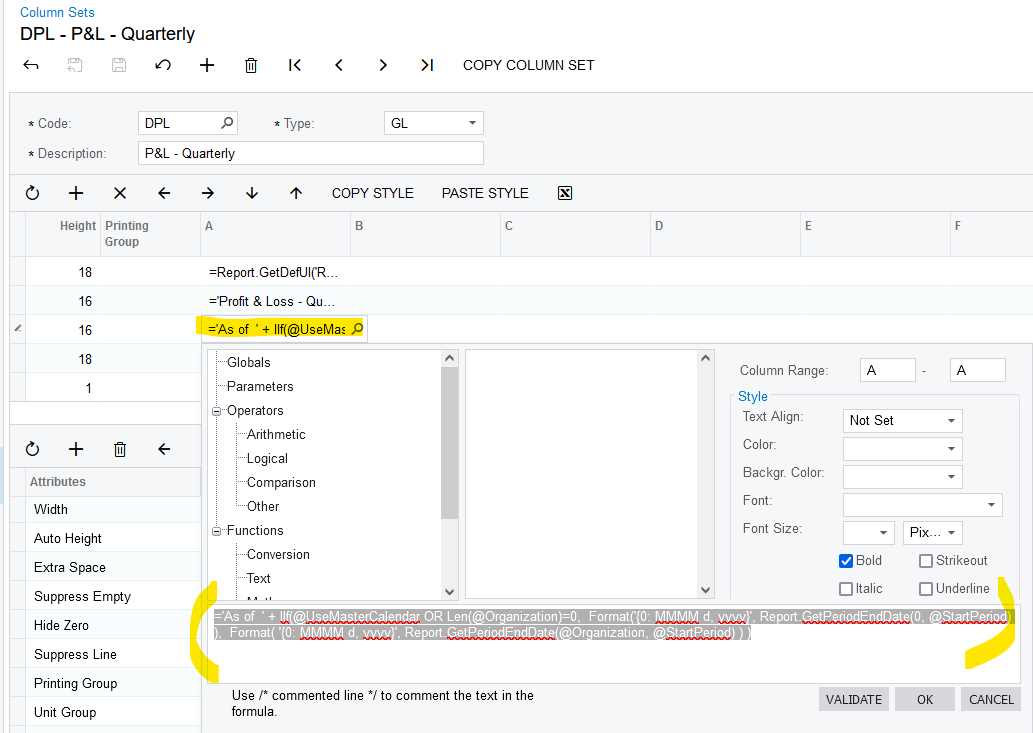
='Ending ' + IIf(@UseMasterCalendar OR Len(@Organization)=0,  Format('{0: MMMM d, yyyy}', Report.GetPeriodEndDate(0, @StartPeriod) ),  Format( '{0: MMMM d, yyyy}', Report.GetPeriodEndDate(@Organization, @StartPeriod) ) )


View original

6 replies

Robert Sternberg
Captain II
Forum|alt.badge.img+7

To help with X could you let us know the type of report?  If this is a trailing 6 month P&L it would be different than a YTD P&L.  Please also let us know the first financial period - is the fiscal year structured? 

Translate

  • Author
  • Freshman I
  • January 9, 2024

It is a P&L report.  One version would be for the current period and YTD and the other would be for the current period, YTD, and budget spend comparison.  The X refers to how many months the YTD contains and will change every month.  Additionally, there is a 13th adjustment period that would still need to only state “12 months”.  

Translate

Robert Sternberg
Captain II
Forum|alt.badge.img+7

I accomplished this using:


='For the ' + IIf(CInt(Left(@StartPeriod,2))<>13,CInt(Left(@StartPeriod,2)),'12') + ' Months'


='Ending ' + IIf(@UseMasterCalendar OR Len(@Organization)=0,  Format('{0: MMMM d, yyyy}', Report.GetPeriodEndDate(0, @StartPeriod) ),  Format( '{0: MMMM d, yyyy}', Report.GetPeriodEndDate(@Organization, @StartPeriod) ) )


Translate

Laura03
Captain II
Forum|alt.badge.img+20
  • Captain II
  • January 9, 2024

Hello,

I see Robert posted while I worked on my idea.  Nice job, Robert!!


Is the user being prompted for both a Begin Period and an End Period?  Or will the report always be printed from Period 1 to X?

If the report is always printed from Period 1 to X then something like this might work:

=' For the ' + (

iif(@EndPeriod = '01',’One Month ended ’,

iif( @EndPeriod = '02', ’Two Months ended ’,

iif( @EndPeriod = '03', ’Three Months ended ’,

iif( @EndPeriod = '04', ’Four Months ended ’,

iif( @EndPeriod = '05', ’Five Months ended ’,

iif( @EndPeriod = '06', ’Six Months ended ’,

iif( @EndPeriod = '07', ’Seven Months ended ’,

iif( @EndPeriod = '08', ’Eight Months ended ’,

iif( @EndPeriod = '09', ’Nine Months ended ’,

iif( @EndPeriod = '10', ’Ten Months ended ’,

iif( @EndPeriod = '11', ’Eleven Months ended ’,

iif( @EndPeriod = '12', ’Twelve Months ended ’,) + Report.GetPeriodEndDate(@EndPeriod)


If the report could be printed for any range, like periods 3 to 6 or 6 to 12, etc., versus always starting with period 1, then I think the iff statement needed will be too long. Acumatica will trucate the IIF statement - the report designer can only accept so many characters - There is a limit.

Disclaimers:  1) I didn’t test this idea, 2) I am not a programmer.


Laura

Translate

  • Author
  • Freshman I
  • January 9, 2024

Thank you both so much.  I really appreciate the quick response.  I am sure my client will be very pleased with the results!  Have a great day.

Translate

Robert Sternberg
Captain II
Forum|alt.badge.img+7

@bsullivan08 happy to help!

Translate