Answer

Create one invoice by using multiple appointments.

  • May 14, 2024
  • 2 replies
  • 81 views

Hello Team,


Does anyone have any idea about how to create one invoice by using multiple appointments?

Please advice. 


Thank you! 

Best answer by Laura03

Hello,

Notice the Group Billing Documents By options for Billing Cycles.
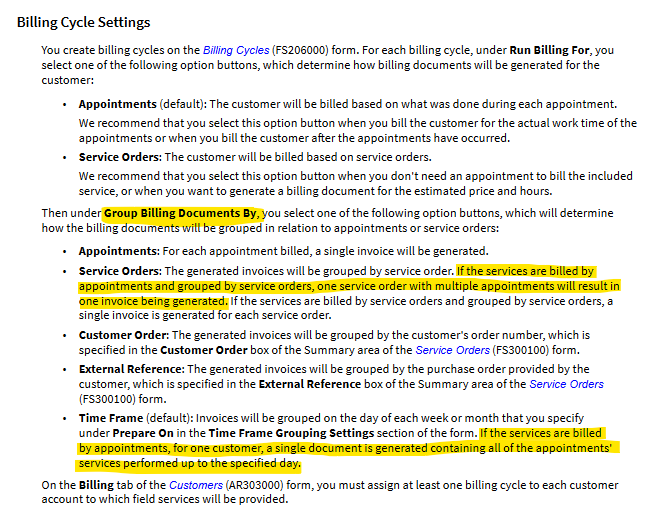
In your test tenant, create Billing Cycles to test out the above options and see which grouping works best to gather your appointments onto one Invoice for billing.

Laura

2 replies

Laura03
Captain II
Forum|alt.badge.img+19
  • Captain II
  • Answer
  • May 14, 2024

Hello,

Notice the Group Billing Documents By options for Billing Cycles.

In your test tenant, create Billing Cycles to test out the above options and see which grouping works best to gather your appointments onto one Invoice for billing.

Laura


  • Author
  • Freshman I
  • May 15, 2024

Hi @Laura02

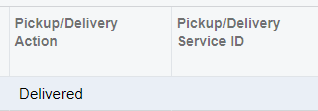
Thank you so much for your quick response. The solution works almost the same as I expected. But sometimes it creates two Invoices/bills for some customers. One Invoice includes multiple appointments and the other invoice includes only one appointment. I have seen a small difference in the appointment level “Pickup/Delivery Action = Delivered” in the invoice which includes only one appointment.


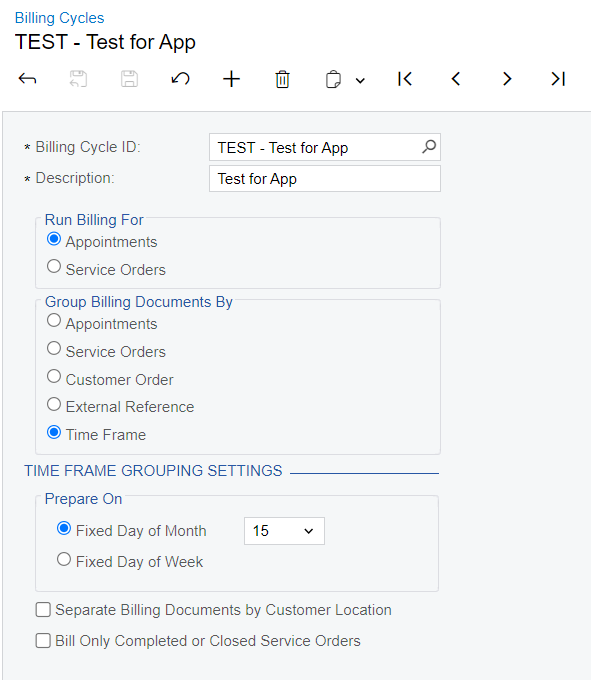
Is this the reason for creating two invoices? I have used the following billing cycle. If you have any ideas please share.


Thank you!