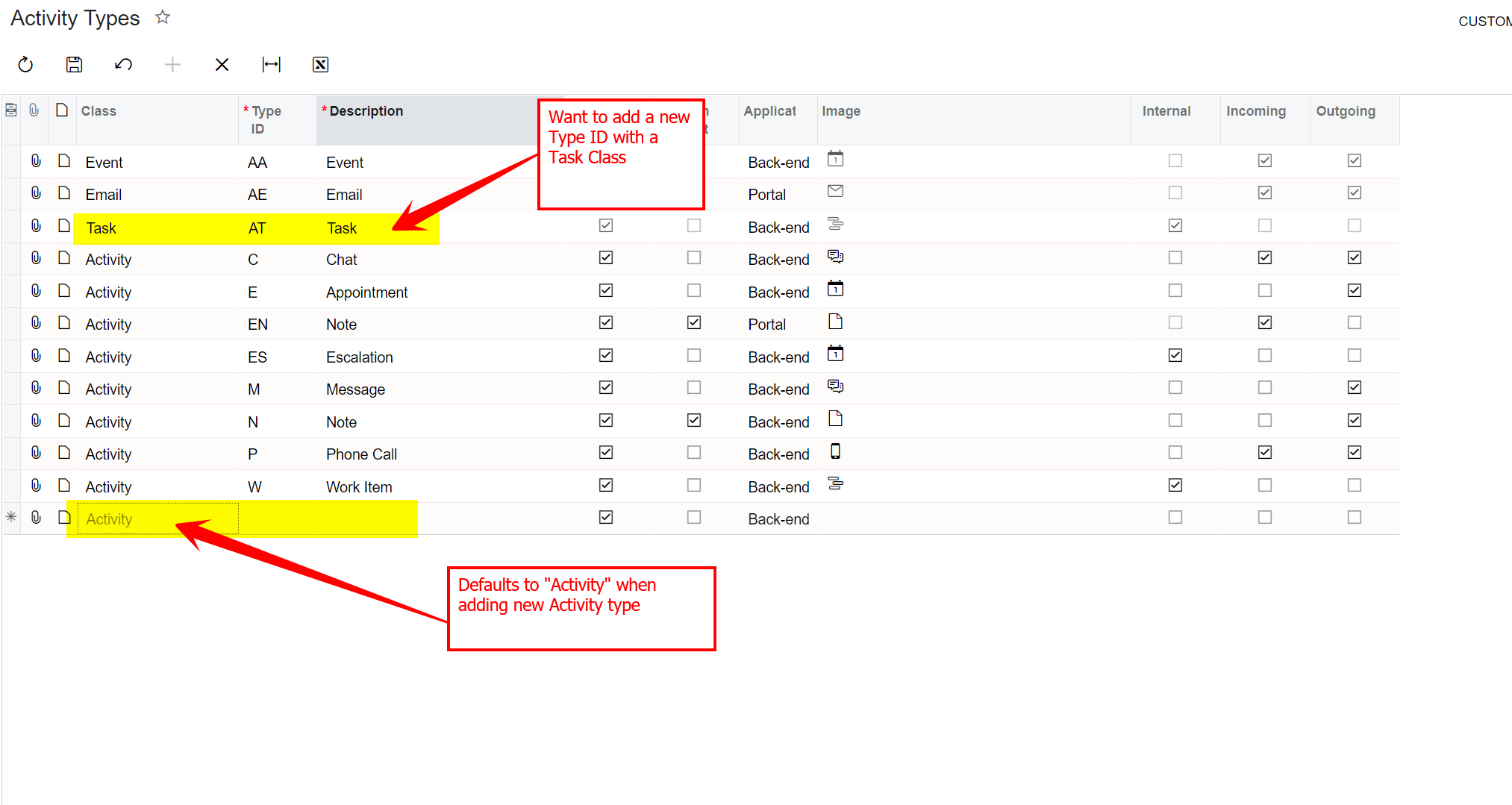
I’d like to add a new Activity Type for a customer, but when I click the ‘+’ button, the Class field defaults to “Activity” and I can’t change it.
I’d like the Class for the new Type to be “Task” so that the Start Date, Due Date and Reminder fields are available.
Is there a way to do this?
Thank you!
Best answer by DavidEichner
Hi @donnadeskins55
I think you would need to either customize or prompt Acumatica to add that capability on the Activity Types screen by submitting a Product Idea suggestion on the community page:
Also, I recommend you then post a community discussion item to ask others in the community to vote for your idea so it will rise to the attention of the Acumatica product team.
I think you would need to either customize or prompt Acumatica to add that capability on the Activity Types screen by submitting a Product Idea suggestion on the community page:
Also, I recommend you then post a community discussion item to ask others in the community to vote for your idea so it will rise to the attention of the Acumatica product team.