Answer

Error trying to print a payment

  • March 12, 2025
  • 7 replies
  • 72 views

Forum|alt.badge.img

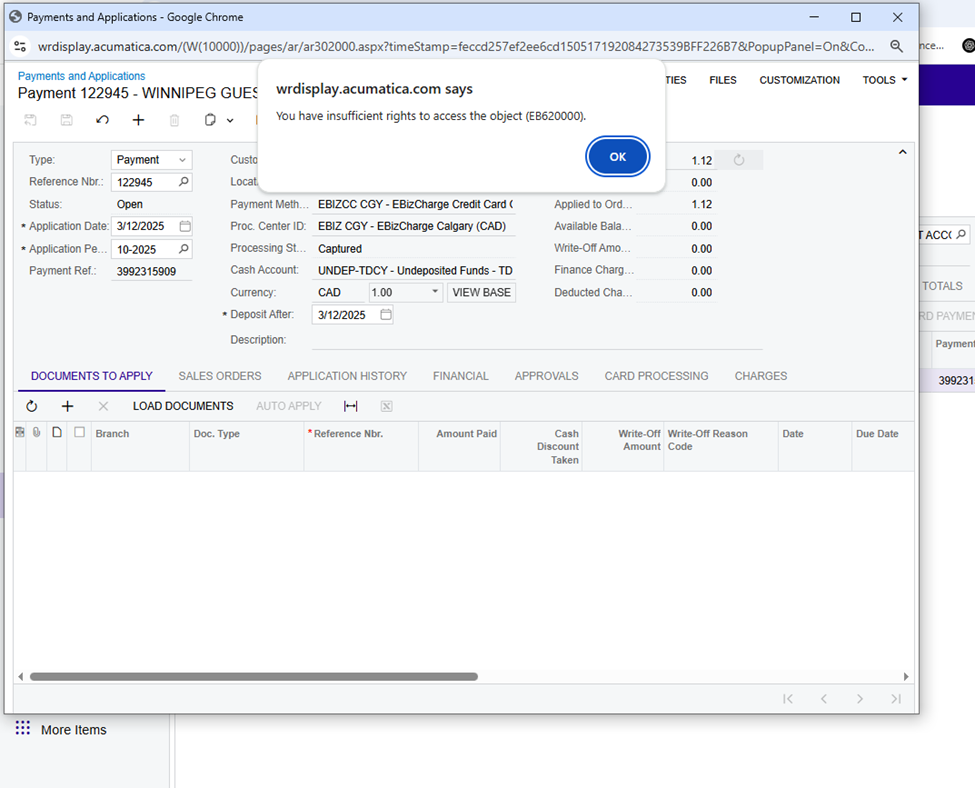
I am creating an order and then, while in the sales order I go to the payments tab to add a payment.  Once I have created the payment,  entered a credit card and captured, I then want to print a copy of the payment using Print Payment option under the elipses on the page.   However I get a message saying “you have insuccient rights to access the object (EB620000).   Has anyone else had this same problem?

Best answer by hkabiri

@lorneweinstein Yes that is not an out of the box action and report. It comes with EBizCharge Package. I guess you need to find the Access Right to that report and make sure the user who print receipt has access to this report.

7 replies

hkabiri
Acumatica Moderator
Forum|alt.badge.img+8
  • Acumatica Support Team
  • March 12, 2025

@lorneweinstein What version of Acumatica you are using and can you share a screenshot of the Print Payment Action. I also recommend to check on Site Map and verify the page with EB620000 as this seems to be a customized entity.


Forum|alt.badge.img
  • Author
  • Freshman I
  • March 12, 2025
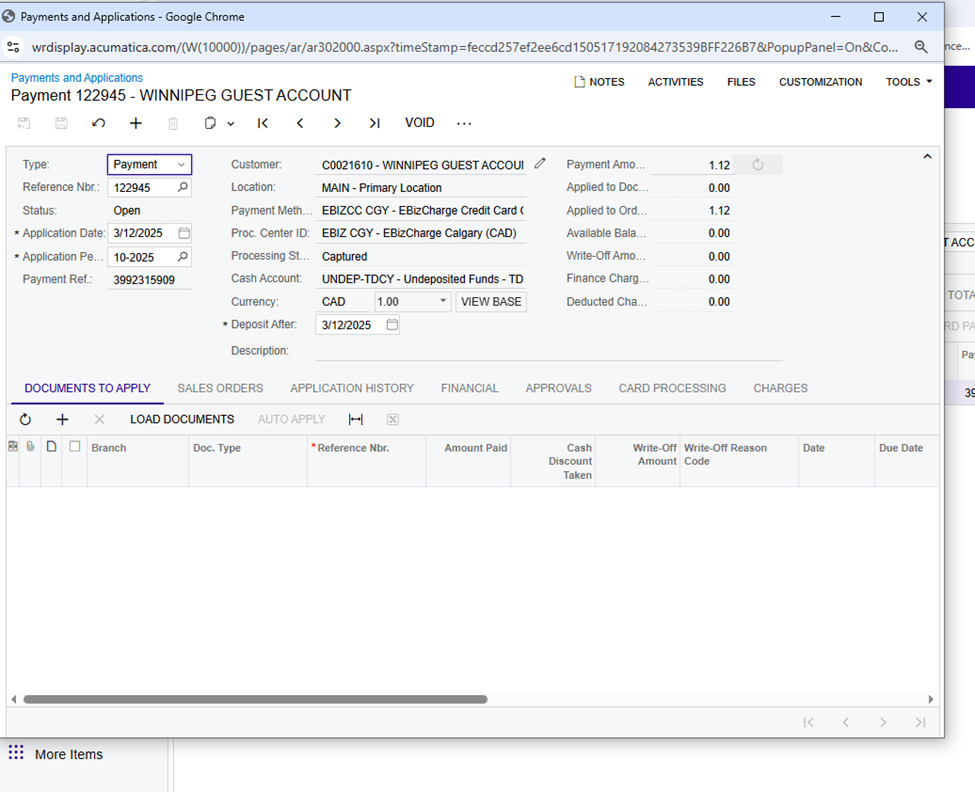
Payment has been taken


Forum|alt.badge.img
  • Author
  • Freshman I
  • March 12, 2025
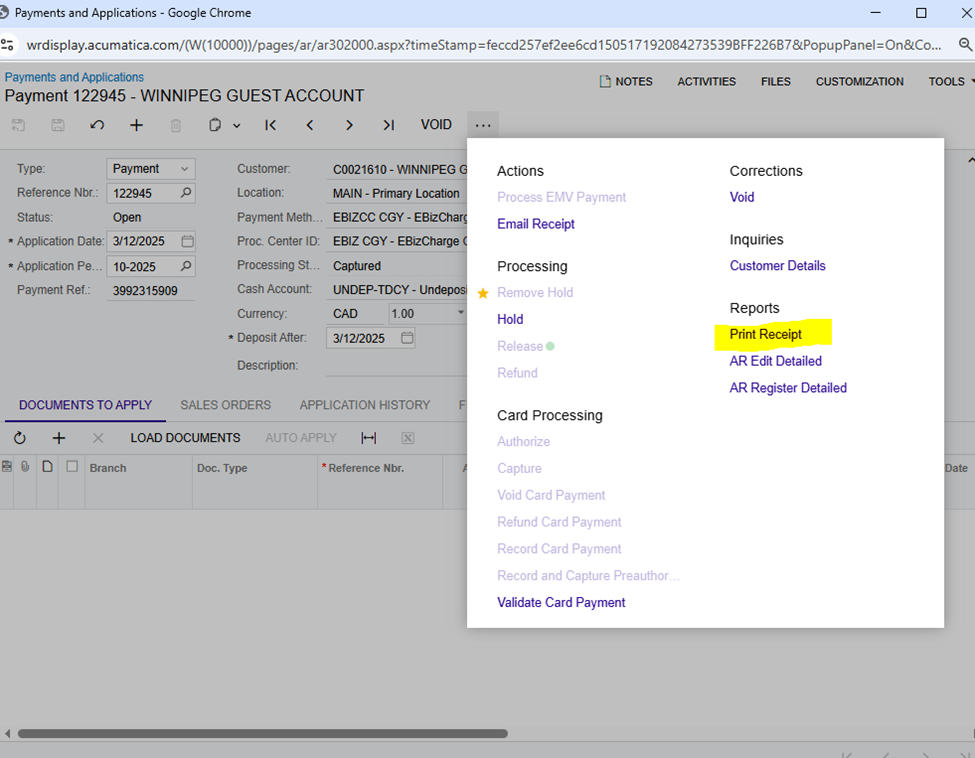
Ready to print a reciept


Forum|alt.badge.img
  • Author
  • Freshman I
  • March 12, 2025
Here is the error that I get when I go to print the reciept


Forum|alt.badge.img
  • Author
  • Freshman I
  • March 12, 2025

Here is what EB620000 is 


hkabiri
Acumatica Moderator
Forum|alt.badge.img+8
  • Acumatica Support Team
  • Answer
  • March 12, 2025

@lorneweinstein Yes that is not an out of the box action and report. It comes with EBizCharge Package. I guess you need to find the Access Right to that report and make sure the user who print receipt has access to this report.


Forum|alt.badge.img
  • Author
  • Freshman I
  • March 13, 2025

Thanks Kkabiri.  We got in touch with Ebiz and they showed us where to find the correct report to grant access rights and it now works.  Much appreciated