Answer

Updating Vendor Price Using Vendor Price Worksheets

  • April 9, 2025
  • 1 reply
  • 121 views

Forum|alt.badge.img


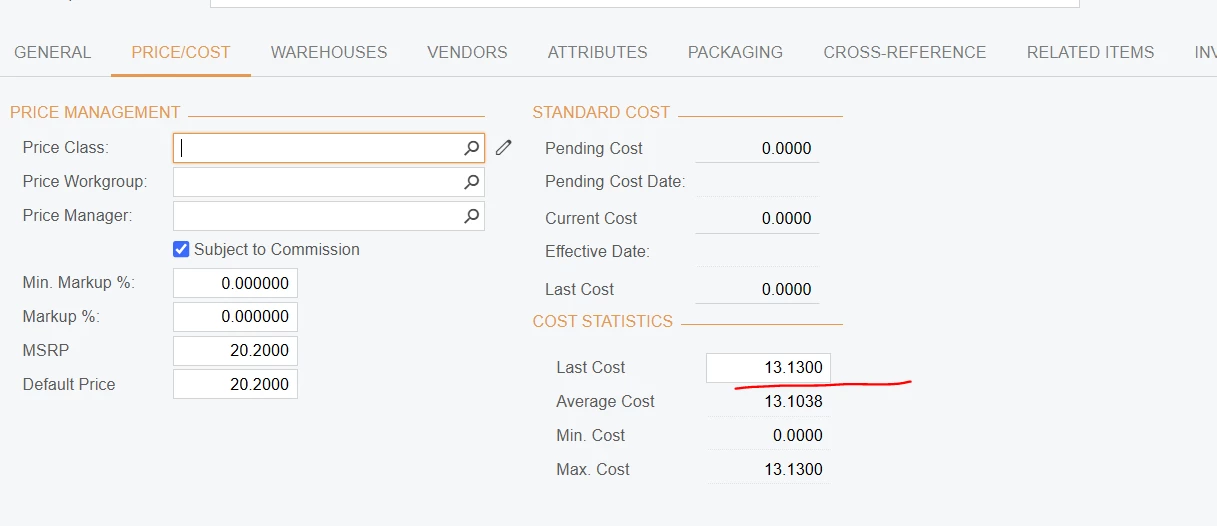
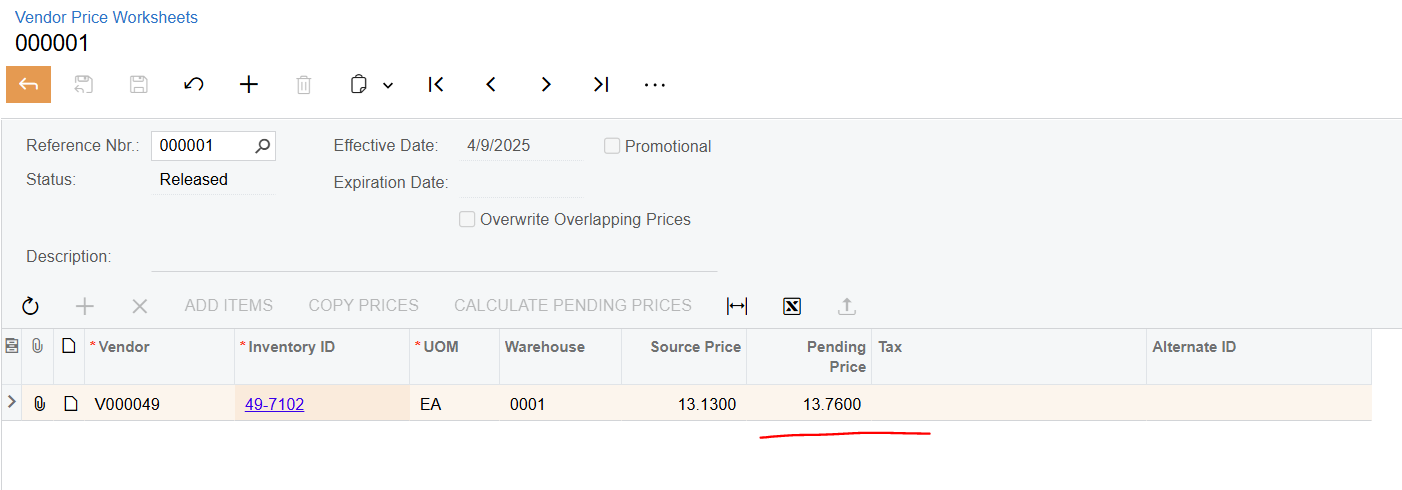
I ran a test and updated a stock item price using the Vendor Price Worksheet. I added a pending price of $13.76 for the item, but it didn’t update the cost on the stock item or reflect the new price in the Vendor Last Price field either.

I also created a purchase order and added the item, but it still pulled the old price. I'm wondering—where does the system update the cost for this item?


Best answer by olgakonanykhina22

Hello ​@Dawood 

Vendor Price Worksheets form updates Vendor prices (can be checked on Vendor Prices form (AP202000)): https://help.acumatica.com/(W(4))/Help?ScreenId=ShowWiki&pageid=027e6206-74de-44e4-b8a4-9cbb35770c71


It does not influence to Last cost or Vendor Last Price field on Stock item. You can see a new price on the Purchase order for vendor if other price conditions were not set up:

https://help.acumatica.com/(W(4))/Help?ScreenId=ShowWiki&pageid=75003a13-2613-4725-b2fe-07c5afe0f1f5

1 reply

Hello ​@Dawood 

Vendor Price Worksheets form updates Vendor prices (can be checked on Vendor Prices form (AP202000)): https://help.acumatica.com/(W(4))/Help?ScreenId=ShowWiki&pageid=027e6206-74de-44e4-b8a4-9cbb35770c71


It does not influence to Last cost or Vendor Last Price field on Stock item. You can see a new price on the Purchase order for vendor if other price conditions were not set up:
https://help.acumatica.com/(W(4))/Help?ScreenId=ShowWiki&pageid=75003a13-2613-4725-b2fe-07c5afe0f1f5