

Answer

Mass Update Field Error

  • December 4, 2023
  • 4 replies
  • 230 views

Forum|alt.badge.img

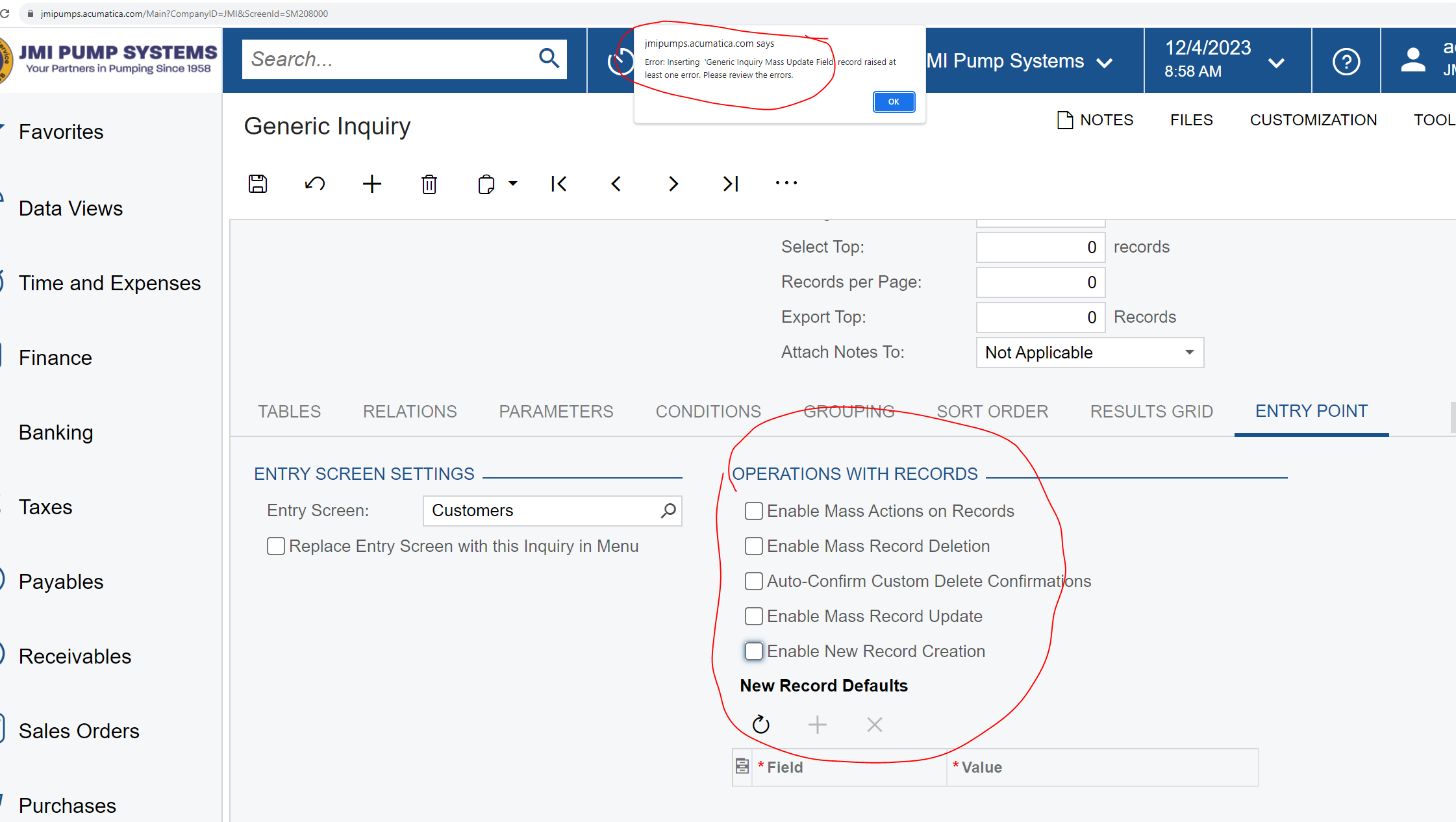
I made a copy of the default Customers GI,  we are going to make some changes to this GI.  Before making the changes I made a copy of the existing GI and tried to save it.  I am receiving the following error.  There are no boxes checked for mass update.  Please help this is kinda urgent!!
 

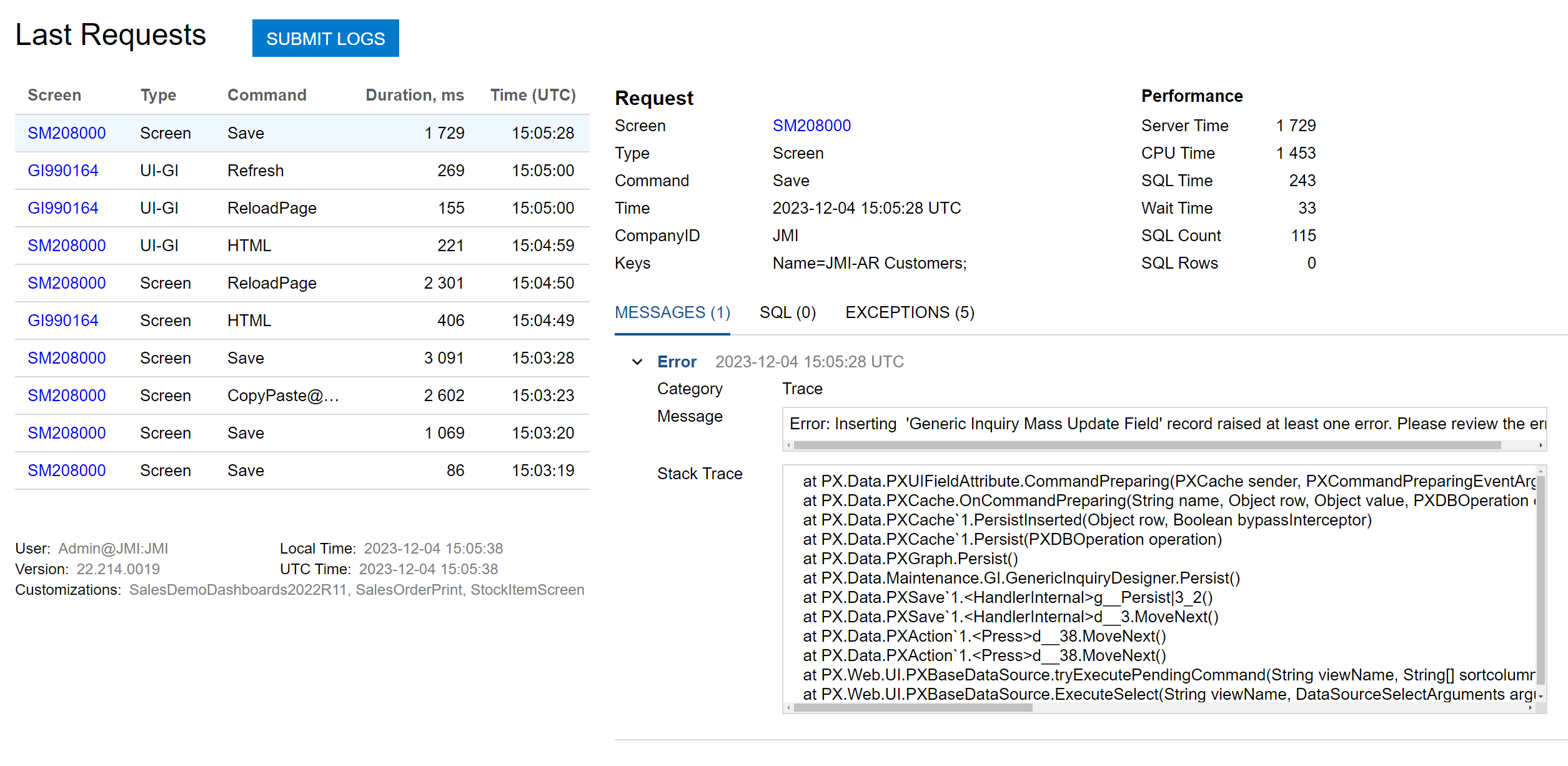
Here is the trace log that goes with this error
 

Best answer by Manikanta Dhulipudi

Hi @sspencer 

I am not sure of the error but could you please enable the checkbox and save.

Uncheck again and verify the issue.


Thanks

4 replies

Forum|alt.badge.img
  • Author
  • Jr Varsity III
  • December 4, 2023

here is the trace log that goes with this error



Manikanta Dhulipudi
Captain II
Forum|alt.badge.img+15

Hi @sspencer 

I am not sure of the error but could you please enable the checkbox and save.

Uncheck again and verify the issue.


Thanks


darylbowman
Captain II
Forum|alt.badge.img+15

If that doesn’t work, you can export the GI to XML instead.


This has happened to me a couple times too. What works every time is to activate Enable Mass Record Updates in the entry point tab. You will then see the tab Mass Update Fields, it will have a blank entry in it for some reason. Delete that entry, the deactivate Enable Mass Record Updates and save. No more error. It must have to do with the object copying over having a blank there for some reason.

