

Solved

Hw to retrieve users Roles using rest APIs

  • Aug 9, 2023 10:24 AM UTC
  • 2 replies
  • 477 views
  • Translate All

Michael Ndungipartnerhold
Varsity I
Forum|alt.badge.img

hello everyone,
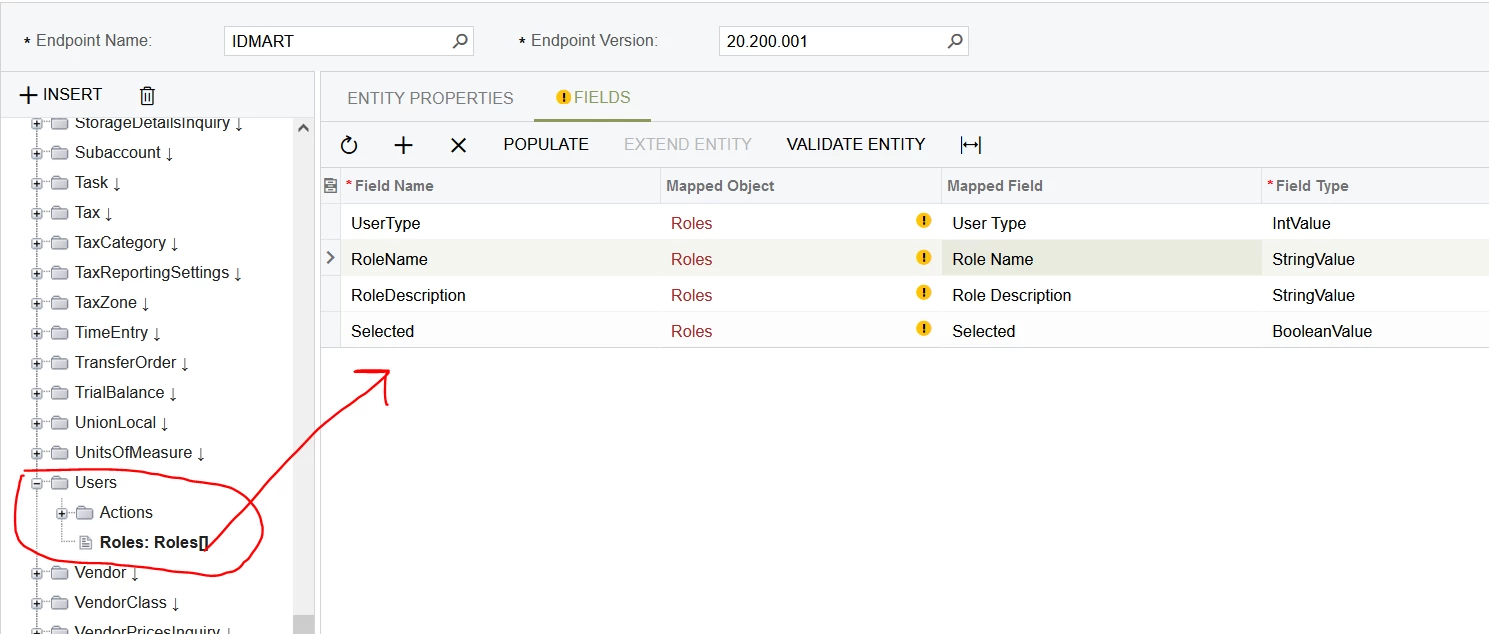
I have extended a default endpoint to include users. I am able to fetch details from the summary area using a get request on postman. 
However, I have tried to pull roles of specific users but I’m just getting errors.
Kindly assist on how I can fetch and manipulate roles of a specific user using rest api on post man.


all responses will be highly appreciated.
 

Thank you 
Best answer by jinin

Hi @Michael Ndungi ,

There is a limitation or issue with the query optimization when pulling roles of specific users through the Acumatica REST API GET call.

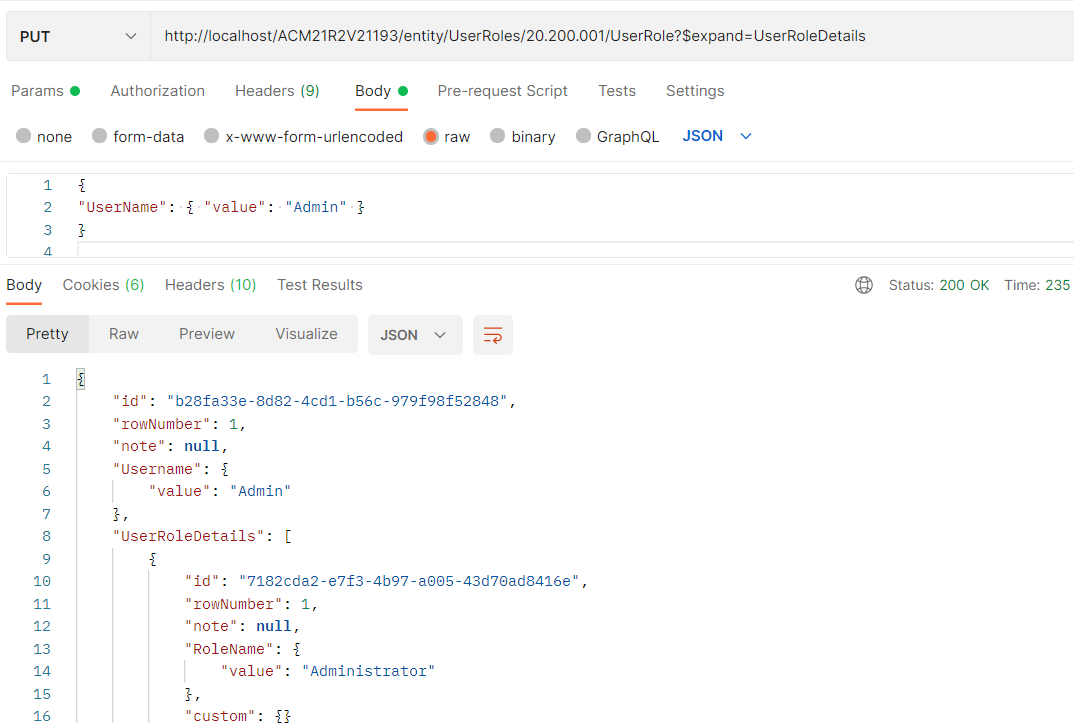
As @dcomerford  mentioned, you can create a custom endpoint with user role and use the put method and get the information.

I’ve attached the sample GI and endpoint

Method: PUT
URL: /entity/TEST/20.200.001/UserRole?$expand=UserRoleDetails
Input JSON

{

"UserName": { "value": "Admin" }

}


View original

2 replies

dcomerford
Captain II
Forum|alt.badge.img+16
  • Captain II
  • Aug 9, 2023 11:06 AM UTC

I dont know if that would work another way to do it would be to create a GI with all the tables fields you need then add this GI (screen) to your endpoint and use it. Ensure you use a ‘Put’ request to get the results.

Here is a good reference https://www.acumatica.com/blog/contract-based-apis-in-generic-inquiries/

Translate

jinin
Pro I
Forum|alt.badge.img+12
  • Pro I
  • Answer
  • Aug 10, 2023 12:52 PM UTC

Hi @Michael Ndungi ,

There is a limitation or issue with the query optimization when pulling roles of specific users through the Acumatica REST API GET call.

As @dcomerford  mentioned, you can create a custom endpoint with user role and use the put method and get the information.

I’ve attached the sample GI and endpoint

Method: PUT
URL: /entity/TEST/20.200.001/UserRole?$expand=UserRoleDetails
Input JSON

{

"UserName": { "value": "Admin" }

}


Translate


