Solved

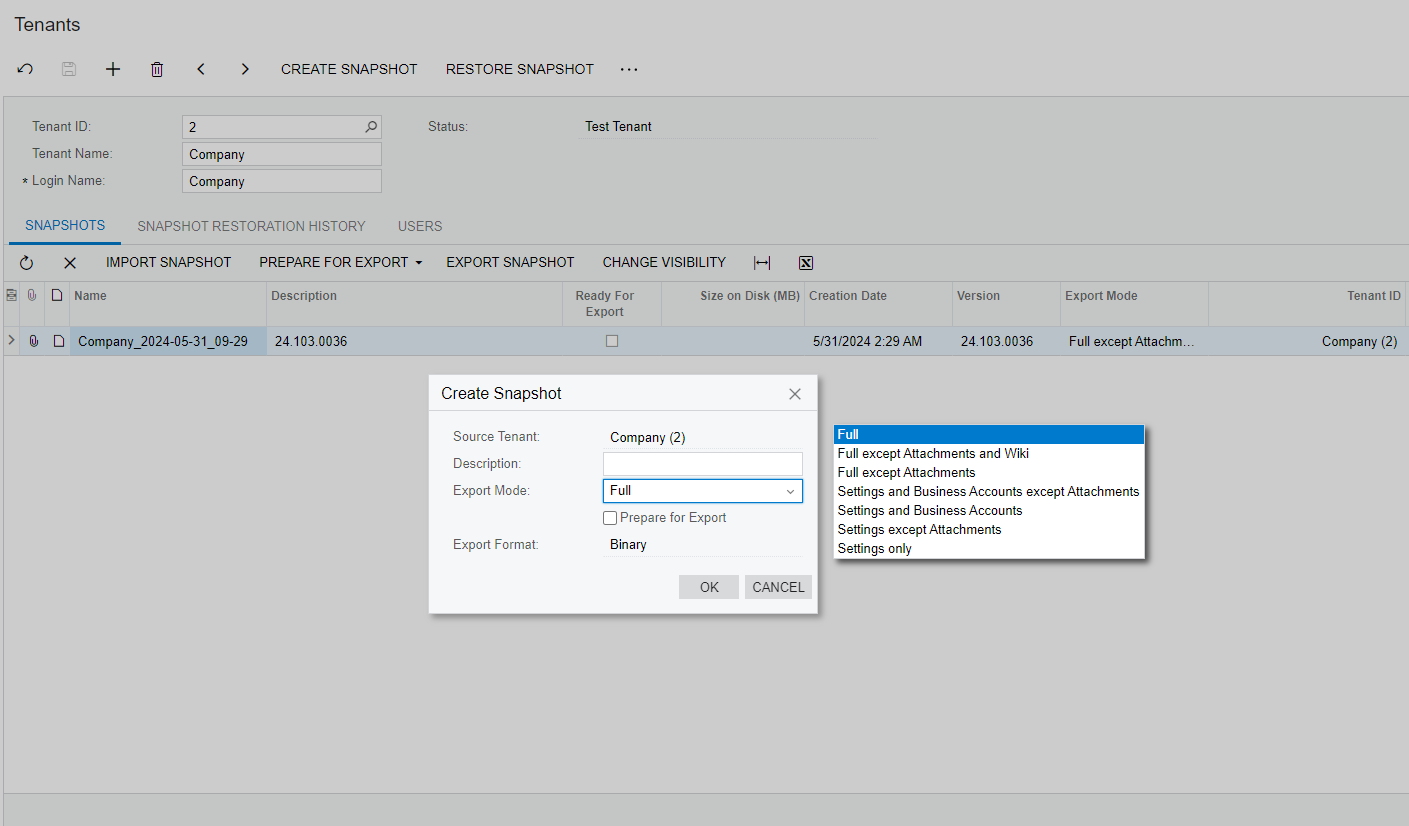
Dropdown values don't move with the popup window

  • Jun 12, 2024 8:21 AM UTC
  • 4 replies
  • 160 views
  • Translate All

Hi all!

I have a custom popup with a dropdown list. When I move popup window, the list from dropdown doesn’t move with the window. I found the same behavior with “Create Snapshot” popup on Tenants screen.

I want to fix it with my custom popup. Is it possible?
 

Best answer by Vignesh Ponnusamy

Hi @hannaborod,

I was able to reproduce the reported behavior with different pop-up window and drop-down UI control. I would recommend you create a support request reporting this issue. Thanks, 

View original

4 replies

Vignesh Ponnusamy
Acumatica Moderator
Forum|alt.badge.img+5

Hi @hannaborod,

I was able to reproduce the reported behavior with different pop-up window and drop-down UI control. I would recommend you create a support request reporting this issue. Thanks, 

Translate

  • Author
  • Freshman II
  • Jun 14, 2024 6:01 AM UTC

Hello, @Vignesh Ponnusamy! Thanks for your answer! 

I’ve created support case with this issue. I will update my topic with their answer.

Translate

  • Author
  • Freshman II
  • Jul 10, 2024 6:47 AM UTC

UPDATE

I’ve received an answer to my support case:

It's a bug in the new Aurelia control and we will report this to our engineering team.

As a workaround, you can set IsClientControl="false" for this control to switch it to old Aspx mode. In this case, it will hide the list of items when you move window.


Suggested workaround worked for me.

Translate

Chris Hackett
Community Manager
Forum|alt.badge.img
  • Acumatica Community Manager
  • Jul 10, 2024 4:39 PM UTC

Thank you for sharing the update with the community @hannaborod!

Translate