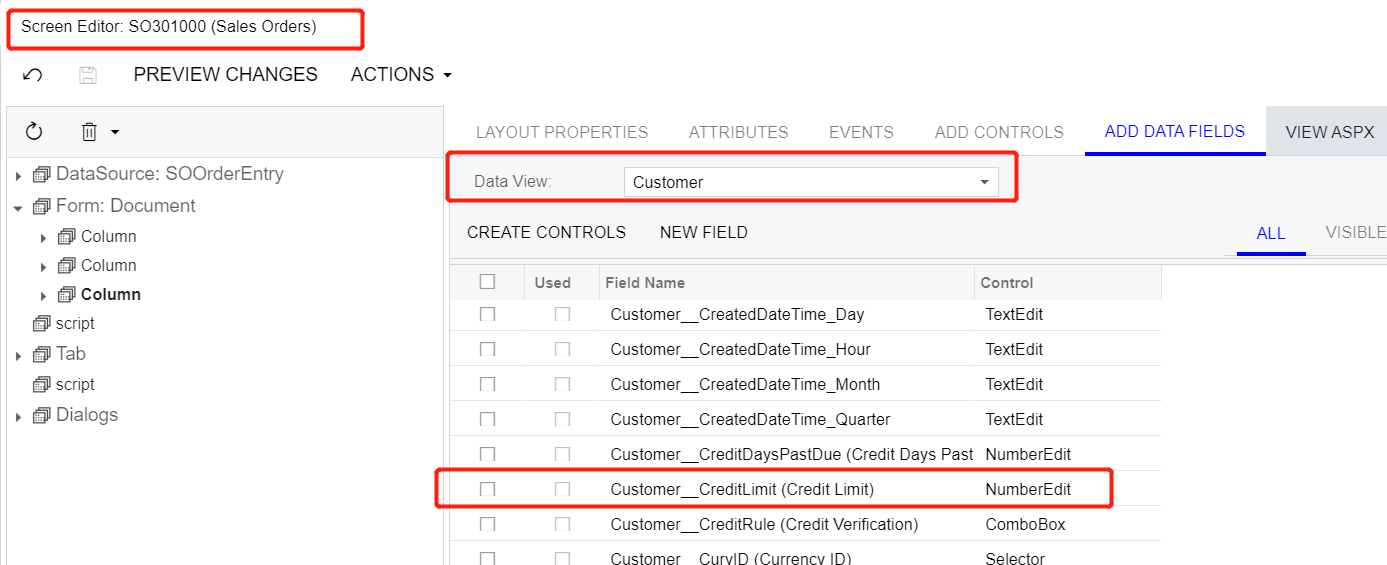
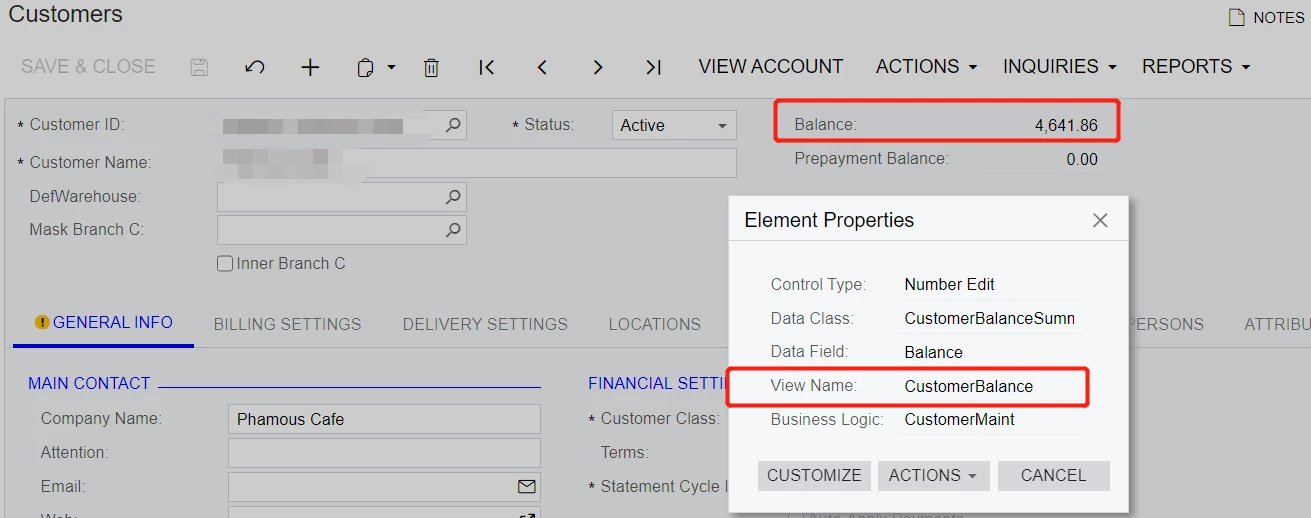
I know a little about customization projects but I am still afraid of writing code. I have a requirement that to display customer credit limit and customer balance on SO screen (SO301000) .
For customer credit limit, the SO screen already have “cusotmer” Data view, and that view has customer credit limit, so I can simply use it.
However customer balance exists in “customerbalance” view, and this view does NOT associate with SO screen right now. SO I can not use it directly.
I know probably with code writing that as BQL or something, I can get the customer balance.
But I am wondering is there a better/easier way I can achieve this requirement.
Thank you in advance. If I have to use code, can somebody give me a sample for reference?
Best answer by Nayan Vadher
Yes it will require writing code. The approach will require one to create similar customerbalance view in Sales Order screen. e.g. code would be:
namespace PX.Objects.SO { using PX.Objects.AR; using System.Collections;
public class SOOrderEntryExt : PXGraphExtension<SOOrderEntry> { protected Lazy<CustomerMaint> lazyCustomerMaint = new Lazy<CustomerMaint>(() => PXGraph.CreateInstance<CustomerMaint>());
public PXFilter<CustomerMaint.CustomerBalanceSummary> CustomerBalance; protected virtual IEnumerable customerBalance() { Customer customer = Base.customer.Current; if (customer != null && customer.BAccountID > 0L) { var g = lazyCustomerMaint.Value; g.BAccount.Current = g.BAccount.Search<BAccount.bAccountID>(customer.BAccountID); g.CustomerBalance.Current = g.CustomerBalance.Select(); yield return g.CustomerBalance.Current;
Yes it will require writing code. The approach will require one to create similar customerbalance view in Sales Order screen. e.g. code would be:
namespace PX.Objects.SO { using PX.Objects.AR; using System.Collections;
public class SOOrderEntryExt : PXGraphExtension<SOOrderEntry> { protected Lazy<CustomerMaint> lazyCustomerMaint = new Lazy<CustomerMaint>(() => PXGraph.CreateInstance<CustomerMaint>());
public PXFilter<CustomerMaint.CustomerBalanceSummary> CustomerBalance; protected virtual IEnumerable customerBalance() { Customer customer = Base.customer.Current; if (customer != null && customer.BAccountID > 0L) { var g = lazyCustomerMaint.Value; g.BAccount.Current = g.BAccount.Search<BAccount.bAccountID>(customer.BAccountID); g.CustomerBalance.Current = g.CustomerBalance.Select(); yield return g.CustomerBalance.Current;
Will inform this also to my team to pull out data for vendor tab.
Yes it will require writing code. The approach will require one to create similar customerbalance view in Sales Order screen. e.g. code would be:
namespace PX.Objects.SO { using PX.Objects.AR; using System.Collections;
public class SOOrderEntryExt : PXGraphExtension<SOOrderEntry> { protected Lazy<CustomerMaint> lazyCustomerMaint = new Lazy<CustomerMaint>(() => PXGraph.CreateInstance<CustomerMaint>());
public PXFilter<CustomerMaint.CustomerBalanceSummary> CustomerBalance; protected virtual IEnumerable customerBalance() { Customer customer = Base.customer.Current; if (customer != null && customer.BAccountID > 0L) { var g = lazyCustomerMaint.Value; g.BAccount.Current = g.BAccount.Search<BAccount.bAccountID>(customer.BAccountID); g.CustomerBalance.Current = g.CustomerBalance.Select(); yield return g.CustomerBalance.Current;