



Answer

Does row level security on email accounts apply to the messages themselves?

  • October 30, 2023
  • 6 replies
  • 110 views

lauraj46
Captain II
Forum|alt.badge.img+8

Row level security settings can be configured to limit access by user to certain email accounts for sending messages, but do these settings also apply to viewing Incoming and Sent message on those same accounts?  Or is there another way to configure this security setting?

Thanks in advance!
Best answer by Kandy Beatty

HI @lauraj46 

It should limit access to viewing incoming emails, but I think if they are using it marketing, they can still see those emails. 

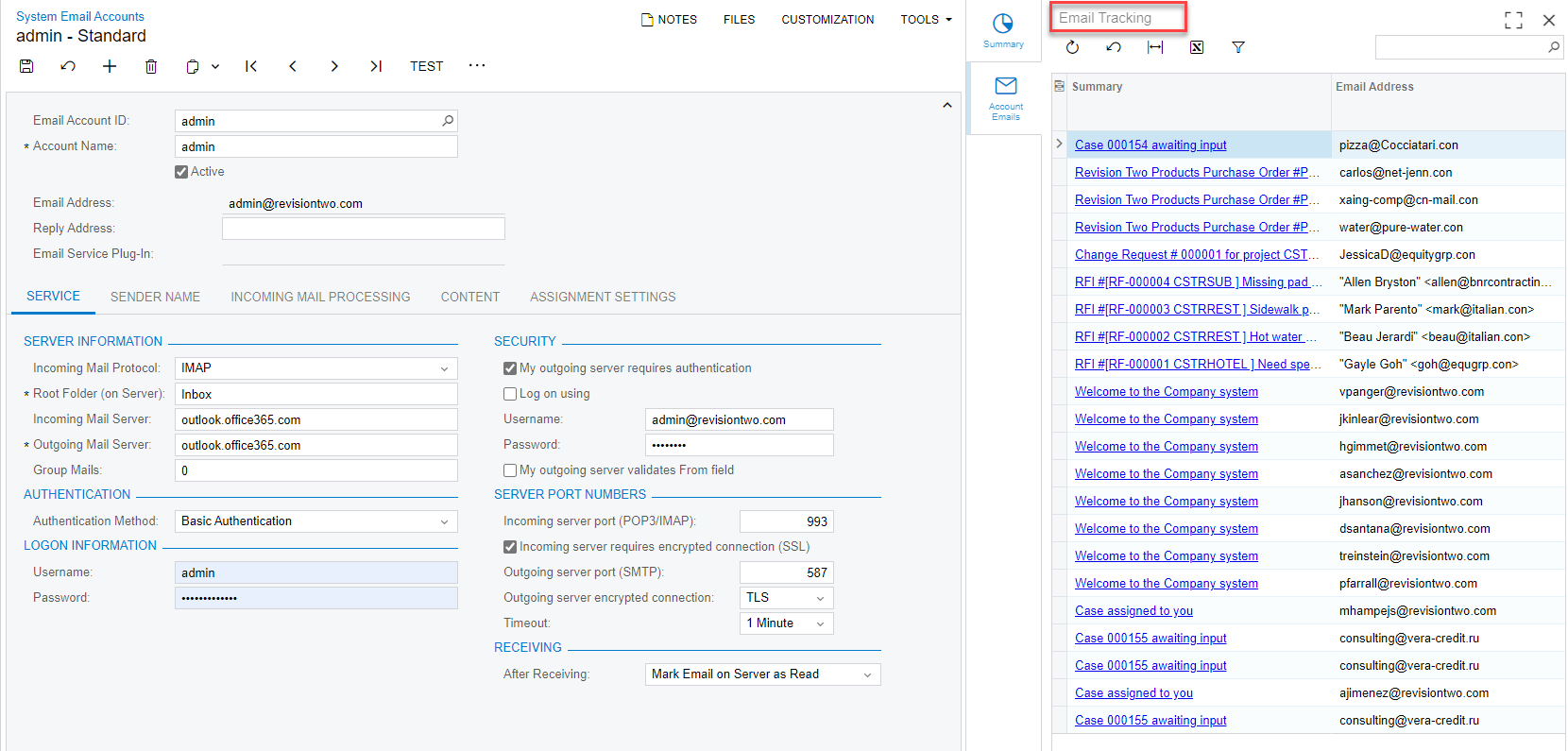
You could take the access on Email Tracking which is under System Email accounts. The rights are under HIDDEN in the Roles section. 


6 replies

Kandy Beatty
Captain II
Forum|alt.badge.img+17
  • Captain II
  • Answer
  • October 30, 2023

HI @lauraj46 

It should limit access to viewing incoming emails, but I think if they are using it marketing, they can still see those emails. 

You could take the access on Email Tracking which is under System Email accounts. The rights are under HIDDEN in the Roles section. 


Forum|alt.badge.img

@lauraj46 Hi Laura.  Did you get this to work?  I’m able to control who can send from specific email accounts but I can’t control the reading of emails from accounts not included in the group I’ve created.  That is, User 1 is not included in Group A email account.  User 1 can’t send from the Group A email account, but User 1 can read all emails (All Emails or activity screens) from the Group A email account.  We are using 25R1.


lauraj46
Captain II
Forum|alt.badge.img+8
  • Author
  • Captain II
  • October 6, 2025

Hi ​@brucewarrell96 ,

I was not able to find a solution.  We ended up limiting the rights on the All Emails and File Maintenance screens.

Laura


Forum|alt.badge.img

@lauraj46 - thanks for the reply.  So your solution ended up being an all or nothing solution?  That is user 1 could not see any emails in All Emails while user 2 can?  Or were able to at least set it up so that user 1 could see their own emails?

Is there an idea out there that you know of, that I could upvote?


lauraj46
Captain II
Forum|alt.badge.img+8
  • Author
  • Captain II
  • October 14, 2025

Hi ​@brucewarrell96 ,

Yes, that’s my understanding regarding the All Emails screen. You can save filters, but I”m not sure there’s an easy way to enforce them and prevent a user from selecting All Records. 

There’s another screen, Incoming (CO4090PL), that is based on a Generic Inquiry.  I think that this screen could possibly be configured with a condition based on the current user (@me), or you could create a custom GI with similar logic.

Acumatica added personal email accounts in a recent release, but users can still see other user’s personal email messages in the All Emails screen.

Here’s the idea that you can upvote:

Hope this helps!

Laura


Forum|alt.badge.img

@lauraj46 Thanks.
