Solved

Project Budget Forecast - Construction edition

  • March 14, 2023
  • 11 replies
  • 285 views
  • Translate All

Forum|alt.badge.img

Is there a way to use the “generate periods” button and choose the date range (instead of what it defaults to)?  We use forecasting and update monthly based on equipment lead times.  When there is a detailed SOV with many lines, it takes a while to use the “add period” button on each line item to choose the date.  I’m sure there must be a more efficient way that I am missing.  Thank you. 

  

Best answer by iqraharrison

@Tcollins1968 i am not seeing something that would allow you to easily add a percentage however, i do think that is a great idea and would suggest that as a future idea.  i think that could be really helpful for a lot of construction clients. 

View original

11 replies

Kandy Beatty
Captain II
Forum|alt.badge.img+18

Hi @Tcollins1968 

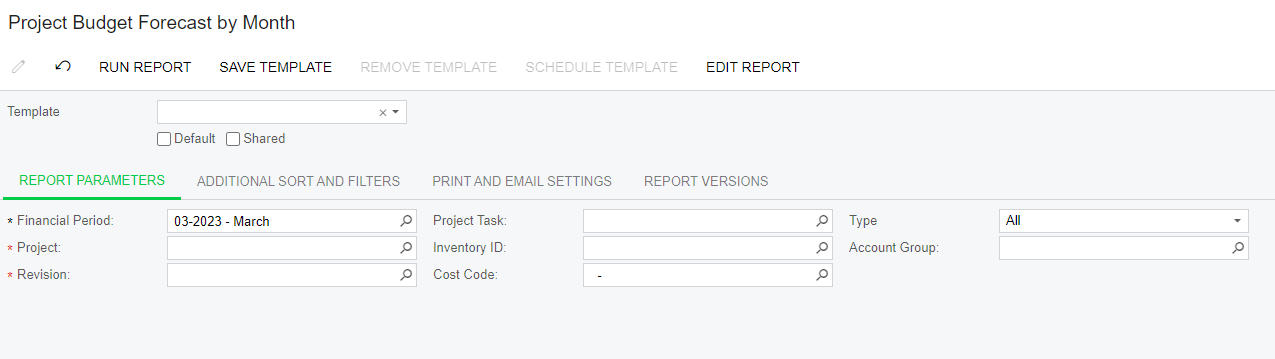
Are you talking about this report?


If not, can you clarify what exactly you are looking at?

Translate

Laura03
Captain II
Forum|alt.badge.img+20
  • Captain II
  • March 15, 2023

Hello,

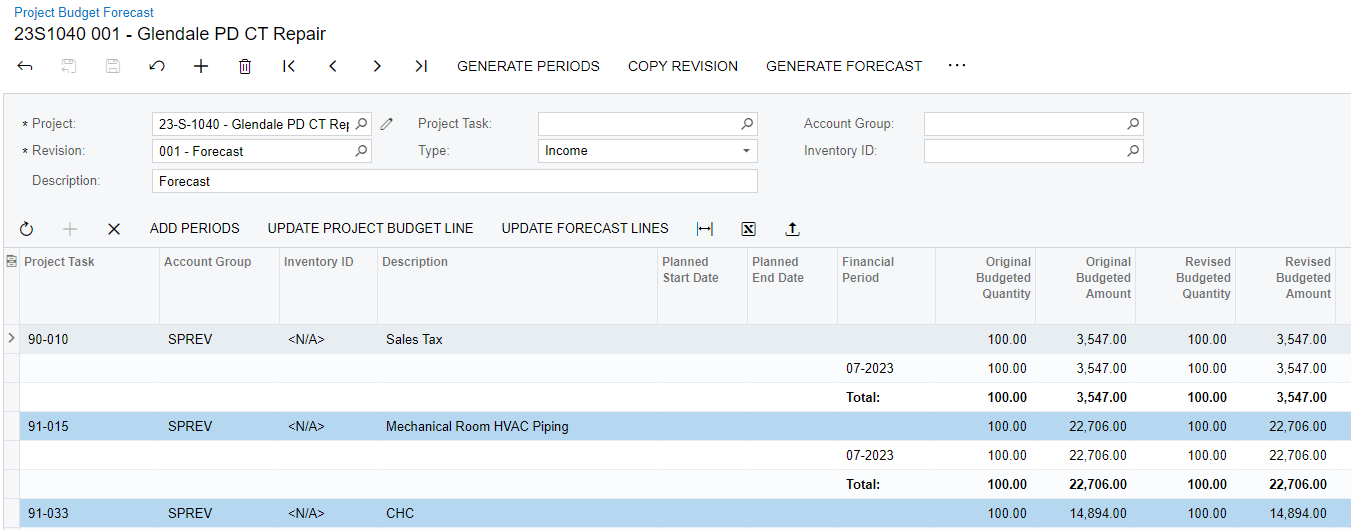
@Tcollins1968 is looking at Project Budget Forecasts screen, yes? She is saying when we use Add Periods, we can choose beginning/ending period for the expanded budget by period. However, when using Add Periods button we must click each line to expand individually.

It is faster to click Generate periods at the top, except generating in this way defaults the financial periods based on Planned Start/End Date.

Will an import scenario help you?


Translate

Forum|alt.badge.img

Correct Laura02.  This is what I’m looking at:

When I need to reforecast into the future - I have to manually do each line.  I was hoping there was a way to select the date when using “generate periods”.  We have our budgets broken out into many lines.  Thanks!

Translate

Kandy Beatty
Captain II
Forum|alt.badge.img+18

HI @Tcollins1968 

Unfortunately that is out of the box functionality. You would need to customize it.

I could suggest that you add a future idea for Acumatica to allow that. 

Translate

iqraharrison
Captain II
Forum|alt.badge.img+9

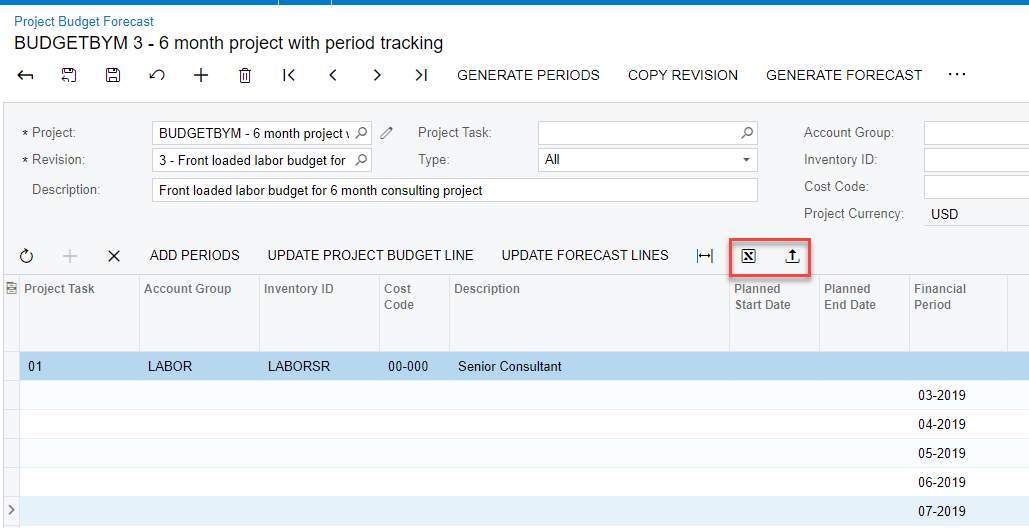
@Tcollins1968 if it’s easier, you can export to excel where you can quickly make the changes and reimport it :

i use this for a few other areas within projects as well!

Translate

Forum|alt.badge.img

Thank you!  We use this in other areas but haven't tried it here.  I’ll give it a shot.  

Translate

iqraharrison
Captain II
Forum|alt.badge.img+9

@Tcollins1968 sounds good! if that doesn’t help, then i agree with @kandybeatty49, customization may be your best option.  But free is always better :)

Translate

Forum|alt.badge.img

A follow up to this issue is that the “quantity” column is not a percentage.  Is there a way to make it a % that calculates for you?  For example if I want to budget 50% over 2 months - can it calculate that amount into those columns?  I’m having a hard time with so many things having to be calculated manually before input.  I mainly want to make sure I’m not missing something - and doing things the hard way :)

Translate

iqraharrison
Captain II
Forum|alt.badge.img+9

@Tcollins1968 what version/build are you on? i can take a look.  i don’t recall being able to modify the form unless you do a customization but it may be easier to update the “print project forecast report” to include percentages.


Translate

Forum|alt.badge.img

I am on 2022 R2.  Thank you. 

Translate

iqraharrison
Captain II
Forum|alt.badge.img+9

@Tcollins1968 i am not seeing something that would allow you to easily add a percentage however, i do think that is a great idea and would suggest that as a future idea.  i think that could be really helpful for a lot of construction clients. 

Translate