Changing your Acumatica Community username

  • July 17, 2020
  • 18 replies
  • 797 views
  • Translate All

Aliya
Community Manager
Forum|alt.badge.img+3
  • Acumatica VP, Global Support

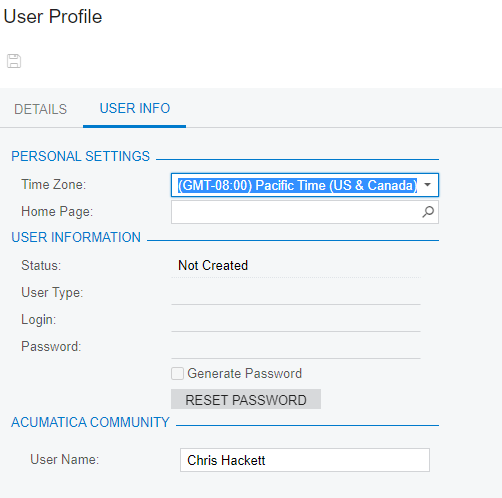
Hi guys, here is how you can change username for Acumatica community.

  1. go to portal.acumatica.com  
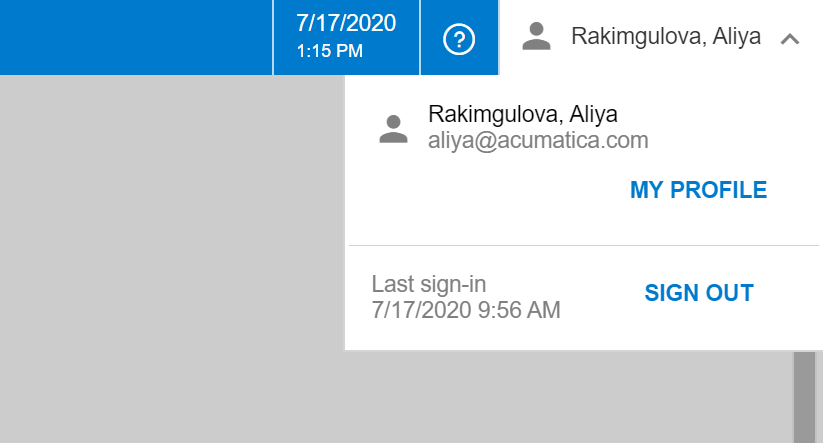
  2. go to My profile 


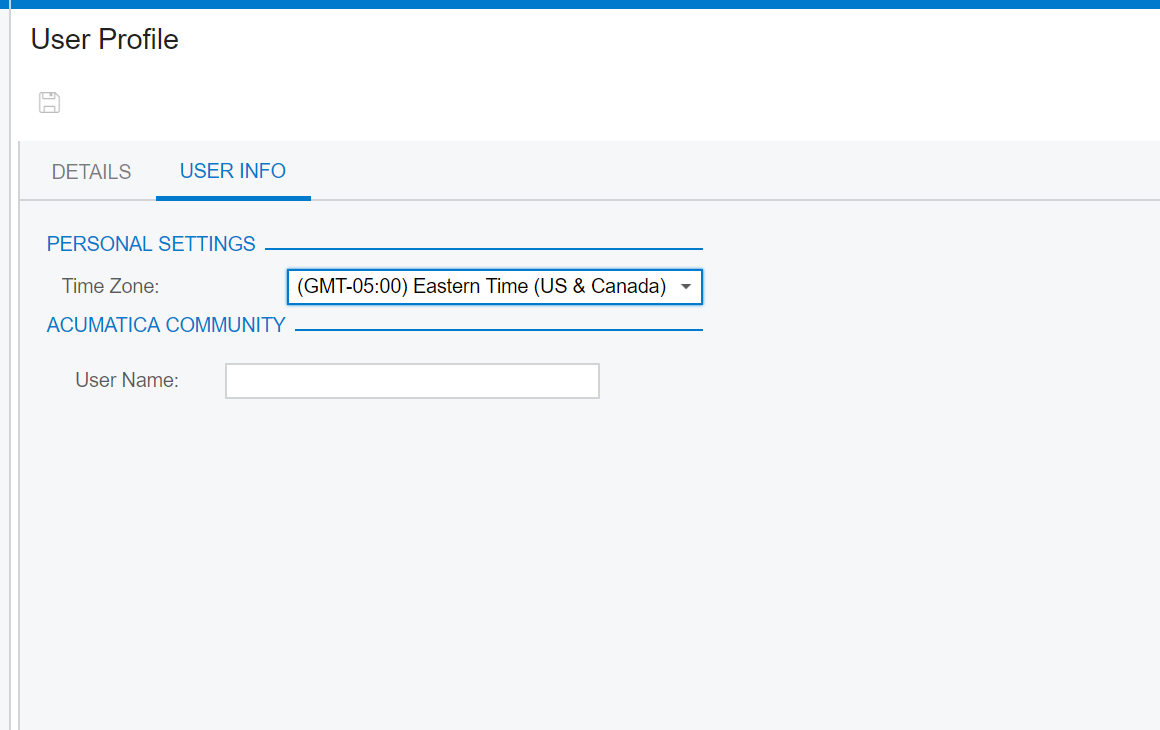
  3. change your user name and click Save

     

18 replies

Aliya
Community Manager
Forum|alt.badge.img+3
  • Author
  • Acumatica VP, Global Support
  • August 11, 2020

Reminder guys, you can change your user name this way

Translate

JustineCrowley
Freshman I

Thanks @Aliya!

Translate

Forum|alt.badge.img+5

Thanks!

Translate

Aliya
Community Manager
Forum|alt.badge.img+3
  • Author
  • Acumatica VP, Global Support
  • September 10, 2020

After we announce the community in September, this will be a popular question.

Translate

Jacob Scism
Acumatica Employee
  • Acumatica Employee
  • September 11, 2020

Thanks for the direction @Aliya 

Translate

Sarah Kurpe
Acumatica Employee
  • Acumatica Employee
  • September 11, 2020

Yes, very helpful @Aliya !! Thank you!


Translate

This was helpful. Thank you

Translate

Forum|alt.badge.img+1
  • October 23, 2020

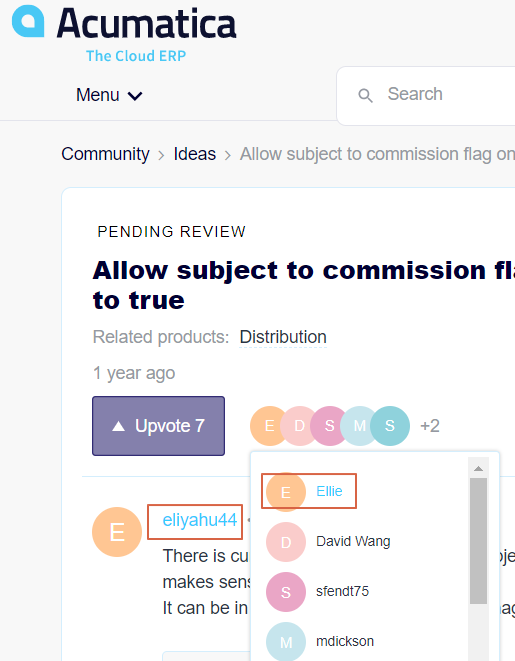
This only partially works. As you can see it does not change the main displayed username, only the “voted” user name.


Translate

It does not let me change or click on the username. 


Is anyone else having this issue? 

Translate

Aliya
Community Manager
Forum|alt.badge.img+3
  • Author
  • Acumatica VP, Global Support
  • November 17, 2020

It does not let me change or click on the username. 


Is anyone else having this issue? 

send me the screenshot of how you changed it at the provided link to the direct messages, i will take a look and will try to help you. 

Translate

dpaul89
Freshman I
  • Freshman I
  • November 25, 2020

Thank you for the information.

Translate

Forum|alt.badge.img
  • Jr Varsity III
  • April 7, 2022

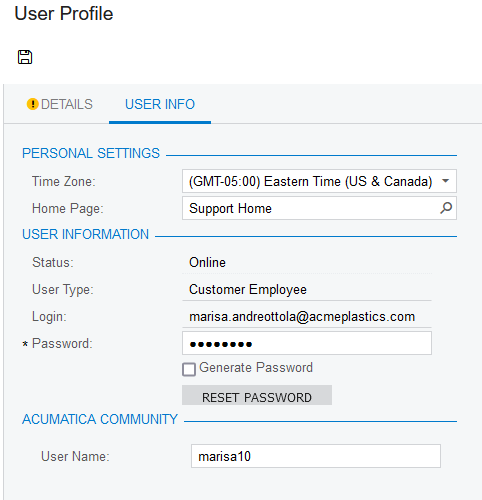
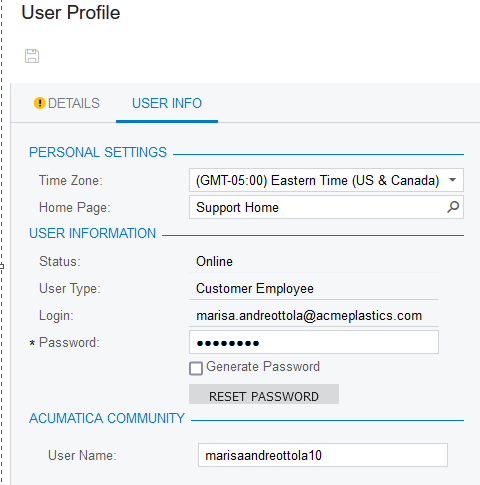
Hi @Aliya, is there a new way to update community username? I tried the above (please note my screen looks different) but when I change and hit save, it reverts back.

Translate

Chris Hackett
Community Manager
Forum|alt.badge.img
  • Acumatica Community Manager
  • April 7, 2022

Hi @marisaandreottola10  - please try again by doing the below:

portal.acumatica.com

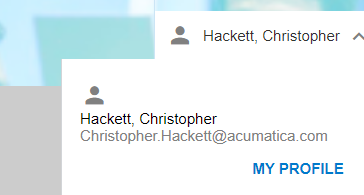
MY PROFILE


Enter the User Name you wish and Save (upper left)


You will then need to logout/login to the community site for it to take effect. If that doesn’t work let me know and we’ll try something else.

Translate

Forum|alt.badge.img
  • Jr Varsity III
  • April 7, 2022

Hi @Chris Hackett

Thanks. That’s what I was doing. this is a test to see if it took. I did take some screenshots for you. i changed the username, hit save button and you see it went back to the original username. i logged out and back in now with this reply.


Translate

Chris Hackett
Community Manager
Forum|alt.badge.img
  • Acumatica Community Manager
  • April 7, 2022

Thanks @marisaandreottola10  - Can you confirm you’re making the change at: portal.acumatica.com and not at sso.acumatica.com? We moved recently to the new portal.acumatica.com site.

Translate

Chris Hackett
Community Manager
Forum|alt.badge.img
  • Acumatica Community Manager
  • April 7, 2022

@marisaandreottola10 - never mind it’s not working for me either. I will need to enter a ticket but meanwhile I’ll change for you on community backend. Thank you!

Translate

Forum|alt.badge.img
  • Jr Varsity III
  • April 8, 2022

Thank you @Chris Hackett ! 

Translate

Chris Hackett
Community Manager
Forum|alt.badge.img
  • Acumatica Community Manager
  • May 15, 2023

I know it’s been awhile but wanted to update that this issue is fixed.


portal.acumatica.com

MY PROFILE


Enter the User Name you wish and Save (upper left)


You will then need to logout/login to the community site for it to take effect. If that doesn’t work let me know and we’ll try something else.


Translate