Answer

How to use "Is in" Condition for Generic Inquiry

  • May 19, 2022
  • 5 replies
  • 1808 views

cdiaz
Jr Varsity II

Hi Everyone, 

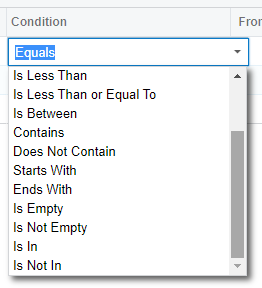
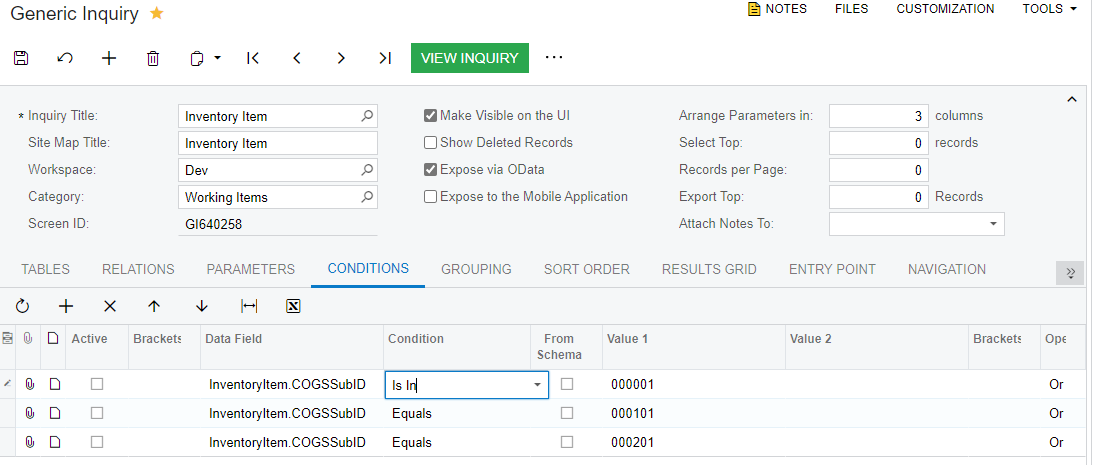
I’d like to pass a list of values instead of calling out the items 1 by 1. 

There are many options in the conditions drop down. But the documentation does not specify how they should be used, or provide limitations.


Best answer by cdiaz

Thanks for your help. 

Takeaway:

The “Is In” operator doesn’t behave like SQL “IN”. It accepts only one value as an input: the name of a custom filter. Some custom filters are dynamically generated by the system, such as “@MyGroups”, others are built buy a user with sufficient access to the Filters screen (CS209010).

5 replies

hkabiri
Acumatica Moderator
Forum|alt.badge.img+8
  • Acumatica Support Team
  • May 19, 2022

@cdiaz I agree that help has not covered examples of these conditions, however, these conditions introduced as we added some User Relative Filter Parameter to the system like:

@MyGroups and @MyWorktree


In case of Generic Inquiry you can Design Generic Inquiries in a way it only shows the user logged related documents.

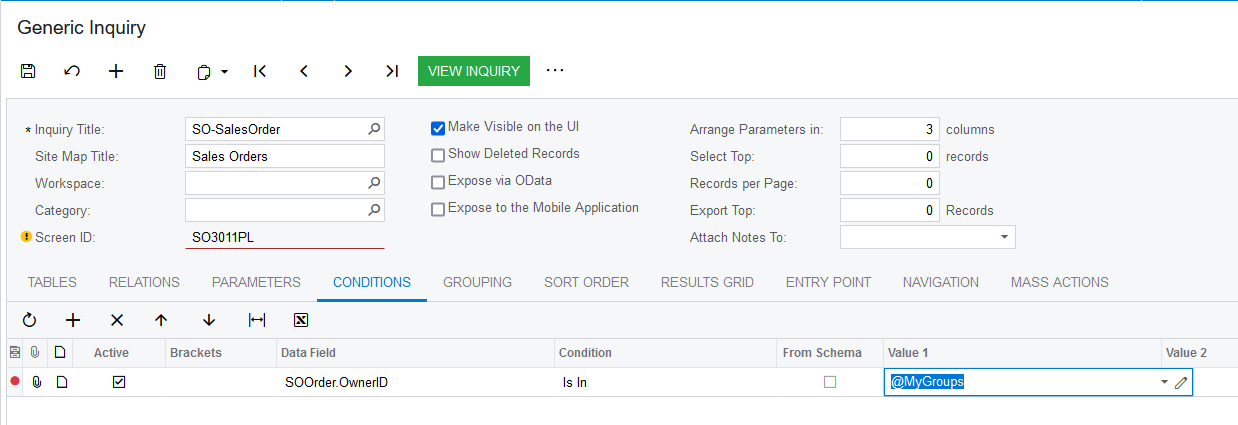
like SOOrder.OwnerID Is In @MyGroups this only show the documents which has owner in same Workgroups as the user logged in.

Below you can read more about these filters and how they would work

https://help-2022r1.acumatica.com/(W(2))/Help?ScreenId=ShowWiki&pageid=f6bd0804-543a-4e52-9fe9-4cd8305c575b


cdiaz
Jr Varsity II
  • Author
  • Jr Varsity II
  • May 19, 2022

I read the documentation you linked. Thank you for linking.


It mentions I can create custom filters using screen CS209010. I cannot see this screen. Is it only for 2022 release? My company is on 2021 R1.

I checked in our test instance where I should have admin rights.


hkabiri
Acumatica Moderator
Forum|alt.badge.img+8
  • Acumatica Support Team
  • May 19, 2022

It should be under customization >Profiles.

This might be Access Right issue.


cdiaz
Jr Varsity II
  • Author
  • Jr Varsity II
  • Answer
  • May 19, 2022

Thanks for your help. 

Takeaway:

The “Is In” operator doesn’t behave like SQL “IN”. It accepts only one value as an input: the name of a custom filter. Some custom filters are dynamically generated by the system, such as “@MyGroups”, others are built buy a user with sufficient access to the Filters screen (CS209010).


K2a
Jr Varsity III
Forum|alt.badge.img
  • Jr Varsity III
  • July 21, 2023

@cdia

@hkabiri 

Do we know if it is then possible to use a custom created filter in the same way as the system generated filter?   

I’m trying to use the “is not in” syntax within a GI Condition.  I’ve created a custom filter using screen CS209010 titled “PriceClassFLTR”.    So should I be able to use this in my GI Conditions?   

as referenced above my example would say:

 PriceClassID > Is Not In > @PriceClassFLTR  ?