Answer

How to try & change the customer ID via an import scenario

  • June 22, 2021
  • 9 replies
  • 1856 views

wfilipiak67
Captain II
Forum|alt.badge.img+3

Hi, 
I am trying to mass change the customer IDs via an import scenario. 
This works if run one on record selected at a time but it does not process if all records are selected. 
If I turn on Parallel processing than about 700 records process. 

I am not sure why.
Any ideas? 


Best answer by Naveen Boga

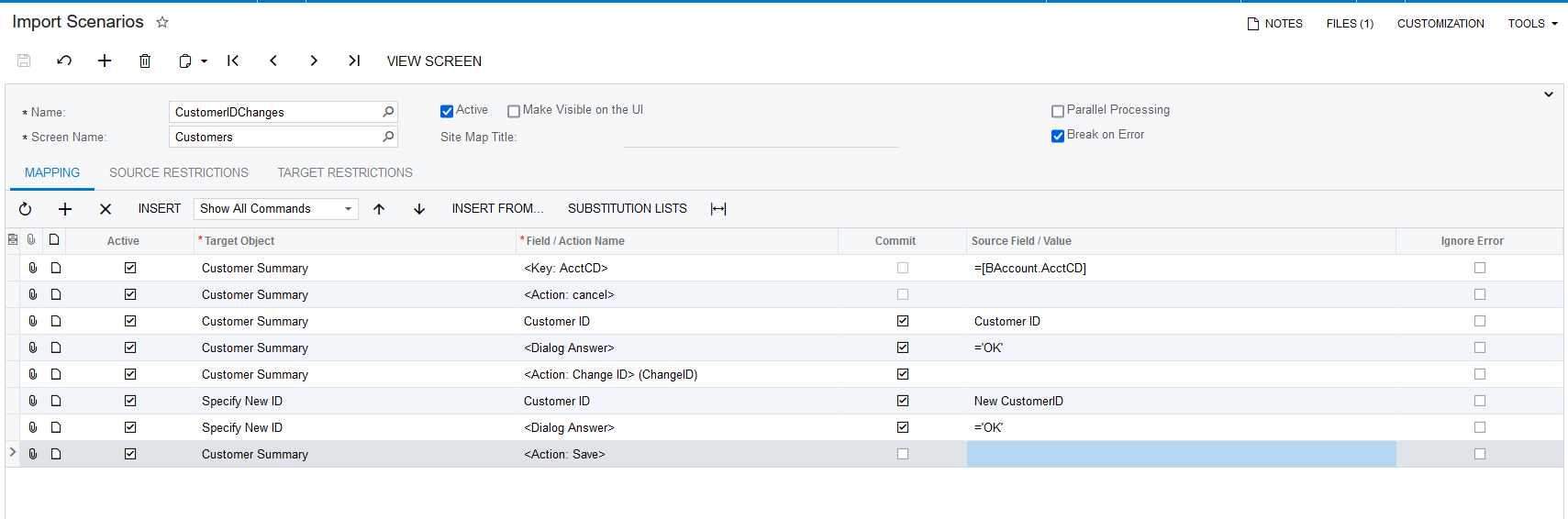
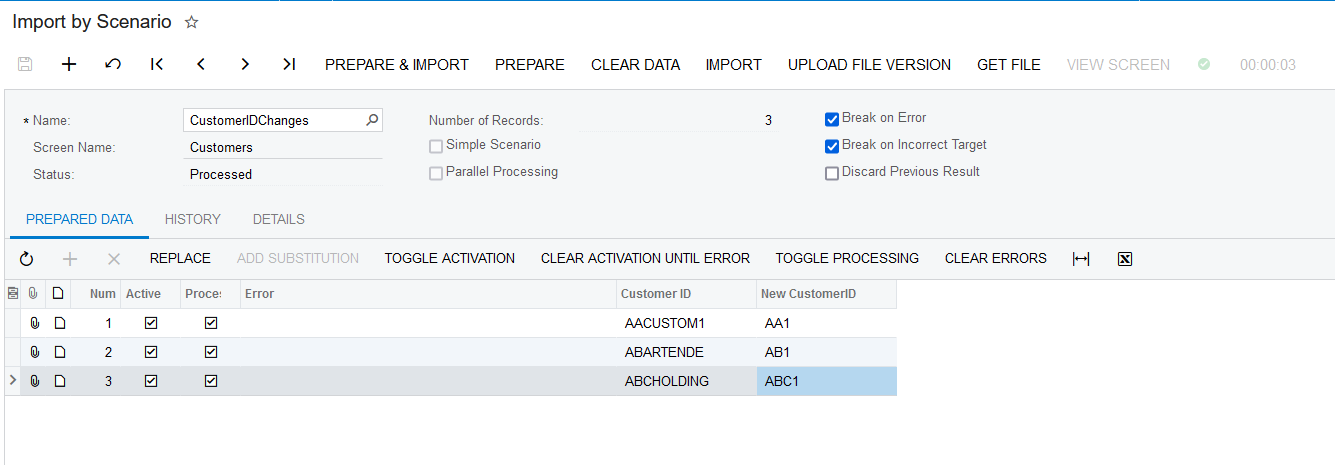
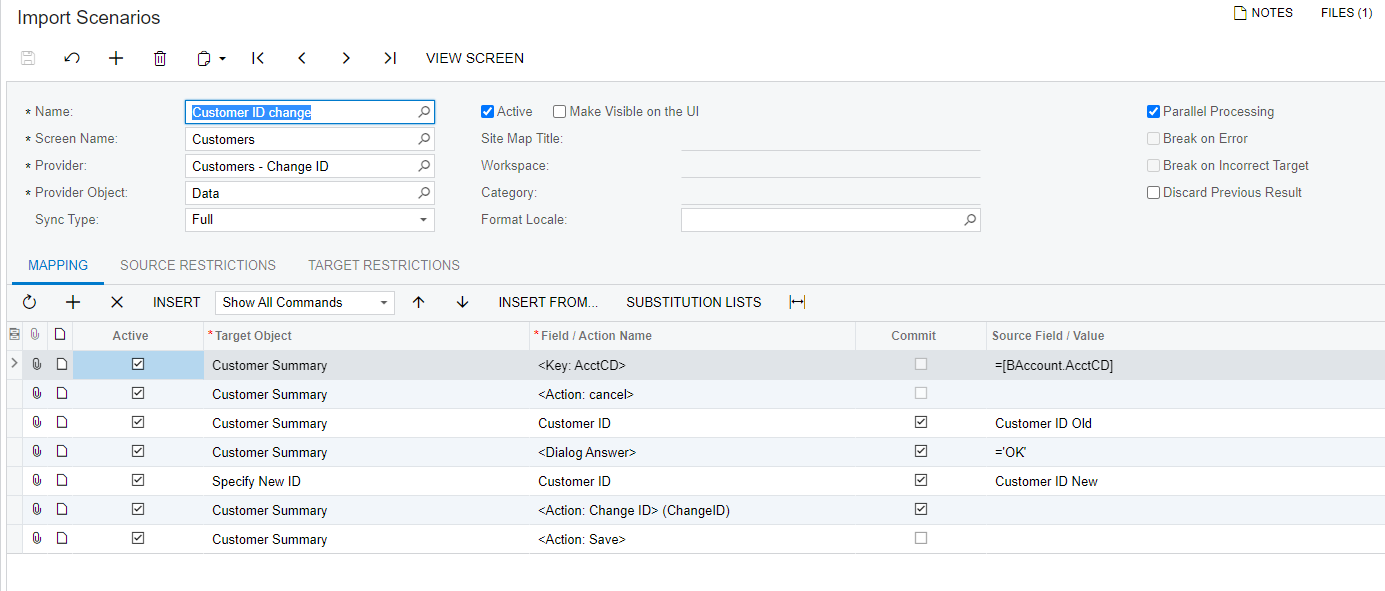
Hi @wfilipiak67 I have tried this in my local machine and working as expected for multiple customers.

Please find the import scenario screenshots for reference.


Hope this helps!!

9 replies

Naveen Boga
Captain II
Forum|alt.badge.img+19
  • Captain II
  • Answer
  • June 23, 2021

Hi @wfilipiak67 I have tried this in my local machine and working as expected for multiple customers.

Please find the import scenario screenshots for reference.


Hope this helps!!


wfilipiak67
Captain II
Forum|alt.badge.img+3
  • Author
  • Captain II
  • June 23, 2021

Thanks! That worked great!


Naveen Boga
Captain II
Forum|alt.badge.img+19
  • Captain II
  • June 23, 2021

Wonderful :) Thanks a lot for sharing the update.


asmith50
Jr Varsity III
Forum|alt.badge.img+1
  • Jr Varsity III
  • April 19, 2022

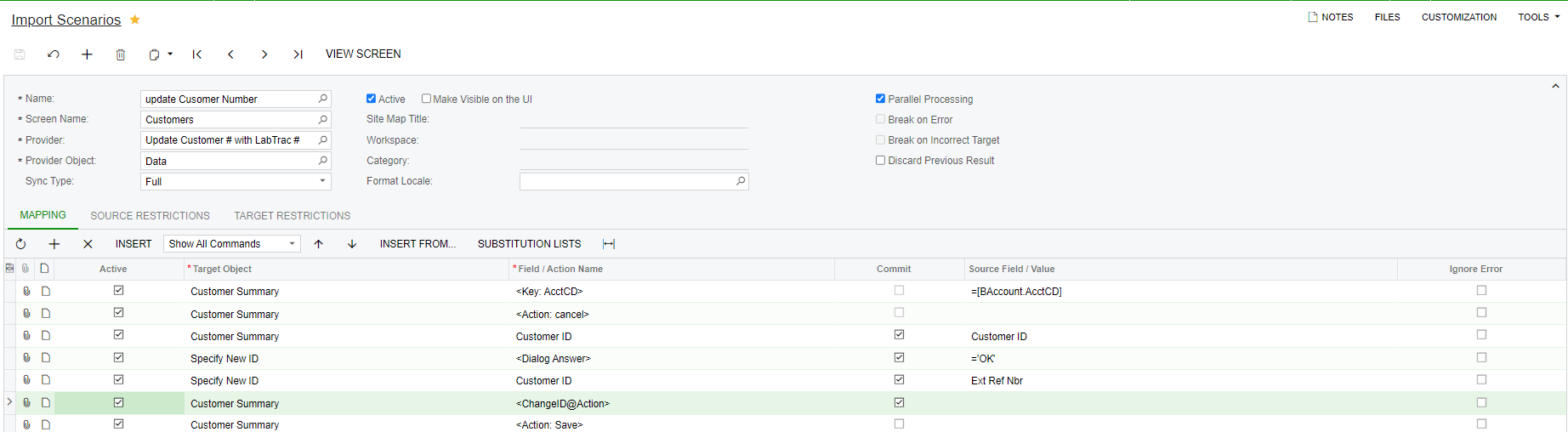
Something must have changed. In order to update customer or business account ids I needed the scenario written this way:


variuxDavidE
Varsity I
Forum|alt.badge.img
  • Varsity I
  • August 31, 2022

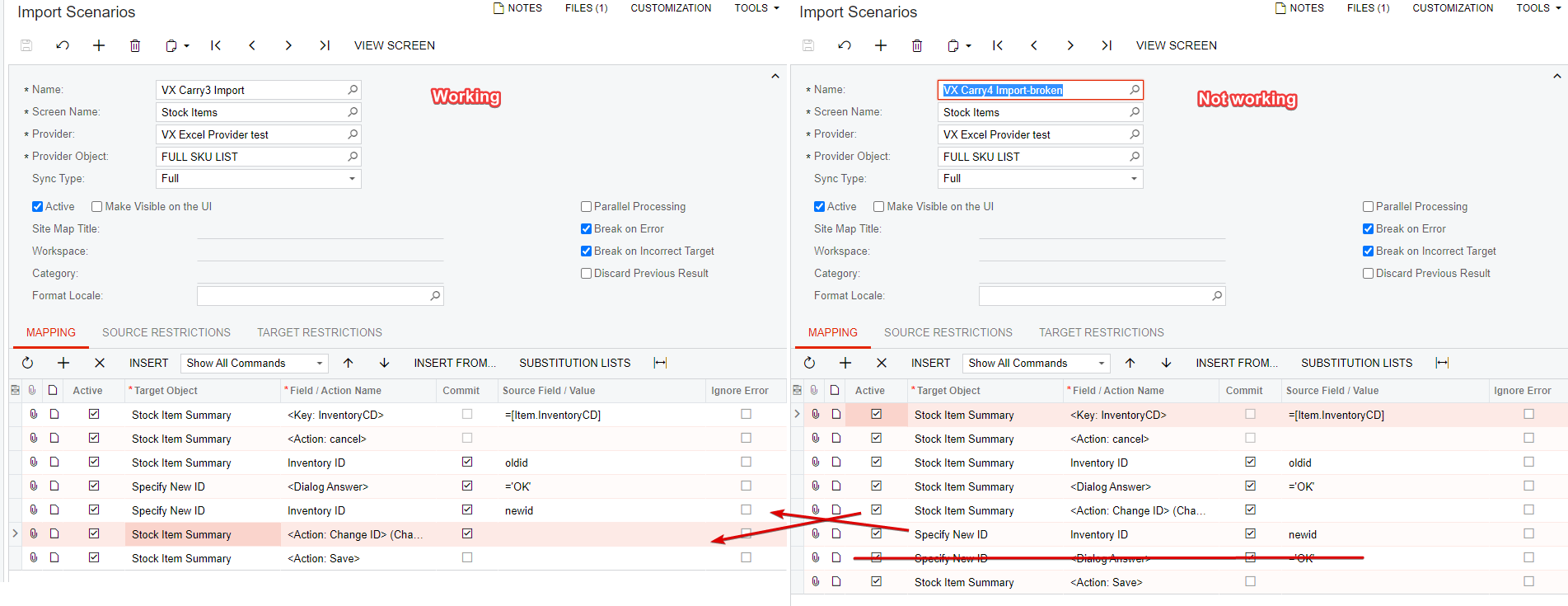
@asmith50 or @Naveen Boga do either of you know what changed that made this work differently 6-8 months ago? It may be nice for those who come along after us to understand why it changed. All of my homework is attached :-)

I am using: Acumatica Cloud ERP 2021 R1
Build 21.126.0013


Manikanta Dhulipudi
Captain II
Forum|alt.badge.img+15

@variuxdavid 

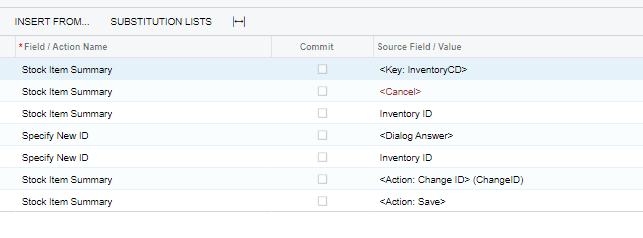
I used the Import scenario to update the change ID IN the sTOCK Item. Please have a look on it


Forum|alt.badge.img
  • Varsity II
  • July 28, 2023

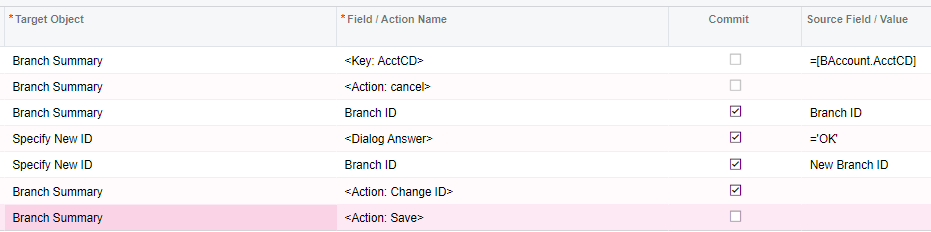
Hello! I am trying to get my import scenario to update Branch IDs in mass and have tried all of the above variations but continue to receive this error: “Cannot insert the record. The record BAccount has been marked as deleted. Your changes will be lost”. This is how I have it set up right now:

I am testing this in 23R1 - does anyone know if there is another way that works?


Forum|alt.badge.img
  • Jr Varsity III
  • August 10, 2023

Something must have changed. In order to update customer or business account ids I needed the scenario written this way:


The first solution didn’t work for me but this one did.


Forum|alt.badge.img
  • Varsity II
  • August 10, 2023

Thank you! It turns out there was just something wrong with the new ID I was trying to change it to, probably already a BAccount somewhere.