Question

Displaying multiple attributes in one column ( Size ranges) GI or reports

  • Feb 15, 2022 12:42 PM UTC
  • 5 replies
  • 267 views
  • Translate All

Hi

In apparel business we are using multiple size ranges and at the moment i have problem with displaying them in one column in GI or reports  
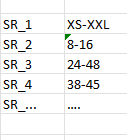
 

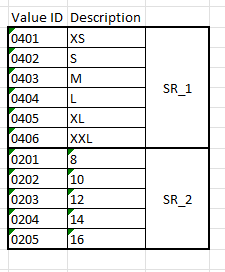
some of size ranges


Attributes of size ranges

I tired to use simple formula 

=IsNull( [InventoryItem.SR-1_Attributes], IsNull( [InventoryItem.SR-2_Attributes], IsNull( [InventoryItem.SR_3_Attributes]….. )))

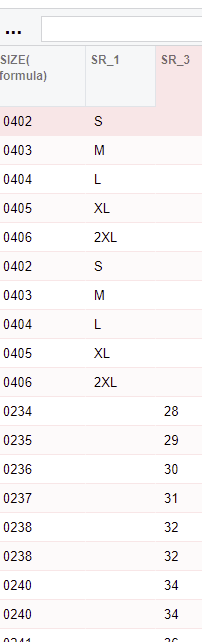
to display them in one column that is partly working, as I have them in one column , but as result is only displaying them as Value ID (0401,0402...) and cannot get display attribute Description (XS, S, M ...) in that column.

Is there any better way to do it ?


5 replies

deebhane
Semi-Pro I
Forum|alt.badge.img+1
  • Semi-Pro I
  • Feb 15, 2022 3:07 PM UTC

hi @ltrawinski ,

I have tried getting the attribute  and value in the GI using the below approach, please review and let me know if this helps you.

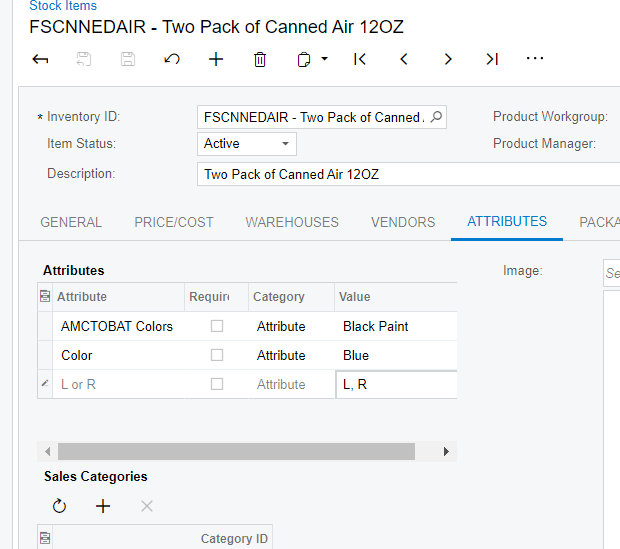
Product associated with attribute 


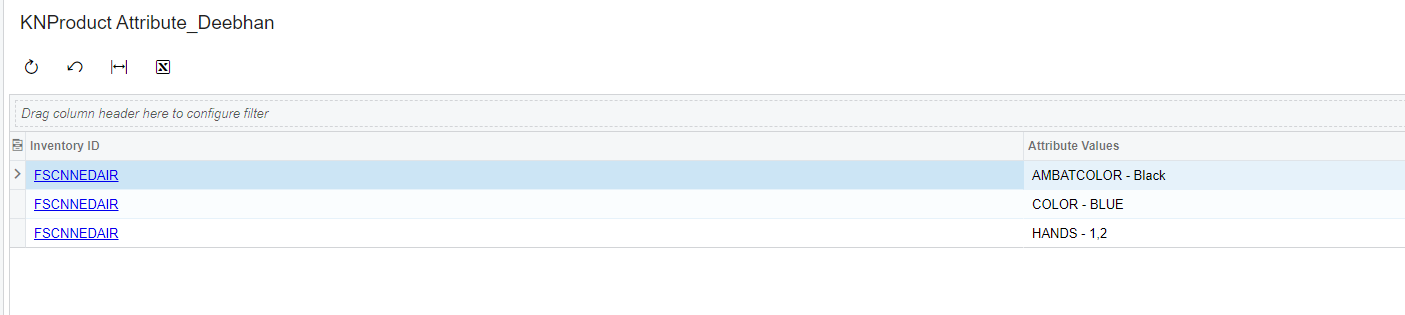
GI results with attribute ID and values 


Attaching the GI that I have used for your reference. 

Translate

Chris Hackett
Community Manager
Forum|alt.badge.img
  • Acumatica Community Manager
  • Feb 17, 2022 9:30 PM UTC

Hi @ltrawinski did the information @deebhane provided help answer your question? Thank you!

Translate

  • Author
  • Freshman I
  • Feb 21, 2022 12:00 PM UTC

Thanks @deebhane , it is not solving my problem , but i will use you approach in other part of reporting.

Hi Chris 

No it is not solved my issue.. 

Translate

deebhane
Semi-Pro I
Forum|alt.badge.img+1
  • Semi-Pro I
  • Feb 22, 2022 4:58 PM UTC

hi @ltrawinski  - Can you share the GI that you have tried and few attributes  values can you export and share. 

Translate

BenjaminCrisman
Acumatica Employee
Forum|alt.badge.img+4

@ltrawinski Are you still working on this GI? Can you help provide a copy of it for review? (zip file)

Translate