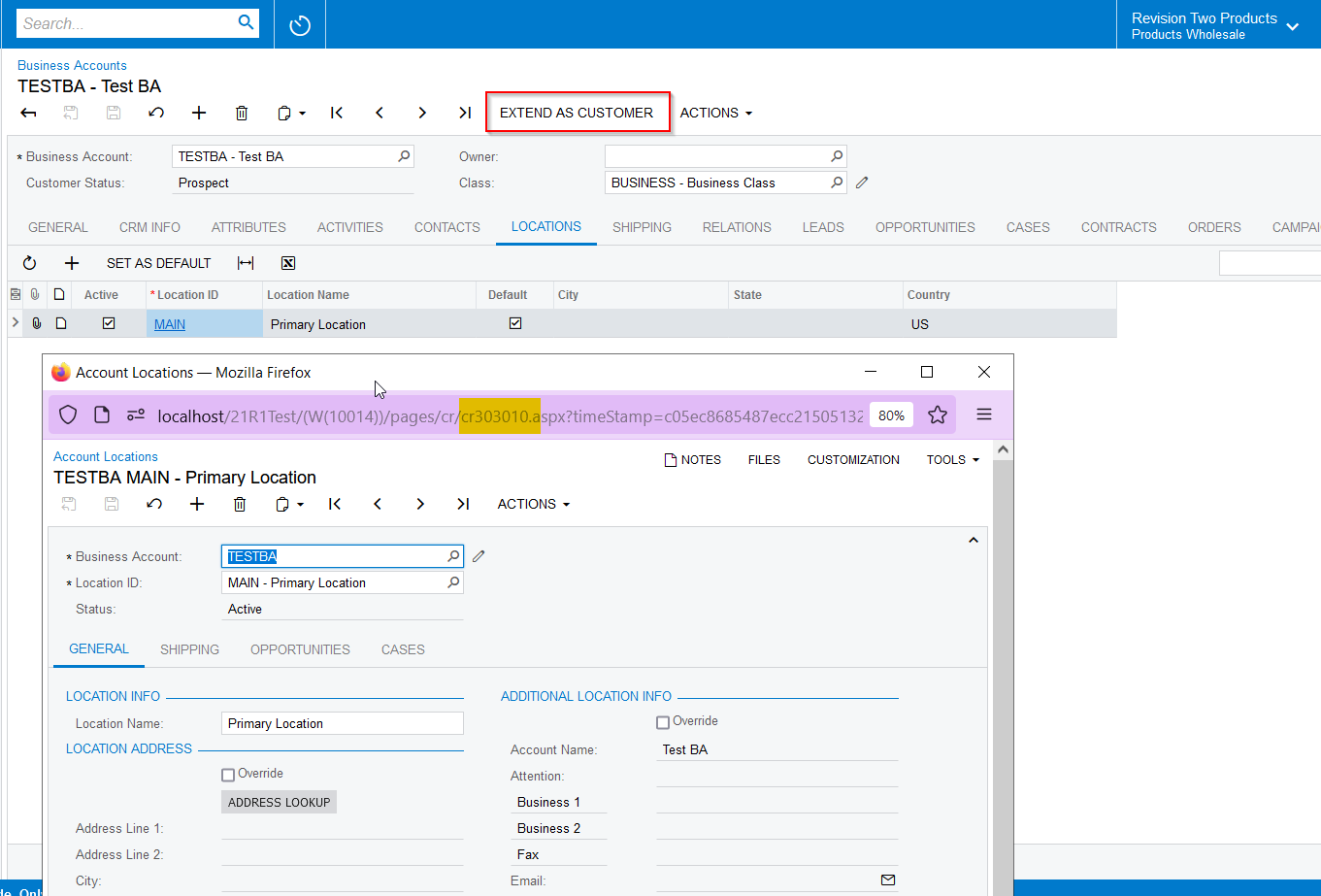
It would make sense to me that when opening a Location from the ‘Locations’ tab of a Business Account, that CR Locations would open by default. However, it does not, and AR Locations opens instead.
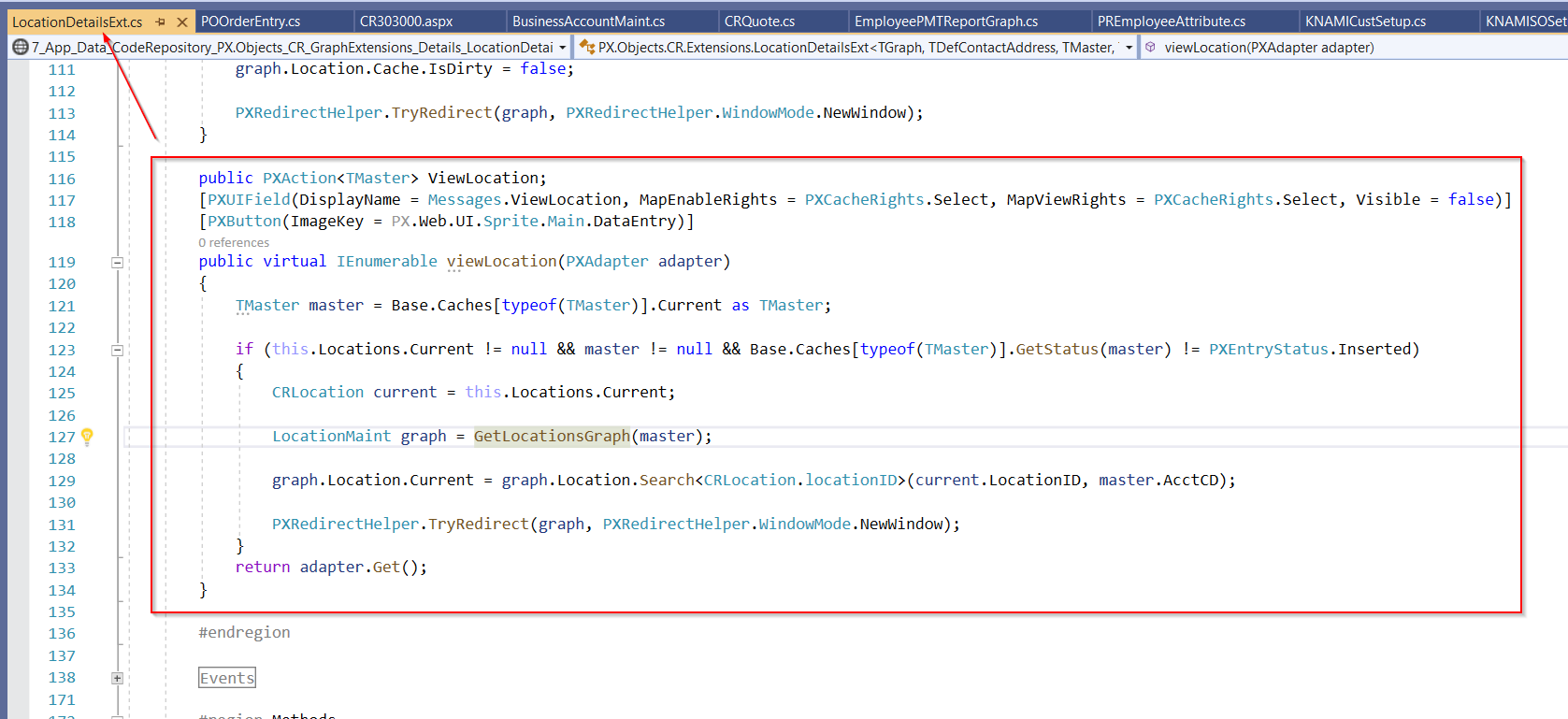
I must admit, I cannot even find where the code is that runs when this is clicked. I believe it executes an Action called ‘ViewLocation’, but I can’t find it and I don’t know how to override it.
Best answer by darylbowman
This isn’t the way I was expecting to solve this need, but here’s what I did:
I added a new Action which opens CR Locations:
public class BusinessAccountMaint_Extension : PXGraphExtension<BusinessAccountMaint>
{
    // Change in what window Locations opens
    public PXAction<BAccount> CstViewLocation;
    [PXUIField(DisplayName = PX.Objects.CR.Messages.ViewLocation, MapEnableRights = PXCacheRights.Select, MapViewRights = PXCacheRights.Select, Visible = false)]
    [PXButton(ImageKey = PX.Web.UI.Sprite.Main.DataEntry)]
    public IEnumerable cstViewLocation(PXAdapter adapter)
    {
        BAccount bAccount = Base.Caches[typeof(BAccount)].Current as BAccount;

        if (Base.BaseLocations.Current is object && bAccount is object && Base.Caches[typeof(BAccount)].GetStatus(bAccount) != PXEntryStatus.Inserted)
        {
            PX.Objects.CR.Standalone.Location current = Base.BaseLocations.Current;
            LocationMaint graph = PXGraph.CreateInstance<AccountLocationMaint>();
            graph.Location.Current = graph.Location.Search<PX.Objects.CR.Standalone.Location.locationID>(current.LocationID, bAccount.AcctCD);
            PXRedirectHelper.TryRedirect(graph, PXRedirectHelper.WindowMode.NewWindow);
        }

        return adapter.Get();
    }
}
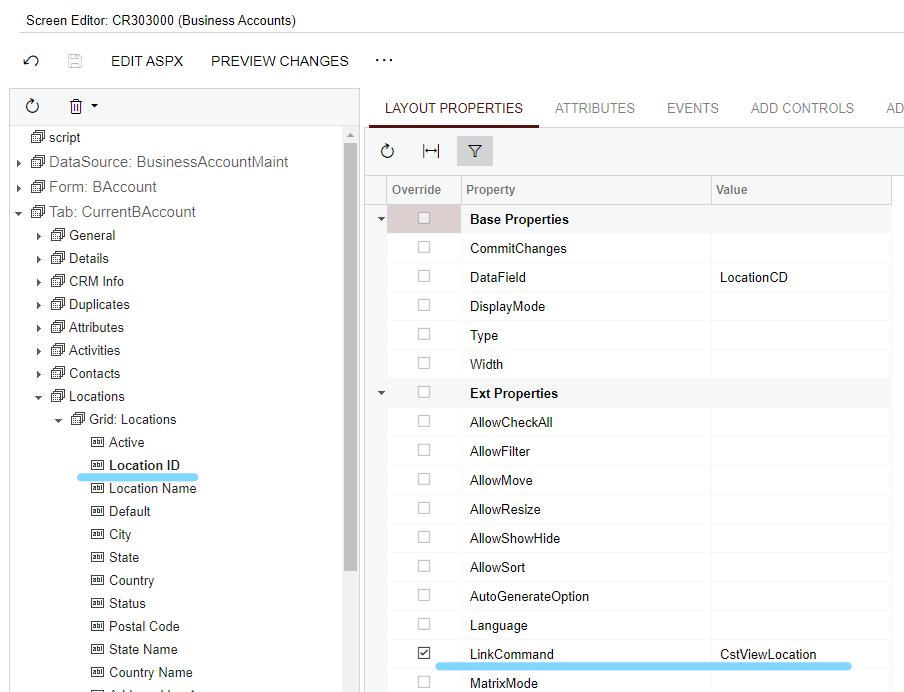
Then I changed the Location ID ‘Link Command’ to use my custom Action: