

Question

Report Designer: AR Aging Adjustment; Unable to Connect to Remote Server

  • September 5, 2023
  • 4 replies
  • 81 views

Forum|alt.badge.img

Good day,

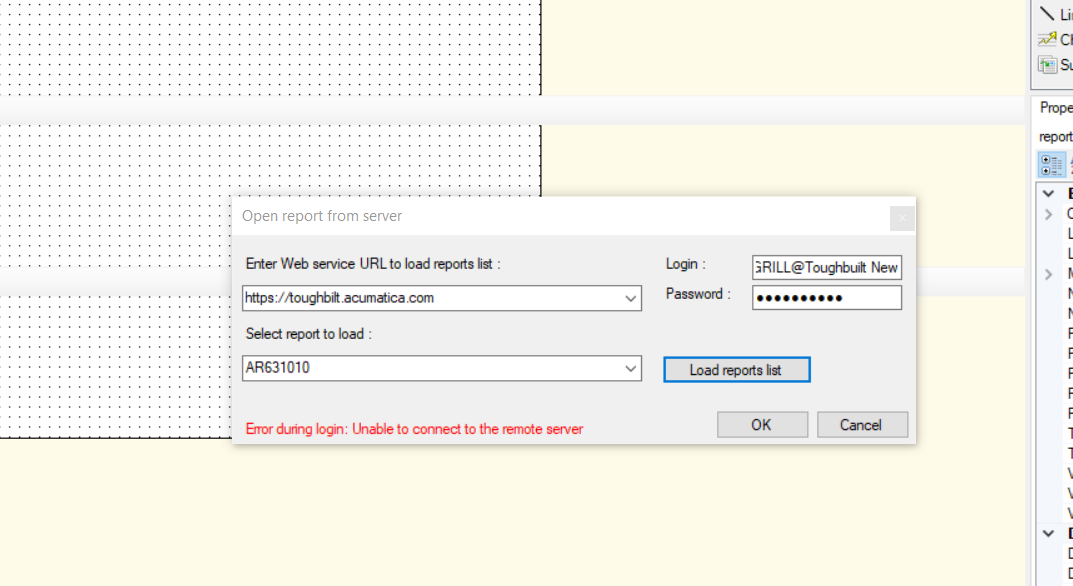
i need to make a slight adjustment to Acumatica AR Aging Report.  When I try to login from the server, I can get the below message.  User Name, login and password are all correct.  I try to load reports list too and received the same error.  I have admin rights.  I don’t have problems report designer when there is a report version available and able to save to the server.  Is there something different when you try to update an ACM OOB report?

Any assistance would be greatly appreciated.

Evan
 

4 replies

Laura03
Captain II
Forum|alt.badge.img+19
  • Captain II
  • September 5, 2023

Hi Evang,

I was able to connect to your server and open the same report.  You are saying that having a previous revision helps you, so I saved a Revision for you to try.


Laura


Forum|alt.badge.img
  • Author
  • Varsity I
  • September 5, 2023

HI Laura,

Thank you.  However, it still doesn’t solve my problem with accessing the server for the ACM OOB reports.

Any idea why I couldn’t access the server?  I would hope to solve that problem too.

I appreciate your assistance.

Evan


Forum|alt.badge.img
  • Author
  • Varsity I
  • September 5, 2023

@Laura02  I tried to open the report you saved as version.  I can’t open using report designer.  I can’t edit this version?  


BenjaminCrisman
Acumatica Employee
Forum|alt.badge.img+4
  • Acumatica Support Team
  • September 8, 2023

@EvanG  What version of Report Designer are you using?

I would make sure that your user has Report Designer role enabled and the version is at least matching the build of the site if not higher



