Answer

Is it possible to create a parameter on a free text field?

  • July 25, 2023
  • 7 replies
  • 130 views

Jeff96
Captain II
Forum|alt.badge.img+4

I’m looking to create an easy way for our sales people to filter sales order based on info in the order description. 

Since that is a free text field, is it possible to create a parameter on a GI for it? 

Best answer by BenjaminCrisman

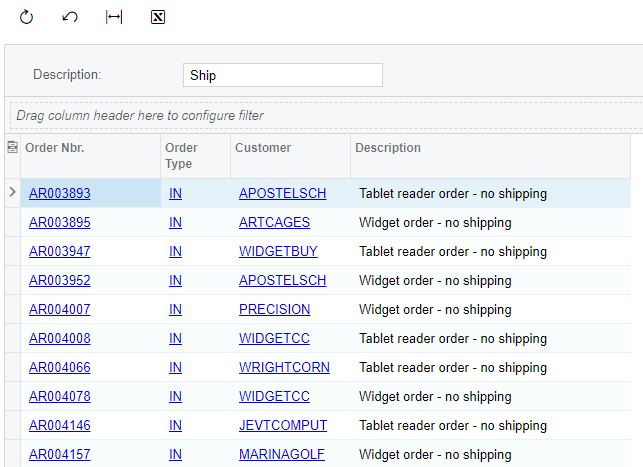
@Jeff96 Make sure that the conditions are in brackets and there is OR operator instead of AND.

So in my example the parameter and condition looked like this:

Text Parameter
Conditions

If yours looks like this it should work, if not, paste a screenshot so we can see it

7 replies

aaghaei
Captain II
Forum|alt.badge.img+10
  • Captain II
  • July 25, 2023

Yes, you can use “Contains” which is equivalent of SQL LIKE operator for your purpose 


BenjaminCrisman
Acumatica Employee
Forum|alt.badge.img+4
  • Acumatica Support Team
  • July 25, 2023

@Jeff96 You can add a parameter for a description field, then add a condition to use Contains instead of Equals and you’ll be able to enter full or partial text to get matches:


Jeff96
Captain II
Forum|alt.badge.img+4
  • Author
  • Captain II
  • July 25, 2023

@Jeff96 You can add a parameter for a description field, then add a condition to use Contains instead of Equals and you’ll be able to enter full or partial text to get matches:


Thank you! Can I make it not required? Although the required checkbox is unchecked, it doesn’t show any results unless I enter something in the parameter box


aaghaei
Captain II
Forum|alt.badge.img+10
  • Captain II
  • July 26, 2023

You can remove the required checkbox from the “Parameter” then in the “Filter” do as follow:

( YourPM is Empty OR

DAC.Field Contains YourPM ) 

You can have more filter conditions outside the opening and closing brackets as shown above if you need.

It will work


Jeff96
Captain II
Forum|alt.badge.img+4
  • Author
  • Captain II
  • July 26, 2023

You can remove the required checkbox from the “Parameter” then in the “Filter” do as follow:

( YourPM is Empty OR

DAC.Field Contains YourPM ) 

You can have more filter conditions outside the opening and closing brackets as shown above if you need.

It will work

Is empty will not display anything since they are not empty.


BenjaminCrisman
Acumatica Employee
Forum|alt.badge.img+4
  • Acumatica Support Team
  • Answer
  • July 26, 2023

@Jeff96 Make sure that the conditions are in brackets and there is OR operator instead of AND.

So in my example the parameter and condition looked like this:

Text Parameter
Conditions

If yours looks like this it should work, if not, paste a screenshot so we can see it


Jeff96
Captain II
Forum|alt.badge.img+4
  • Author
  • Captain II
  • July 26, 2023

Thank you!