I have created a GI. Then I added a customized field to the results grid. It works perfectly. But after some time, that Line on the results grid was automatically deleted. I added again that line to the GI. But as earlier, it will get deleted after some time. Is there a particular reason for that?
Thanks
Regards
Best answer by chris49
Hi @adharmawansha22 ,
I have not heard of any functionality that removes lines from the results grid before, I actually don’t think such functionality exists. I have a suspision that someone might be overriding your GI occasionally.
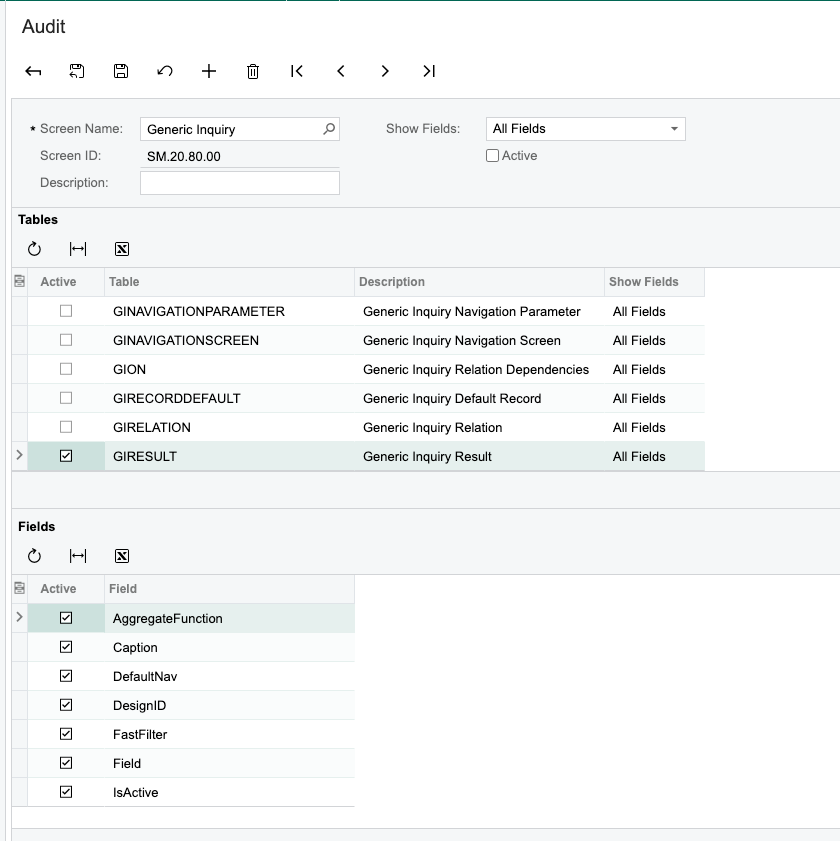
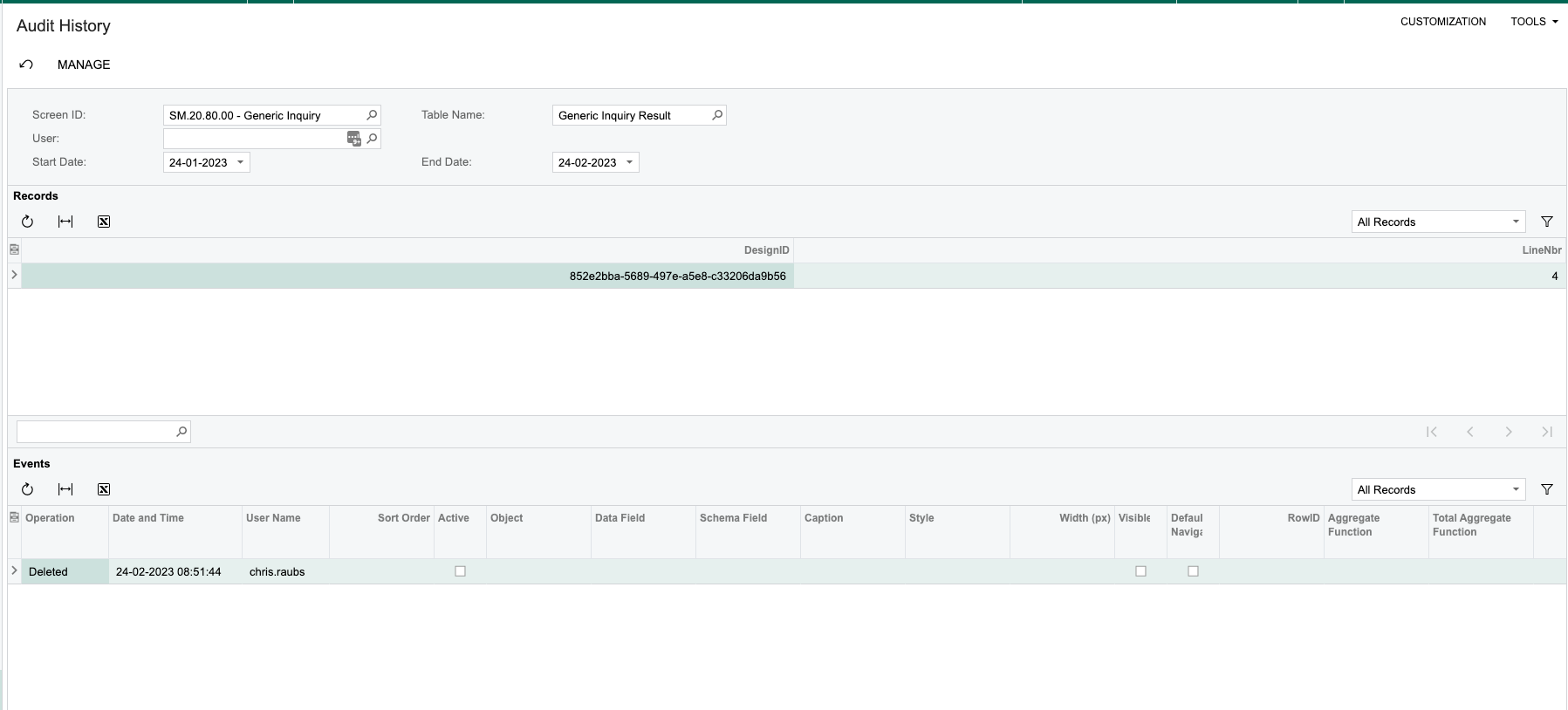
To get to the bottom of this, I would enable the Audit logs on the GI and it’s associated objects, which will give you some insight as to what/who has removed the custom fields you’ve added.
User Security > Preferences > Audit Add a new line, and then complete the form. You’re most likely interested in the GIRESULT table specifically, but you can tick any of the tables & field combinations you find interesting to track.
I have not heard of any functionality that removes lines from the results grid before, I actually don’t think such functionality exists. I have a suspision that someone might be overriding your GI occasionally.
To get to the bottom of this, I would enable the Audit logs on the GI and it’s associated objects, which will give you some insight as to what/who has removed the custom fields you’ve added.
User Security > Preferences > Audit Add a new line, and then complete the form. You’re most likely interested in the GIRESULT table specifically, but you can tick any of the tables & field combinations you find interesting to track.