Answer

AR - net debit and credit

  • February 27, 2023
  • 4 replies
  • 84 views

Forum|alt.badge.img

Hi Team,

Regarding AR invoices and payments. How can I net out a debt adjustment with an overpayment? 

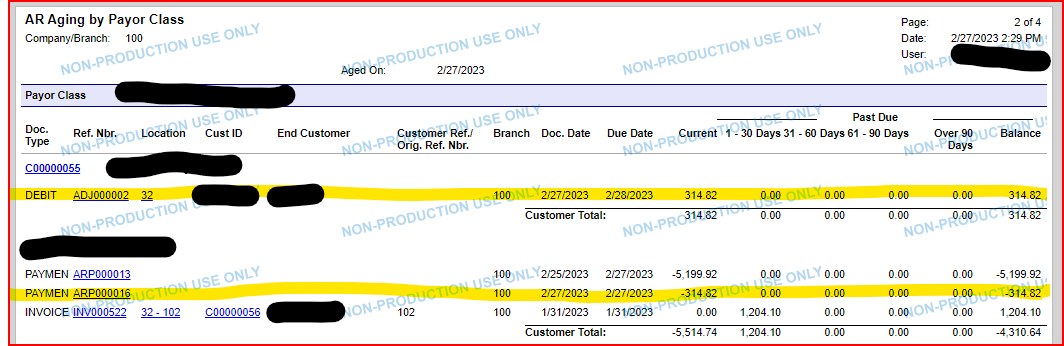
Here is the scenario: There was an overpayment to an invoice that resulted in a credit of $314.82 (ARP000016). Then we created a debit adj to recognize the overpayment $314.82(ADJ000002). How do we net the credit (ARP000016) and debit (ADJ000002)?


Thanks,

Enrique

Best answer by Laura03

Hello @enriquey ,

The steps to apply a payment to a Debit Memo in AR after the debit and payment have been released are the same: Select the payment to the screen in Payments & Applications. Then select the Debit memo in the Grid area. Remove Hold, and Release.

4 replies

Laura03
Captain II
Forum|alt.badge.img+19
  • Captain II
  • February 27, 2023

Hello,

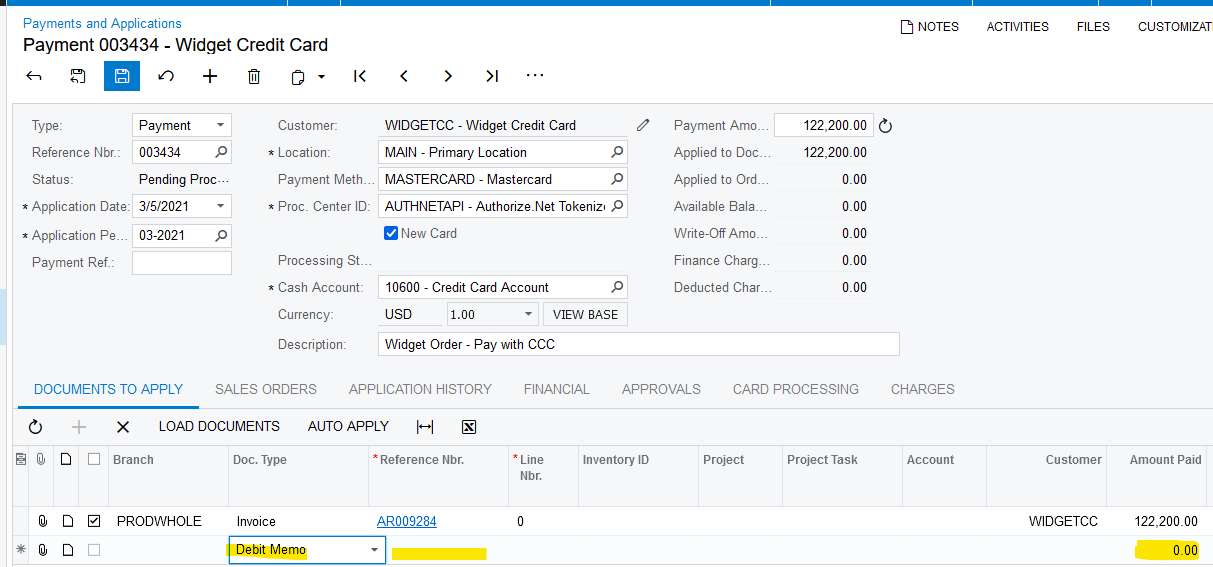
The Payment 000016 highlighted above can be applied to the Debit Memo in Receivables, Payments & Applications, as shown in this example from Sales Demo company.


Forum|alt.badge.img
  • Author
  • Freshman I
  • February 28, 2023

Hi  @Laura02, thanks for the example. How do I net after the payment has been entered and the debit memo has been made?


Thanks 


Chris Hackett
Community Manager
Forum|alt.badge.img
  • Acumatica Community Manager
  • March 20, 2023

Hi @enriquey  were you able to find a solution? Thank you!


Laura03
Captain II
Forum|alt.badge.img+19
  • Captain II
  • Answer
  • March 20, 2023

Hello @enriquey ,

The steps to apply a payment to a Debit Memo in AR after the debit and payment have been released are the same: Select the payment to the screen in Payments & Applications. Then select the Debit memo in the Grid area. Remove Hold, and Release.