Answer

Setting up a default printer for a custom PO report

  • February 9, 2022
  • 7 replies
  • 516 views

dales50
Semi-Pro III

Customer has device hub and printers configured

Customer has a custom PO receiving report to print to a specific paper printer.

Is there a setting so that the report will always print to specific device hub printer ?

Currently the report prints to the screen and then the browser / windows is used to select the printer

I found help for the User Profile / Printer Setting Tab (pageid=8430c8b2-a79c-4f7b-9768-b0b7fad23a59) that says:  In this table, you can list reports that you regularly print and specify the default printer to be used when you print each of these reports. When you print a report from the list, the system uses the assigned printer.

I was not able to set a ‘default printer’ as described in this help.  What am I missing?


Best answer by larryly

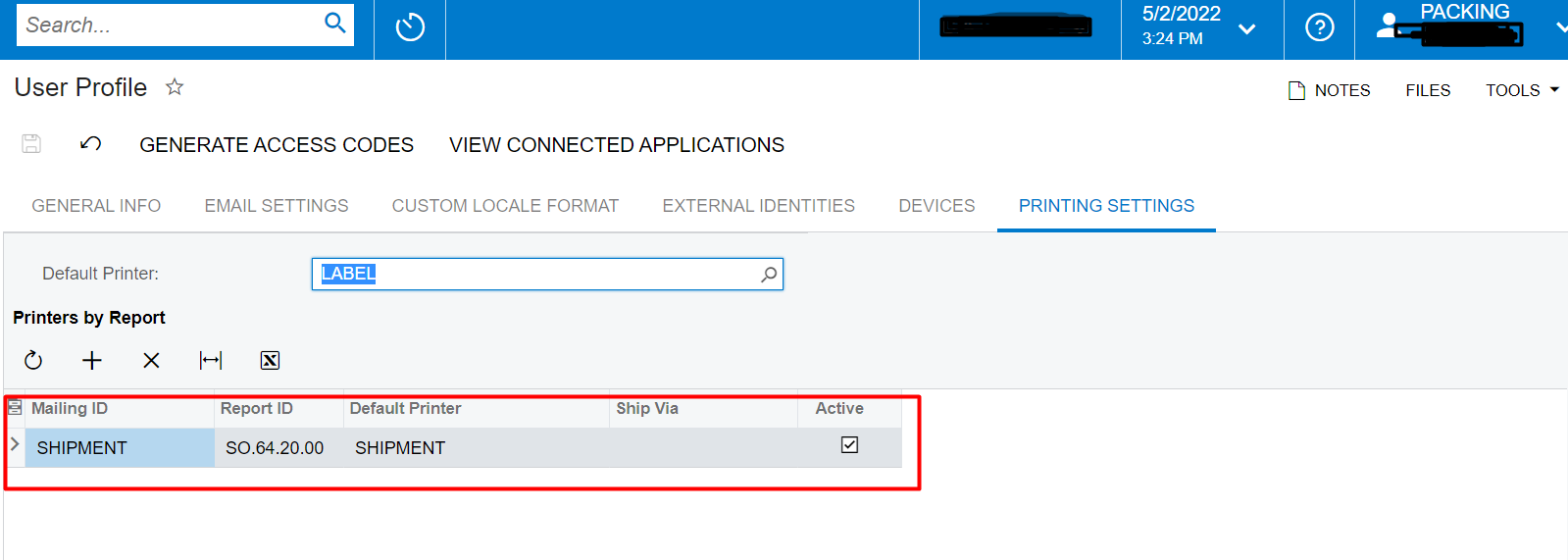
Set default printer under user’s profile


7 replies

Forum|alt.badge.img+12
  • Acumatica Support Team
  • February 10, 2022

Hi @dales50 

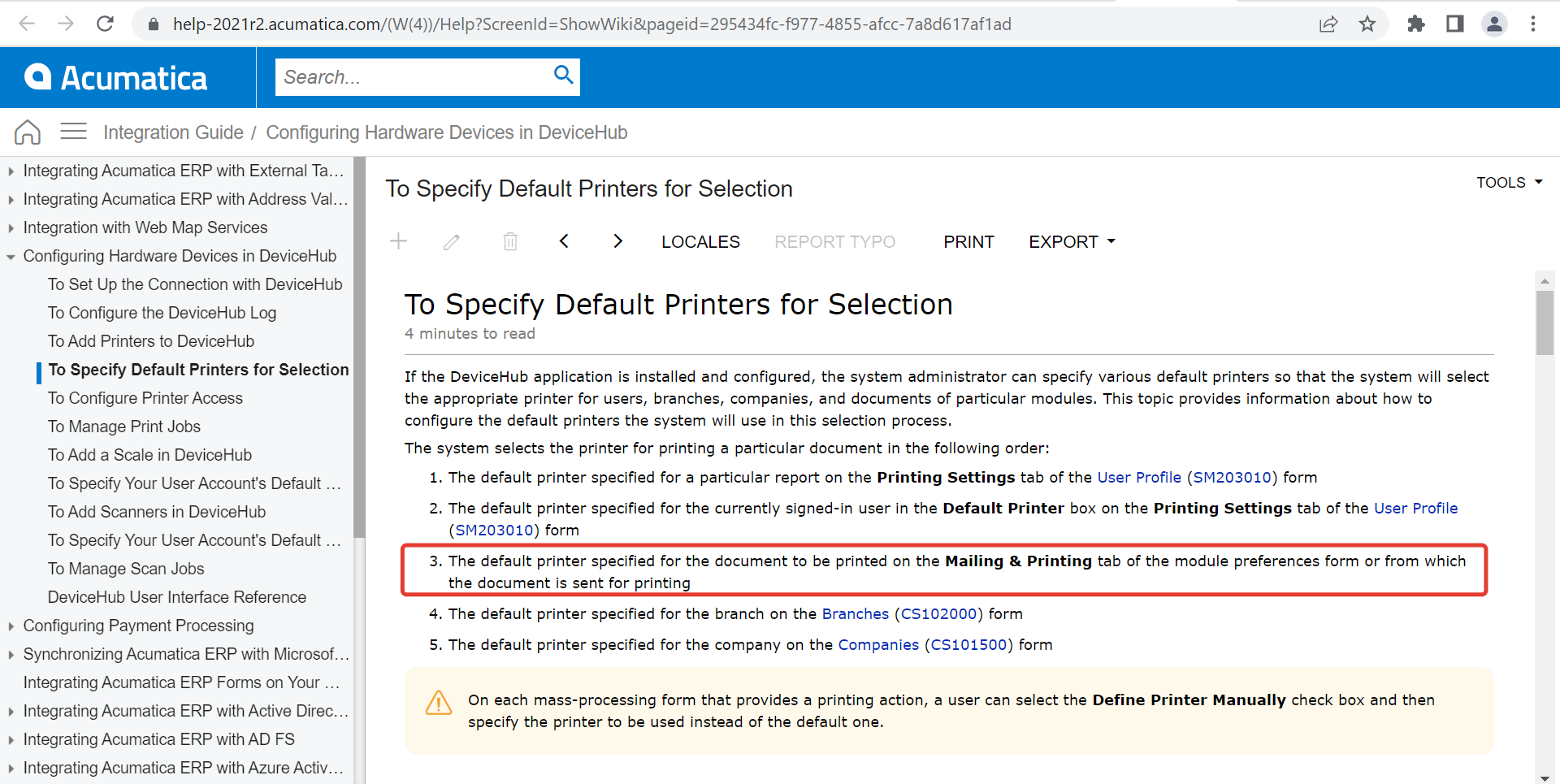
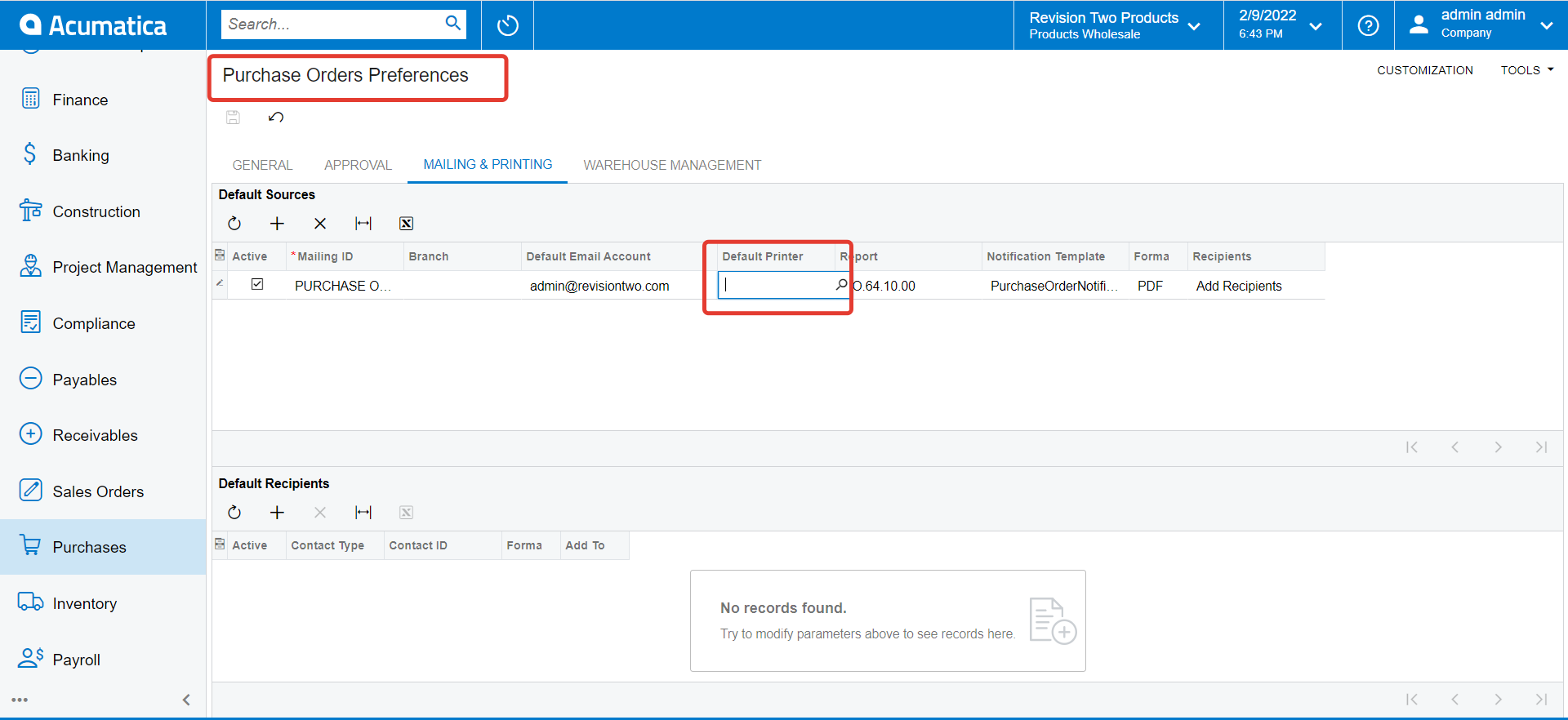
You can set default printer for specific document report on Mailing and Printing tab of PO preferences. Here is relevant documentation and screenshot. 

https://help-2021r2.acumatica.com/(W(5))/Help?ScreenId=ShowWiki&pageid=295434fc-f977-4855-afcc-7a8d617af1ad

Hope this helps,

Regards,


dales50
Semi-Pro III
  • Author
  • February 10, 2022

@vkumar  Thank Vijay - I have done this configuration but do not see any difference when printing the report.  What am I missing ?


Chris Hackett
Community Manager
Forum|alt.badge.img
  • Acumatica Community Manager
  • April 25, 2022

Hi @dales50 were you ever able to resolve your issue? Thank you!


Forum|alt.badge.img+1
  • Semi-Pro II
  • Answer
  • May 2, 2022

Set default printer under user’s profile


Forum|alt.badge.img+1
  • Semi-Pro II
  • May 2, 2022

If it sill not working, check out the printer access for the printer and user. 


Forum|alt.badge.img+1

I am having same issue,  when I am on the SO shipment and click Print Shipment Confirmation,  it is not printing to the User Profile Print Setting using the Device Hub Printer.   Device Hub seem to only be activated for Process screens and not individual screens?

There should be able to do this without customizations.


Forum|alt.badge.img+1
  • Semi-Pro II
  • August 28, 2023

@phillipmarotta You can use device hub to print Shipment Confirmation. Check out all your settings and print access rules. We are using it now with mobile device and it works well.