Answer

Trouble Disabling Field from RowSelected Event

  • October 12, 2022
  • 6 replies
  • 303 views

Forum|alt.badge.img+1

Hello,

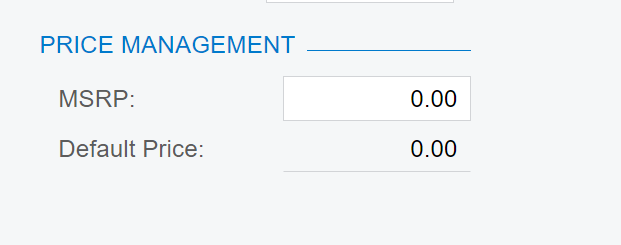
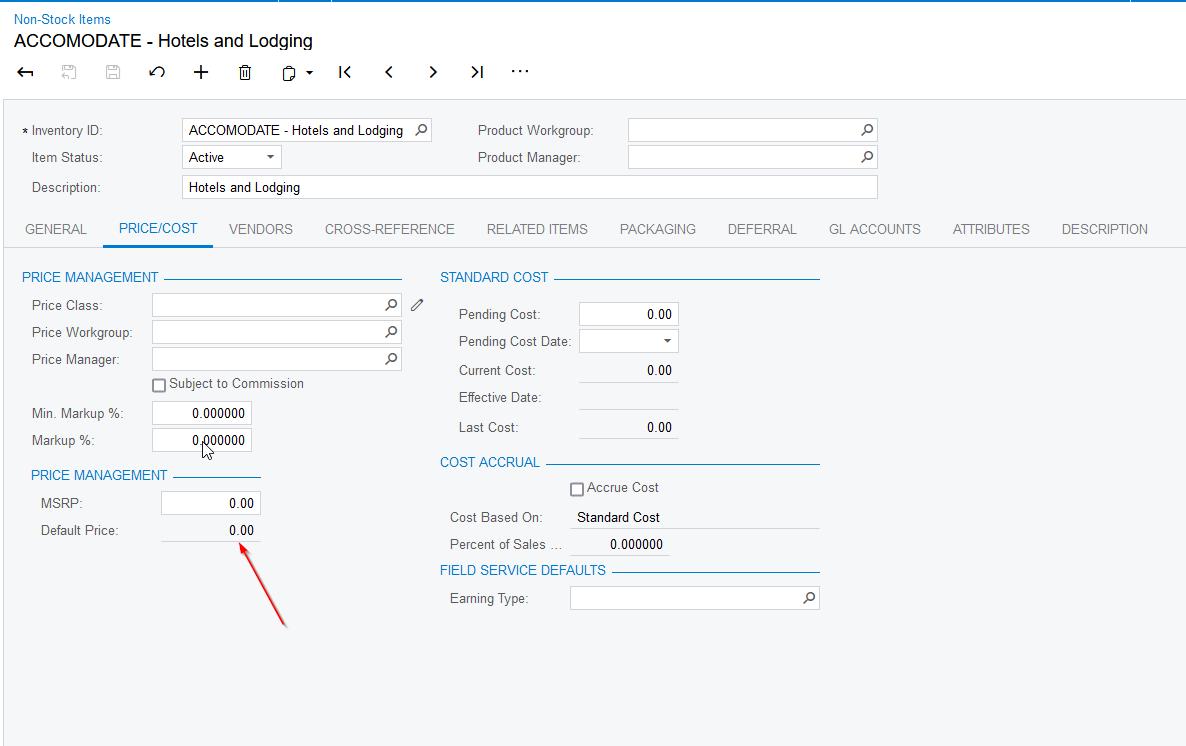
I believe the below code should always disable the BasePrice field on the IN202000->PriceCost tab. But it does not.


    public class NonStockItemMaint_Extension : PXGraphExtension<PX.Objects.IN.NonStockItemMaint>
{
#region Event Handlers
protected virtual void _(Events.RowSelected < InventoryItem> e)
{
if (e.Row is InventoryItem row)
{
PXUIFieldAttribute.SetEnabled<InventoryItemCurySettings.basePrice>(e.Cache, row, false);
}
}
}
 

Best answer by Fernando Amadoz

@Leif 

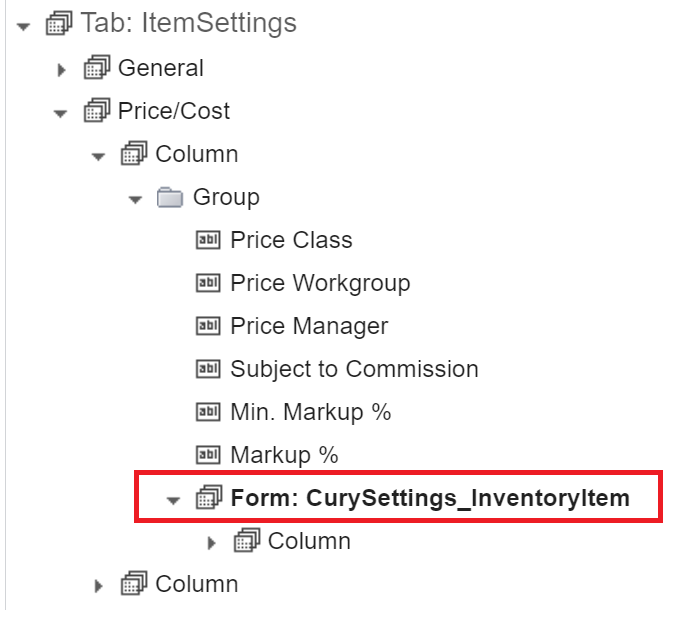
In this case, the field that you are looking to disable does not belong to the main Form of the tab. It belongs to an inner Form instead:


The Data view of that form is CurySettings_InventoryItem.


You should adjust your event to use the InventoryItemCurySettings DAC instead:

        protected virtual void _(Events.RowSelected <InventoryItemCurySettings> e)
{
if (e.Row is InventoryItemCurySettings row)
{
PXUIFieldAttribute.SetEnabled<InventoryItemCurySettings.basePrice>(e.Cache, row, false);
}
}


This will allow you to disable the field from the Graph extension:


6 replies

Naveen Boga
Captain II
Forum|alt.badge.img+19
  • Captain II
  • October 12, 2022

Hello @Leif 

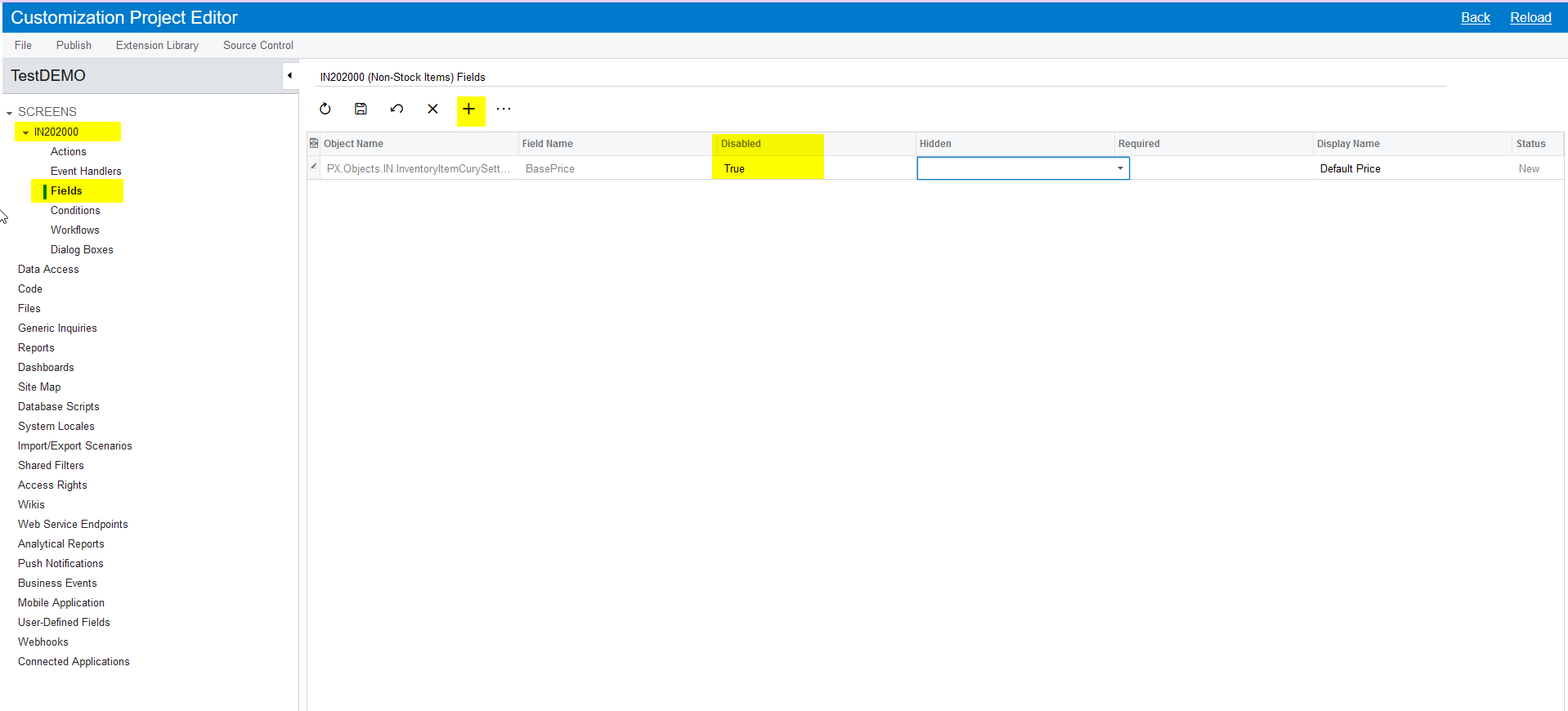
For this requirement, code-level changes are not required.

You can do this at the customization project editor like below and deploy the package.

Let me know if you have any queries.


Fernando Amadoz
Jr Varsity I
Forum|alt.badge.img+2

@Leif 

In this case, the field that you are looking to disable does not belong to the main Form of the tab. It belongs to an inner Form instead:


The Data view of that form is CurySettings_InventoryItem.


You should adjust your event to use the InventoryItemCurySettings DAC instead:

        protected virtual void _(Events.RowSelected <InventoryItemCurySettings> e)
{
if (e.Row is InventoryItemCurySettings row)
{
PXUIFieldAttribute.SetEnabled<InventoryItemCurySettings.basePrice>(e.Cache, row, false);
}
}


This will allow you to disable the field from the Graph extension:


Forum|alt.badge.img+1
  • Author
  • Varsity I
  • October 12, 2022

Ahh yes, but I wanted to do it conditionally based on some other fields. However, I guess I could do it via a Condition in the customization area as well.

Irregardless what is the reason my method doesn’t work.


Forum|alt.badge.img+1
  • Author
  • Varsity I
  • October 12, 2022

@Fernando Amadoz I see your post now thanks I understand.

@Naveen Boga Thanks again I have my answer. 


Forum|alt.badge.img+1
  • Author
  • Varsity I
  • October 12, 2022

@Fernando Amadoz 

Setting enabled like I did initially silently failed. Is there logging output or other diagnostic means to bubble that failure up?


Fernando Amadoz
Jr Varsity I
Forum|alt.badge.img+2

@Leif 

There might be some info in the Trace section.