

Answer

Owner Custom Selector in Project Screen

  • July 25, 2023
  • 3 replies
  • 161 views

Forum|alt.badge.img+9

Hi,

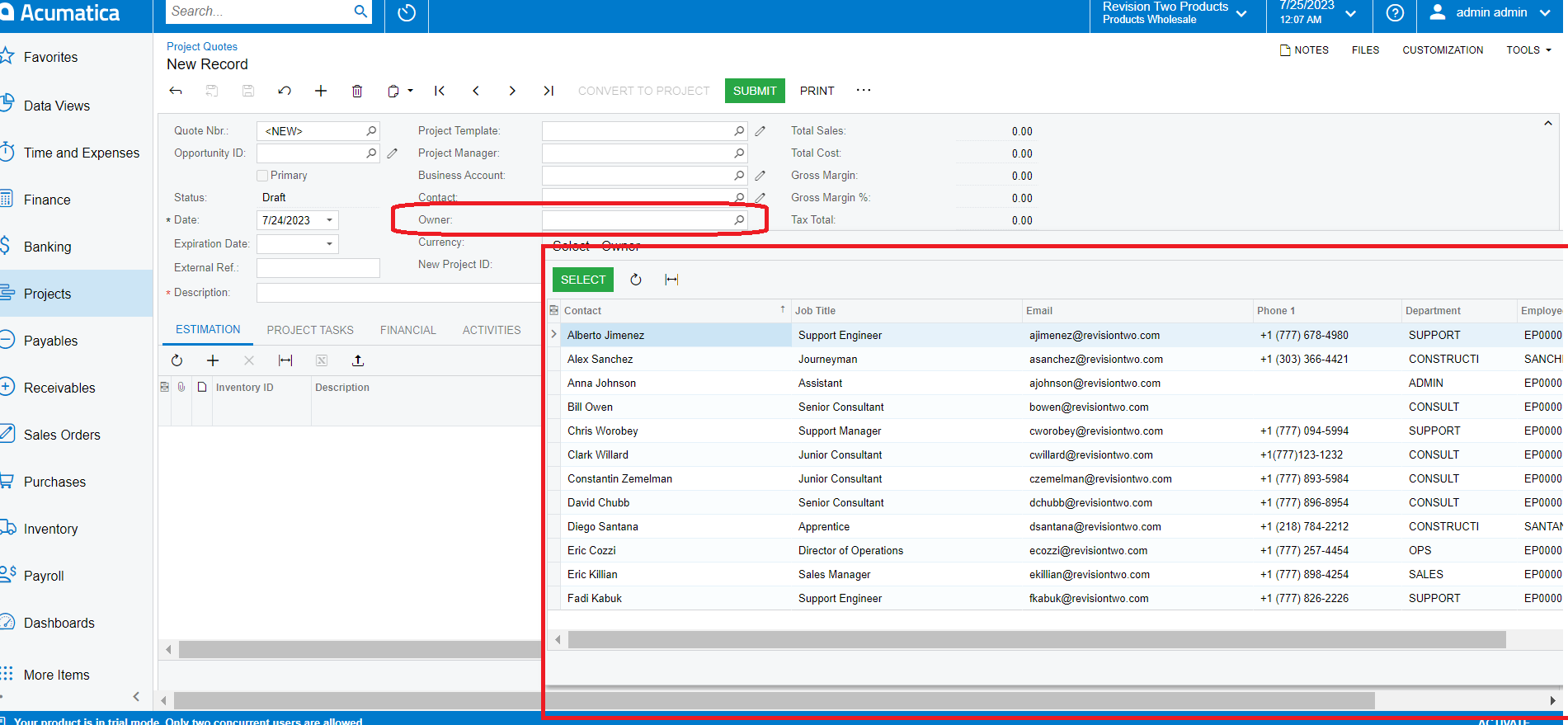
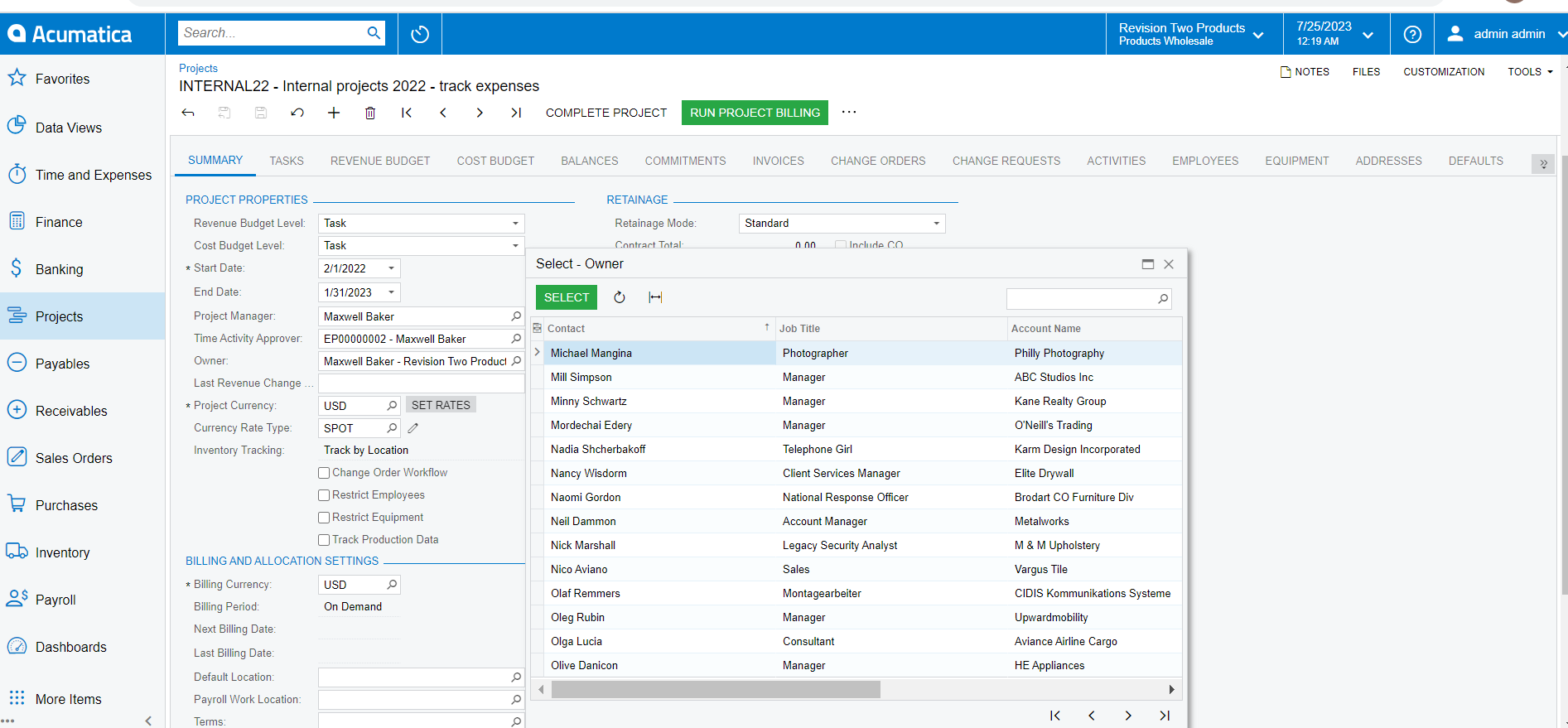
I want a custom selector on my project screen that functions the same way as the 'Owner' selector on the Project Quote screen. I have provided my code, and although I am getting a selector, it does not match the 'Owner' selector Of the Project Quote screen.


#region UsrOwner
public abstract class usrOwner : PX.Data.BQL.BqlInt.Field<usrOwner> { }

[PXSelector(typeof(Search<Contact.contactID,
Where<Contact.contactType, Equal<ContactTypesAttribute.person>,
And<Contact.isActive, Equal<True>>>>),
SubstituteKey = typeof(Contact.displayName),
DescriptionField = typeof(Contact.fullName))]
[PXDBInt(BqlField = typeof(CROpportunityRevision.ownerID))]
[PXUIField(DisplayName = "Owner", Visibility = PXUIVisibility.SelectorVisible)]
public virtual int? UsrOwner { get; set; }
#endregion

The below mentioned data I want in my custom selector field.
The below image shows wrong data which I ‘m getting from my code. 
 

Regards,

Sweta

Best answer by Naveen Boga

Hi @sweta68 Why don’t you use the Owner attribute instead of custom selector for the custom field like below?


#region UsrOwner


[Owner(DisplayName = "Owner")]
[PXUIField(DisplayName = "Owner", Visibility = PXUIVisibility.SelectorVisible)]
public virtual int? UsrOwner { get; set; }
public abstract class usrOwner : PX.Data.BQL.BqlInt.Field<usrOwner> { }
#endregion


3 replies

Naveen Boga
Captain II
Forum|alt.badge.img+19
  • Captain II
  • Answer
  • July 25, 2023

Hi @sweta68 Why don’t you use the Owner attribute instead of custom selector for the custom field like below?


#region UsrOwner


[Owner(DisplayName = "Owner")]
[PXUIField(DisplayName = "Owner", Visibility = PXUIVisibility.SelectorVisible)]
public virtual int? UsrOwner { get; set; }
public abstract class usrOwner : PX.Data.BQL.BqlInt.Field<usrOwner> { }
#endregion


Forum|alt.badge.img+9
  • Author
  • Semi-Pro III
  • July 25, 2023

Hi @Naveen Boga I tried the same code, now it's working fine.

Thanks for suggestion.

Regards,

Sweta


Naveen Boga
Captain II
Forum|alt.badge.img+19
  • Captain II
  • July 25, 2023

@sweta68  Great! Thanks for sharing the update.
