Answer

How to add custom icon for my workspace

  • November 29, 2022
  • 6 replies
  • 417 views

Hi everyone, 

i cannot find any upload mechanism to upload my icon for the workspace….and is there any standard size icon which i must use?

Thank you

Best answer by Naveen Boga

@joni50para  I have added multiple icons to the Workspaces and the below article will be very helpful.

Let me know if you have any queries.

https://stackoverflow.com/questions/51086611/acumatica-how-we-can-add-our-own-icons-to-the-modern-ui


6 replies

Naveen Boga
Captain II
Forum|alt.badge.img+19
  • Captain II
  • Answer
  • November 29, 2022

@joni50para  I have added multiple icons to the Workspaces and the below article will be very helpful.

Let me know if you have any queries.

https://stackoverflow.com/questions/51086611/acumatica-how-we-can-add-our-own-icons-to-the-modern-ui


  • Author
  • Freshman I
  • November 30, 2022

Hey @Naveen Boga  Thank you for your fast reply, the thing which i dont understand is …. where should i add my icon ?


Naveen Boga
Captain II
Forum|alt.badge.img+19
  • Captain II
  • November 30, 2022

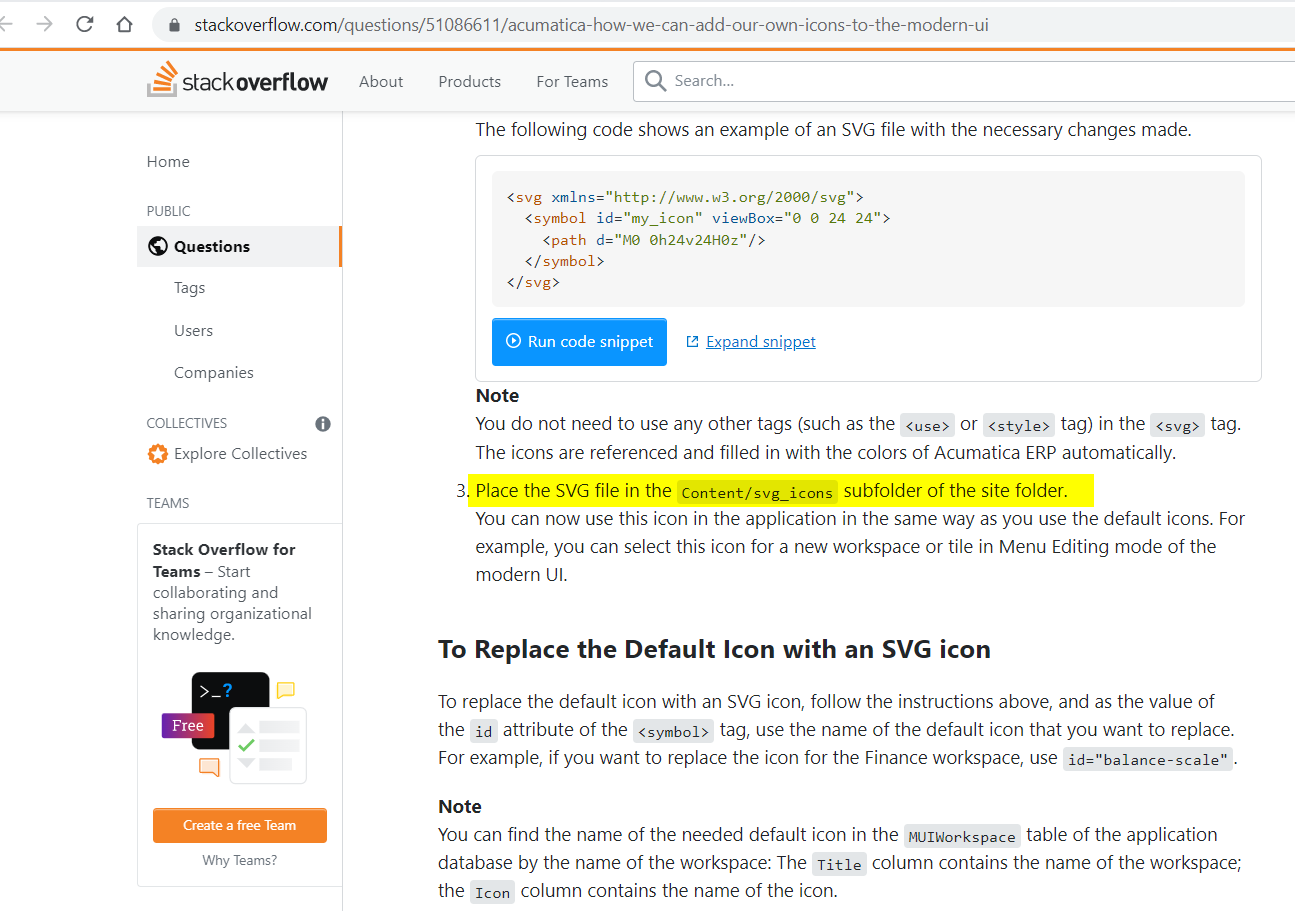
Hi @joni50para  Once you install the Acumatica instance, and open the Visual Studio, you can open to seen the below path and place your ICON svg file in this folder.


Are you a technical person? if yes, it would be easy to do this.


  • Author
  • Freshman I
  • November 30, 2022

Hi @Naveen Boga IS WORKS !!!! Thank you so much !


Naveen Boga
Captain II
Forum|alt.badge.img+19
  • Captain II
  • November 30, 2022

@joni50para  Great!! Thanks for the upate


Stéphane Bélanger
Freshman II
Forum|alt.badge.img

I can’t make it work for color images.  I’ve followed the instructions to no avail.  I’m uploading my files as txt. but they are at the right place with svg extensions.