

Answer

Accessing attributes within KvExt tables

  • October 24, 2023
  • 2 replies
  • 390 views

Forum|alt.badge.img+1

Hello, 

I’ve added an attribute to the Customer screen and an attribute to the Location screen.
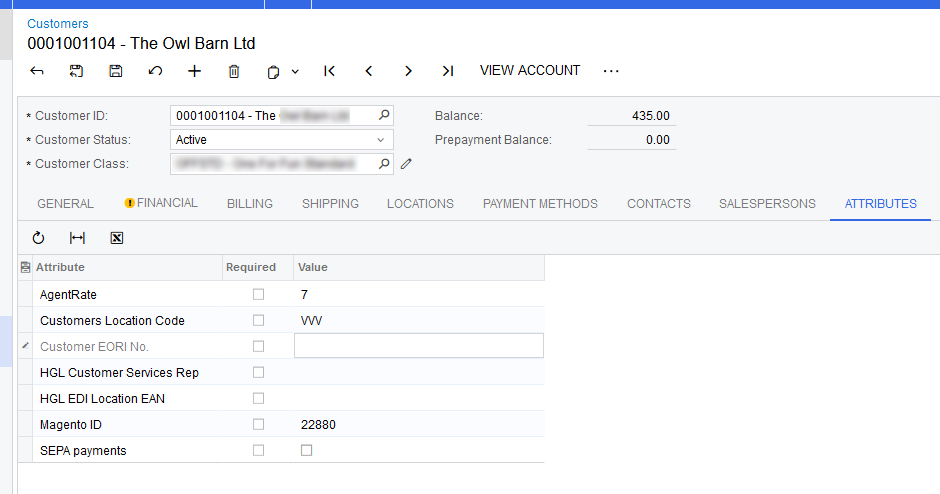
Attributes on the Customer screen. 
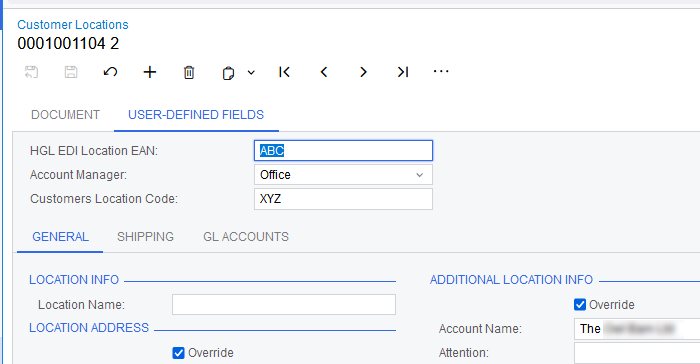
Attributes on the Location screen.

I’ve finding that the attribute data is being saved to two different places.
The customer attributes are saved to the CSAnswers table. I can access this easily. 
The location attributes are saved to the LocationKvExt table. I don’t know how to access data in these KvExt tables.

PXGraph p = new PXGraph();
Location location = p.Select<Location>().FirstOrDefault(x => x.LocationID == ardoc.CustomerLocationID);
CSAnswers cSAnswersLocationANACode = p.Select<CSAnswers>().FirstOrDefault(x => x.RefNoteID == location.NoteID && x.AttributeID == "CHGLLOCEAN");

I use the code above to access the attribute from the CSAnswers table - does anyone know how to access the data from LocationKvExt?

Best answer by Zoltan Febert

You can access these attributes via GetValueExt / SetValueExt functions.

I supposed your attribute’s name is “EAN”. Please note the “Attribute” prefix in the code sample.

PXGraph p = new PXGraph();
Location location = p.Select<Location>().FirstOrDefault(x => x.LocationID == ardoc.CustomerLocationID);

var attributeValue = (PXStringState)p.Caches[typeof(Location)].GetValueExt(location, "AttributeEAN");


2 replies

Zoltan Febert
Jr Varsity I
Forum|alt.badge.img+3
  • Jr Varsity I
  • Answer
  • October 27, 2023

You can access these attributes via GetValueExt / SetValueExt functions.

I supposed your attribute’s name is “EAN”. Please note the “Attribute” prefix in the code sample.

PXGraph p = new PXGraph();
Location location = p.Select<Location>().FirstOrDefault(x => x.LocationID == ardoc.CustomerLocationID);

var attributeValue = (PXStringState)p.Caches[typeof(Location)].GetValueExt(location, "AttributeEAN");


Forum|alt.badge.img+1
  • Author
  • Varsity III
  • October 28, 2023

Thank you @Zoltan Febert 

Golden answer. Works perfectly. Thank you for sharing your knowledge. 

I had figured out a workaround, and although it worked, it was pretty horrendous. Your one line solution is far, far cleaner.

Thank you
