I am importing Change Request data from another system into Acumatica.
This particular data was given a status of “Void” in the other system.
I noticed that Acumatica supports a status of “Rejected”. I am looking for an interactive way to assign the “Rejected” status to a selection of Change Request records (hopefully without having to create a Change Order).
Thank you for reading this.
-Ken Severud
Best answer by vkumar
Hi @kseverud34
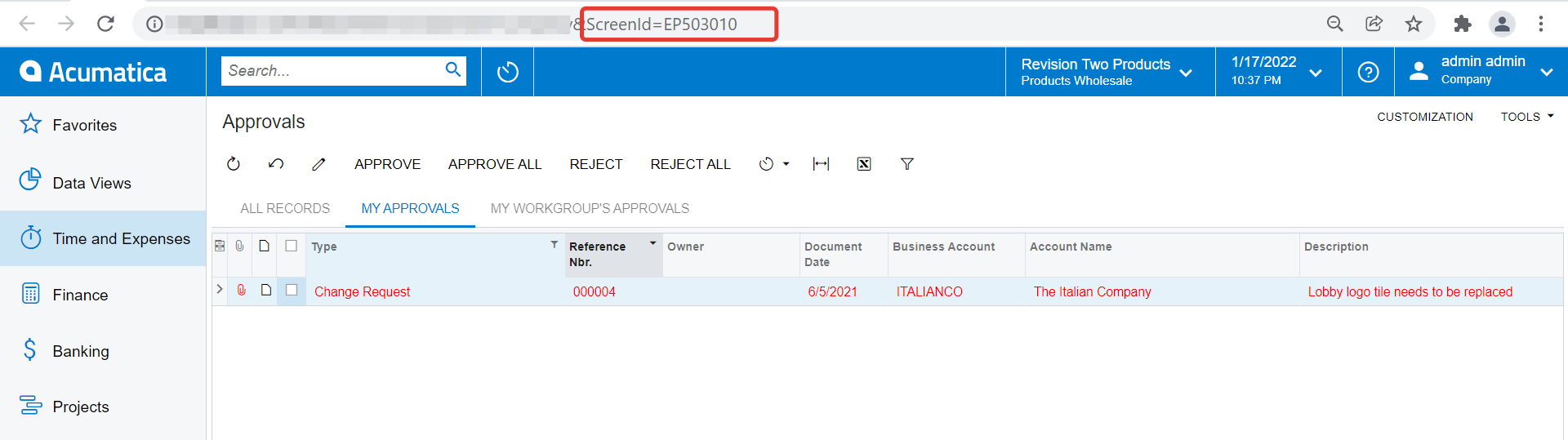
You can enable approval for Change request to move them to ‘Rejected’ status by using ‘Approvals’ screen.
Import the Change requests with ‘Hold’ column ‘unchecked’.
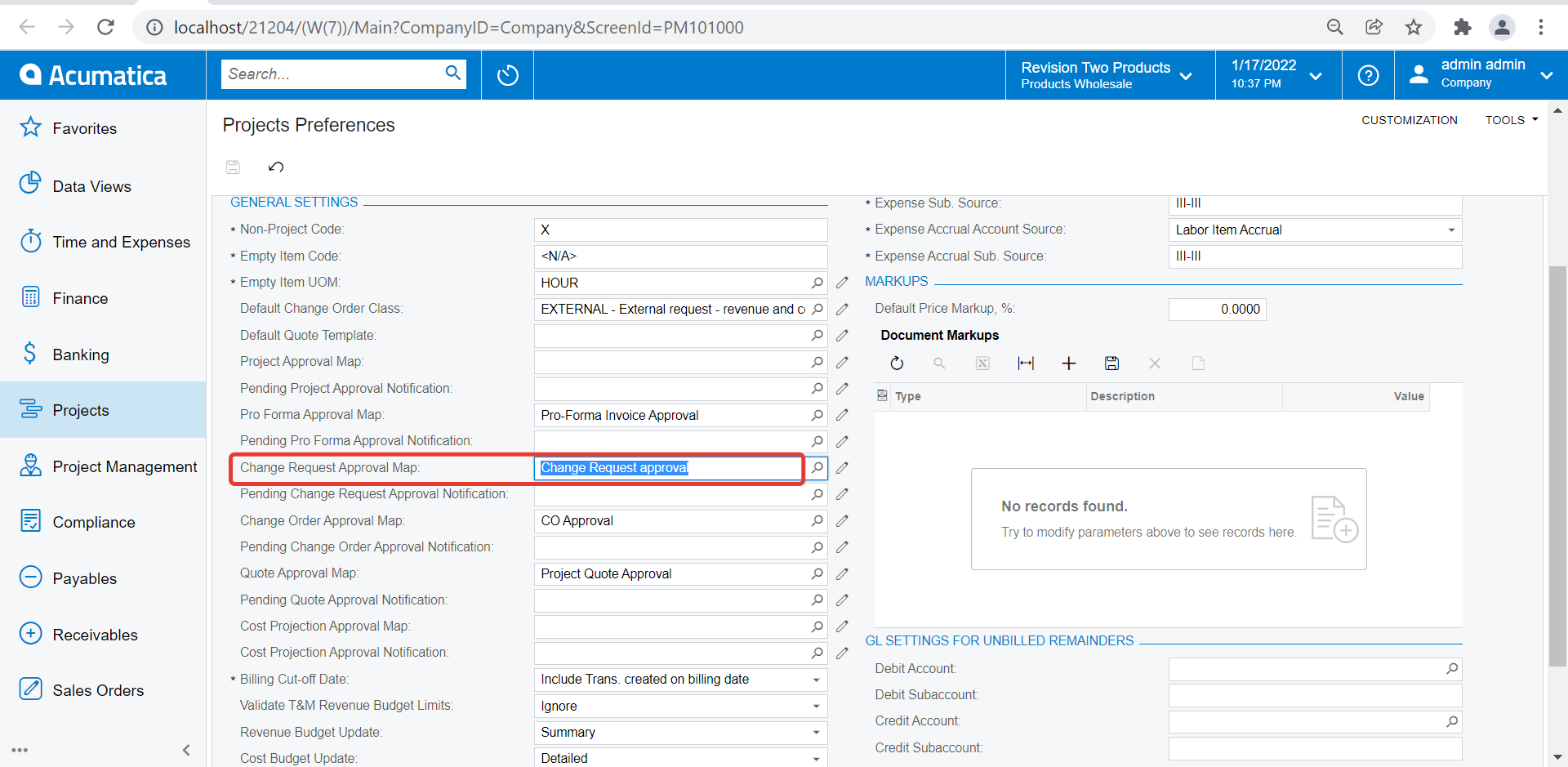
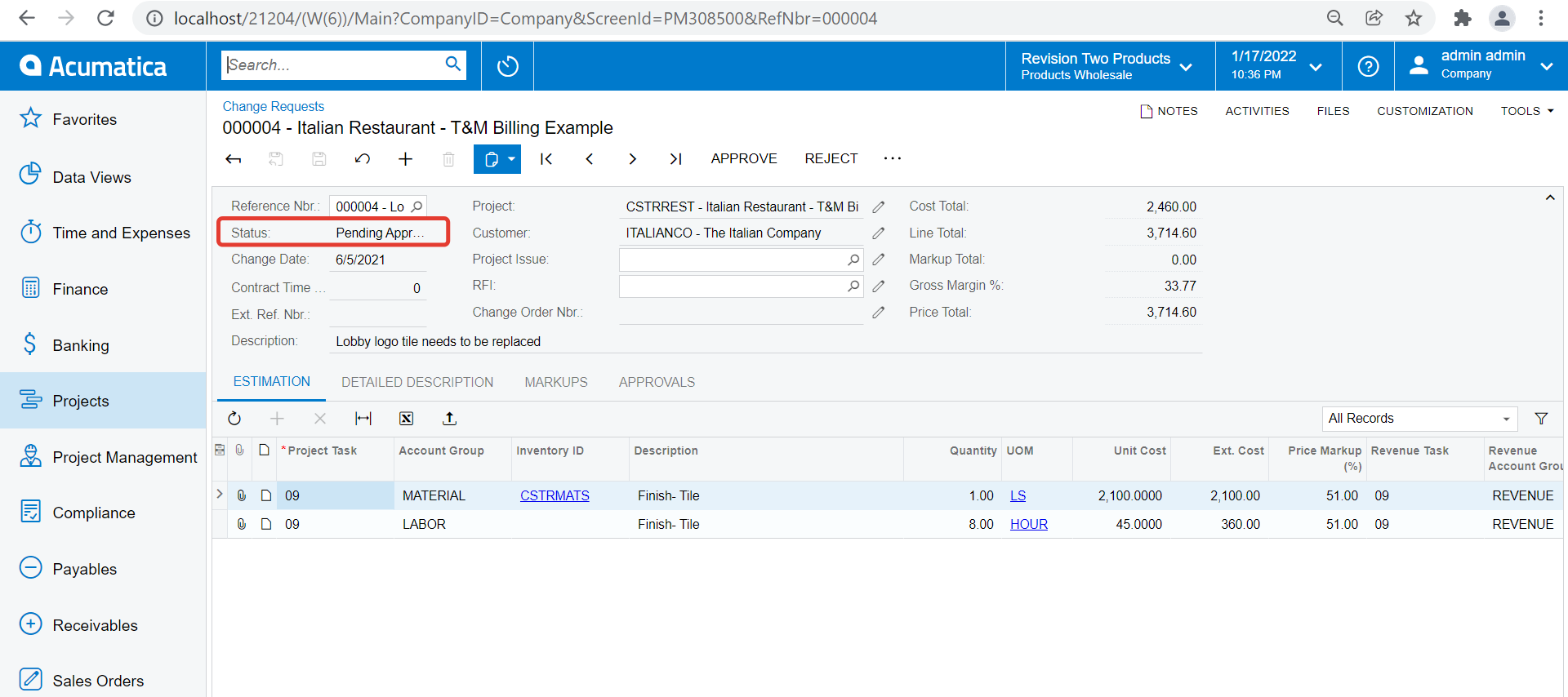
Documents should move to ‘Pending approval’ if an approval map has been set on Project preferences for Change request
One can reject the requests using approvals screen ( Approver can perform this as per approval map)
Acumatica doesn’t have traditional tracking of owner/client response to Change Requests. I’ve created drop-down attributes with Voided, Verbal Approval, Rejected… to solve for this.