Dear ALL,
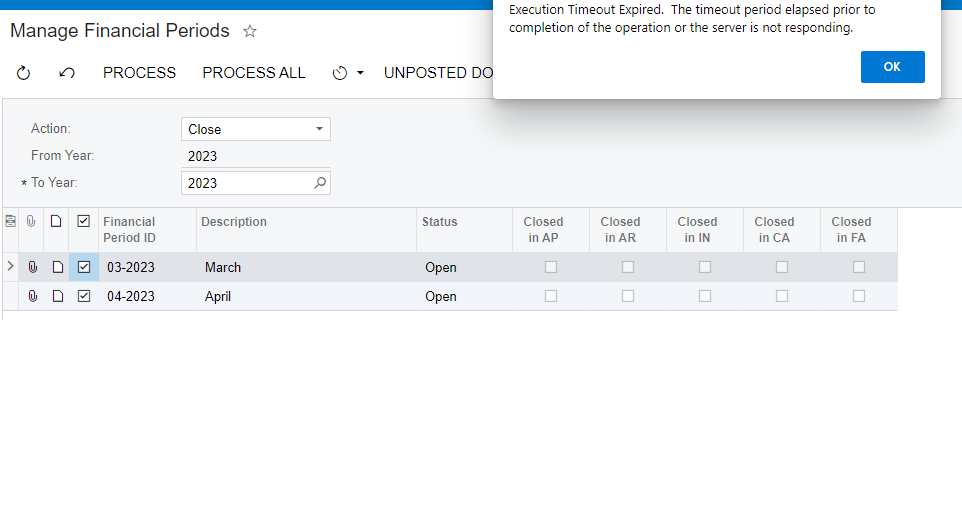
When I did the feature like below, it got error “Execution Timeout Expired. The timeout period elapsed prior to completion of the operation or the server is not responding”
Finance > Master Financial Calendar > Actions (Close Periods) > Press “UNPOSTED DOCUMENTS”
Please help me how to solve this error.
Regards,
NNT
Best answer by Manikanta Dhulipudi
Hi @nhatnghetinh
Could you please close financial period module wise, seems to be there are lot of documents which are not closed.https://www.dynamictechservices.com/acumatica-period-and-year-end-closing-procedure/
Else reach out to Acumatica to increase time related to execution.https://asiablog.acumatica.com/2017/09/database-timeouts.html
View original