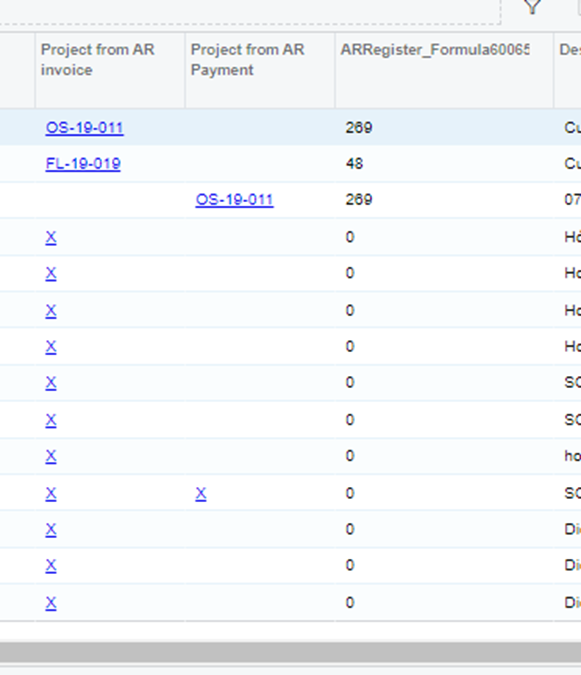
If I dont use the formular it shows the project ID in text.
But if I use Isnull formular it shows the result in INT, the formular I use is “ =IsNull([ARInvoice.ProjectID], [ARPayment.ProjectID] )”
Does any one know the reason why when using isnull formular the result is different. My aim is bringing project ID from Arinvoice & ARpayment table into 1 column.
Thanks in advance!
Best answer by lauraj46
Hi @haule ,
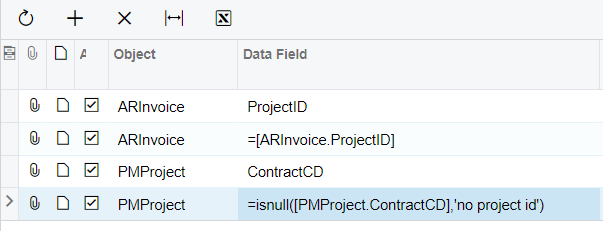
The ProjectID field is an integer in the database. When you choose a field from the dropdown in the GI builder, Acumatica behind the scenes writes the lookup query to format the output according to the schema. In this case that means that it looks up the ContractCD from the PMProject table.
However when you use the field in a formula you are accessing the raw datafield.
In this case you could join with the PMProject table to get the ContractCD. You would probably want to add two left joins - once from ARInvoice and once from ARPayment.
The ProjectID field is an integer in the database. When you choose a field from the dropdown in the GI builder, Acumatica behind the scenes writes the lookup query to format the output according to the schema. In this case that means that it looks up the ContractCD from the PMProject table.
However when you use the field in a formula you are accessing the raw datafield.
In this case you could join with the PMProject table to get the ContractCD. You would probably want to add two left joins - once from ARInvoice and once from ARPayment.