Question

Reference Nbr API Error in Payment Details after upgrading to 2021R2

  • April 3, 2023
  • 7 replies
  • 241 views

Forum|alt.badge.img

Hi,

We recently upgraded to 2021R2 and I am now unable to apply invoices to a payment via the API.

The invoice can be applied manually without issue.


I am seeing this error message:

"An error occurred during processing of the field Reference Nbr.: Reference Nbr. 'IN150421' cannot be found in the system.\nPX.Data.PXOuterException: An error occurred during processing of the field Reference Nbr.: Reference Nbr. 'IN150421' cannot be found in the system.",


This is the PUT command, using Default/17.200.001/Payment


{
  "ReferenceNbr":{"value":"013185"},
  "DocumentsToApply":[   
                    {
                        "AmountPaid": {"value" : "641.99" },
                        "DocType": {"value": "Invoice" },
                        "ReferenceNbr": {"value" : "IN150421" }
                    }
                   ]
}


Thanks in Advance for any help.

7 replies

RohitRattan88
Acumatica Moderator
Forum|alt.badge.img+4
  • Acumatica Moderator
  • April 4, 2023

@cdelacruz I dont see any issues with your REST payload but reflecting on error message, are you sure that Invoice IN150421 exists in the system and has not be paid yet?


Forum|alt.badge.img
  • Author
  • Jr Varsity II
  • April 6, 2023

Hi @RohitRattan88,

Thanks for confirming the code.

Yes, IN150421 is still open, I have tried multiple other invoices without luck.

I am able to create an empty payment record but unable to apply any invoices since our upgrade to 2021R2 (21.212.0039).


Kulvir Kaila
Jr Varsity I
Forum|alt.badge.img+1
  • Jr Varsity I
  • April 12, 2023

Are you able to apply the payment via the user interface inside of Acumatica?


Forum|alt.badge.img
  • Author
  • Jr Varsity II
  • April 12, 2023

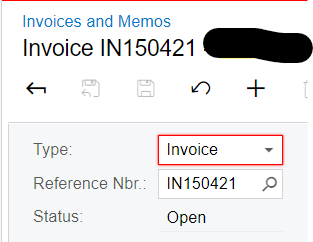
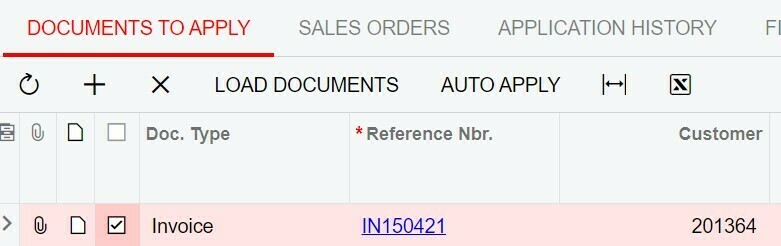
Yes, we are able to apply via the user interface, see the screenshot:


Kulvir Kaila
Jr Varsity I
Forum|alt.badge.img+1
  • Jr Varsity I
  • April 12, 2023

Seeing several posts having the same issue. 

Are you on the latest build for 2021 R2?


Forum|alt.badge.img
  • Author
  • Jr Varsity II
  • April 12, 2023

Saw the same ones when searching for a solution.

We can apply with no problems with the UI.

Waiting a few minutes and trying again, does not work.

Production is on 21.212.0039 and we have upgraded the sandbox to test to the latest 2021 R2 21.224.0015 and the issue remains.


Chris Hackett
Community Manager
Forum|alt.badge.img
  • Acumatica Community Manager
  • May 17, 2023

Hi @cdelacruz were you able to find a solution? Thank you!