




I am trying to do some work on the Pick, Pack and Ship screen (SO302020).
When I add the screen to my project and select the FieldUpdating Event to add code to, I get this:
sing System;
using System.Linq;
using System.Collections;
using System.Collections.Generic;
using System.Threading;
using PX.SM;
using PX.Common;
using PX.BarcodeProcessing;
using PX.Data;
using PX.Data.BQL;
using PX.Data.BQL.Fluent;
using PX.Objects.Common;
using PX.Objects.Common.Extensions;
using PX.Objects.Extensions;
using PX.Objects.AR;
using PX.Objects.CS;
using PX.Objects.IN;
using PX.Objects.IN.WMS;
using WMSBase = WarehouseManagementSystem<PickPackShip, PickPackShip.Host>;
using PX.Objects;
using PX.Objects.SO.WMS;

namespace PX.Objects.SO.WMS
{
	public class PickPackShip+Host_Extension : PXGraphExtension<PX.Objects.SO.WMS.PickPackShip+Host>
	{
		public static bool IsActive() => true;

		#region Event Handlers
		protected void ScanHeader_PackageLineNbrUI_FieldUpdating(PXCache cache, PXFieldUpdatingEventArgs e)
		{
			var row = (ScanHeader)e.Row;
		}
		#endregion
	}
}
There are a slew of errors. I’m not sure what to do with the “+Host”. If I remove it, there is an error

My goal is that when the Package field gets updated, I want to set a value in the ShipVia field in the SOShipment table. The customer has one ship via specifically for a given package and they want it selected automatically for the Shipment.
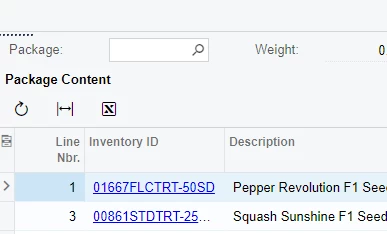
I’m not sure where to go to find out what this +Host thing is.

