Solved

Display fields from one screen on another

  • September 9, 2022
  • 1 reply
  • 440 views

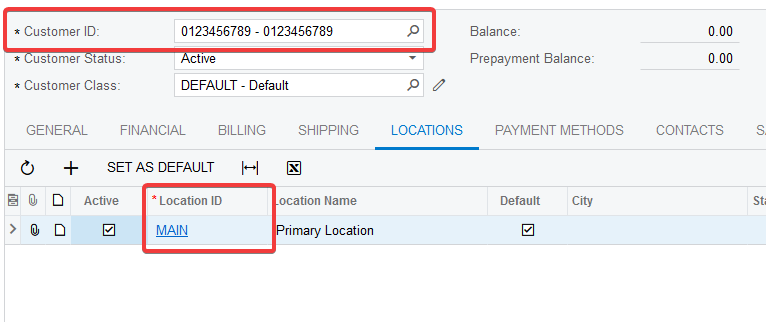
I would like to display two fields from the Customer (CST.AR.30.30.00) screen, namely “Customer ID” and “Location ID” in the grid of transactions on the AP.30.40.00 screen.


I know I can add fields, but I am not sure how to relate the two screens in the customization project to expose them? I need to be able to select a Customer and Location on the AP Bills and transactions, if possible.


I’ve taken some screenshots below for reference.

Thanks!
 

Best answer by Fernando Amadoz

@rgilreath I do not believe there is an OOB connection between the grid’s DAC (APTran) and the Customer record.

You can create one by adding them as Usr (custom) fields to APTran via CacheExtension.

I’d suggest re-using the [Customer] and [LocationActive] attributes available in Acumatica as that will take care of adding the data type, selectors, DisplayName, etc.

Then, after the DAC extension is published or compiled, then you can add the fields using the Customization Project’s screen node

You may also want to add logic to default the Location after the customer is entered.


1 reply

Fernando Amadoz
Jr Varsity I
Forum|alt.badge.img+2
  • Jr Varsity I
  • Answer
  • September 12, 2022

@rgilreath I do not believe there is an OOB connection between the grid’s DAC (APTran) and the Customer record.

You can create one by adding them as Usr (custom) fields to APTran via CacheExtension.

I’d suggest re-using the [Customer] and [LocationActive] attributes available in Acumatica as that will take care of adding the data type, selectors, DisplayName, etc.

Then, after the DAC extension is published or compiled, then you can add the fields using the Customization Project’s screen node

You may also want to add logic to default the Location after the customer is entered.