Answer

how to "Canadian tax reporting" and 'Tax" under companies configuration

  • March 4, 2024
  • 4 replies
  • 249 views

Forum|alt.badge.img

Hi There,

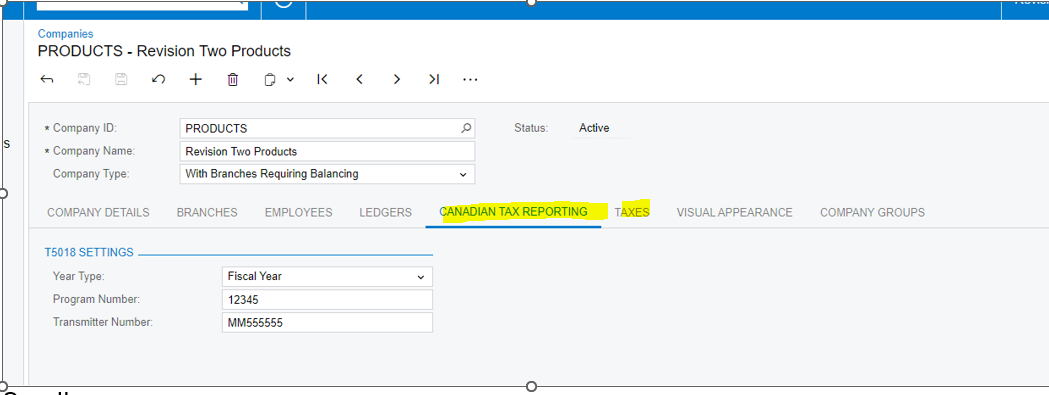
I’m testing T5018 and noticed that there’s “Canadian tax reporting” available under 2023R2 version, however, I can’t find it under our companies setting but in demo. Just wondering how to added this to our companies for T5018 filling. Also, we used to have “taxes” under company but it’s gone under 2023R2 sandbox environment. Just wondering how can this be added back? Thank you. 

Demo screenshot;
2023R2 sandbox screenshot: do not have” Canadian Tax report” and “Taxes” Tabs
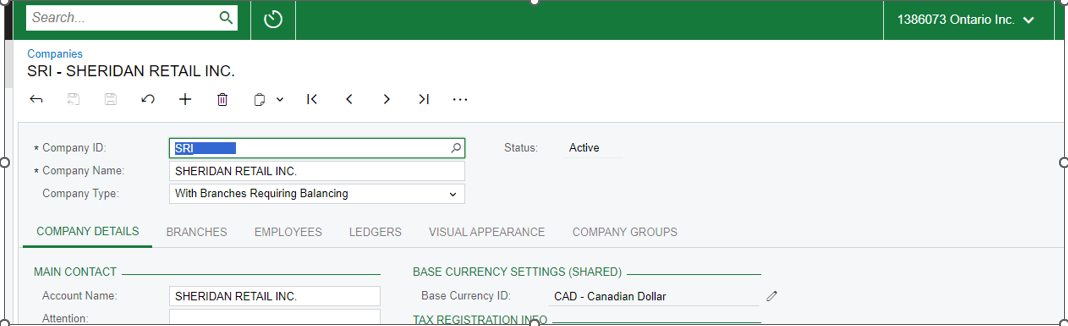
 

Current production tenant have “taxes” Tab


Best answer by meganfriesen37

According to the Help Documentation: https://help.acumatica.com/(W(74))/Help?ScreenId=ShowWiki&pageid=fedad435-8496-4397-b8a3-50a473629f76

Canadian Tax Reporting Tab

You use this tab to specify the settings needed for generating Canadian tax reports.

The tab appears on the form if at least one of the following conditions is met:

4 replies

meganfriesen37
Captain II
Forum|alt.badge.img+12

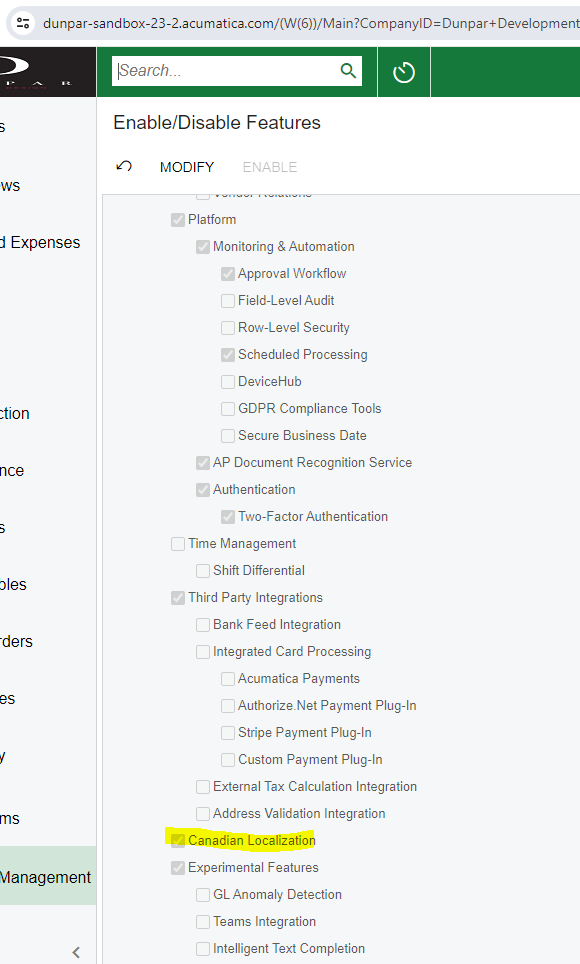
On the Enable/Disable Features Screen, do you have the Canadian localization installed?


Forum|alt.badge.img
  • Author
  • Jr Varsity III
  • March 4, 2024

Hi Megan, 

Thanks for your reply. Yes,  Canadian localization is selected under sandbox 23R2.


Chris Hackett
Community Manager
Forum|alt.badge.img
  • Acumatica Community Manager
  • April 3, 2024

Hi @epan were you able to find a solution? Thank you!


meganfriesen37
Captain II
Forum|alt.badge.img+12

According to the Help Documentation: https://help.acumatica.com/(W(74))/Help?ScreenId=ShowWiki&pageid=fedad435-8496-4397-b8a3-50a473629f76

Canadian Tax Reporting Tab

You use this tab to specify the settings needed for generating Canadian tax reports.

The tab appears on the form if at least one of the following conditions is met: