

Answer

Generating Period after Shifting Financial Year

  • July 27, 2023
  • 3 replies
  • 161 views

Forum|alt.badge.img+3

Hello Community,
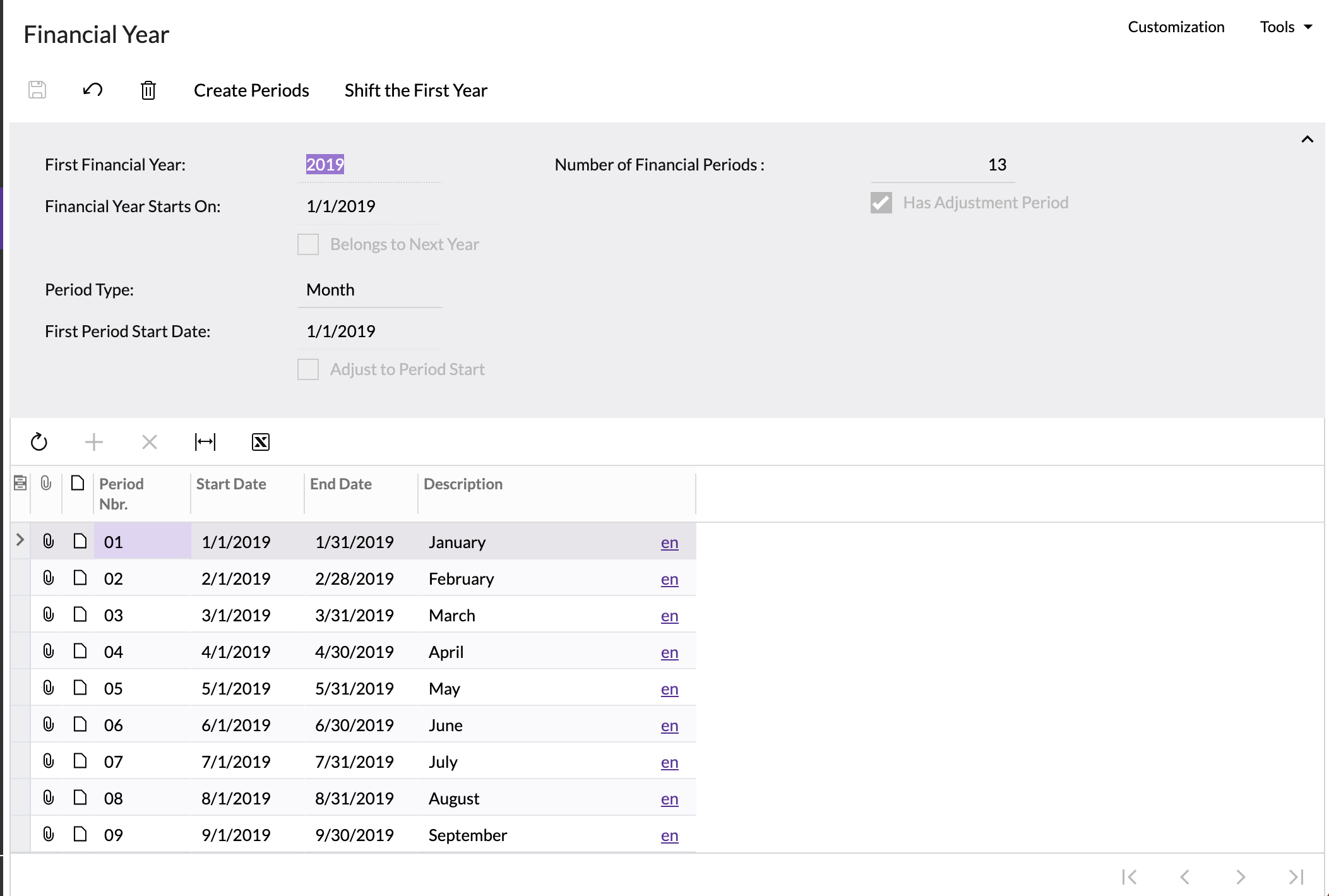
I have a scenario where I would be importing some invoices of the year 2019. Initially, I had defined 2020 as the first financial year in the system. So, now to import these invoices, I have shifted the first financial year to 2019, created periods, but i am not able to Generate Calendar nor even open the periods of the same year. Is there anything i am missing out here? 


Thanks in Advance. 
Best answer by dcomerford

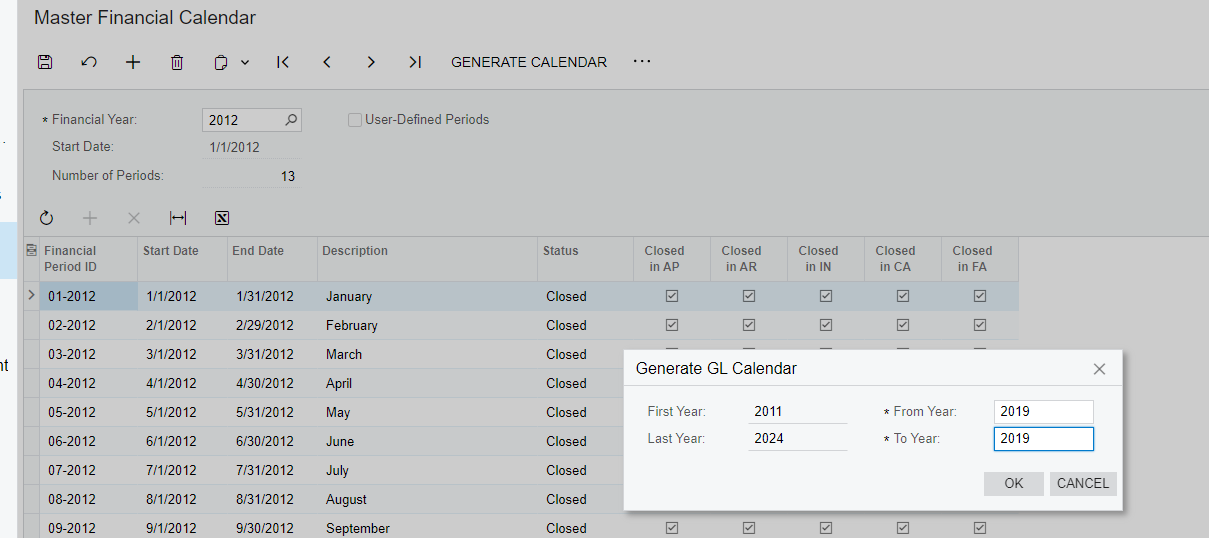
You will need to go in to the Master Financial Calender and select Generate Calender and enter 2019 as the From/To this will generate the periods you can then use the Manage Financial periods to reopen them as required for that year


3 replies

dcomerford
Captain II
Forum|alt.badge.img+15
  • Captain II
  • Answer
  • July 27, 2023

You will need to go in to the Master Financial Calender and select Generate Calender and enter 2019 as the From/To this will generate the periods you can then use the Manage Financial periods to reopen them as required for that year


Forum|alt.badge.img+3
  • Author
  • Captain II
  • August 1, 2023

hello @dcomerford ,
Thank you for your prompt reply. I tried to go through the same step, but at that point the system was generating error. Now it allowed me to generate the periods.

Thanks once again.


Chris Hackett
Community Manager
Forum|alt.badge.img
  • Acumatica Community Manager
  • August 22, 2023

Hi @Harshita were you able to find a solution? Thank you!


