


Answer

Fully depreciated Assets with NBV 0 , How to stop depreciation

  • February 22, 2023
  • 4 replies
  • 463 views

Ghazalshokrollahi
Jr Varsity III
Forum|alt.badge.img

Hi All,

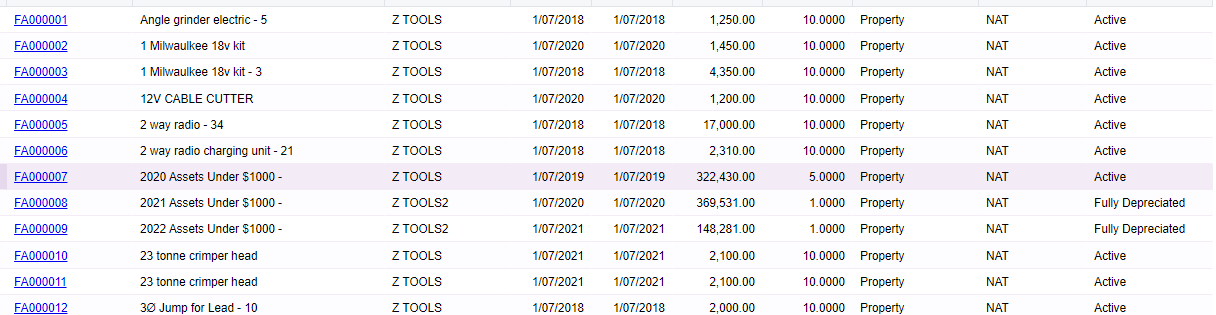
I have imported some assets which are 0 NBV and are fully depreciated. depreciation method is DV and the asset is depreciated sooner than when it should  be. when I calculate the Depreciation it still calculate depreciation amount eventhough it  should be zero. how can I stop this? I cannot seem to see any status of fully depreciated on the front end. 


Thanks for your help

Ghazal 
Best answer by johnythevara48

Hello,

Got the same problem.

This is what I found out. On balances tab for the asset with this issue, the value in the "Last Depr. Period" is few months before the "Depr. to period". As far as I can see from other fully depreciated assets these values should be the same for a fully depreciated asset(pls correct me if I am wrong here).
Now as for the solution, I deleted the asset and re-imported the asset without making any corrections in the import file. The second import came in as a "fully depreciated asset". 
Not sure what went wrong with the first time. 

4 replies

Ghazalshokrollahi
Jr Varsity III
Forum|alt.badge.img

Actually as soon as I took them off hold they changed the status automatically 


Forum|alt.badge.img
  • Jr Varsity II
  • Answer
  • February 24, 2023

Hello,

Got the same problem.

This is what I found out. On balances tab for the asset with this issue, the value in the "Last Depr. Period" is few months before the "Depr. to period". As far as I can see from other fully depreciated assets these values should be the same for a fully depreciated asset(pls correct me if I am wrong here).
Now as for the solution, I deleted the asset and re-imported the asset without making any corrections in the import file. The second import came in as a "fully depreciated asset". 
Not sure what went wrong with the first time. 


Forum|alt.badge.img

Also please check Receipt Date, Place-in-Service date and Book1 Depreciation From columns in your import file. One of them was different in my case (figuring out now). I still need to test and recreate it.


Ghazalshokrollahi
Jr Varsity III
Forum|alt.badge.img

hi @johnythevara48 , yes I did exactly the same I deleted the asset ( it was in TEST) and recreated it again manually realised the depreciate to date client had given was out by 1 or 2 months. so I added the correct period and as soon as I tool the Asset off hold it went back to Fully depreciated status.