Answer

Shipping Tool missing URL in Active Browser

  • December 6, 2022
  • 5 replies
  • 98 views

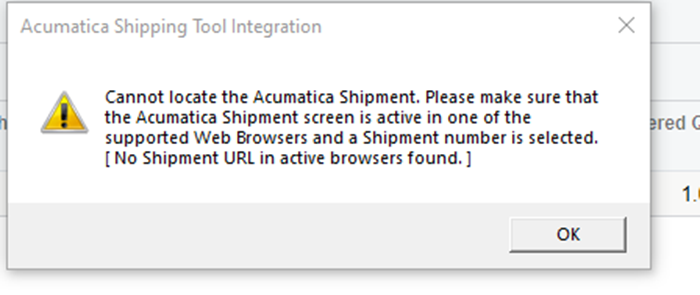
AS of yesterday our Acumatica Shipping process started to fail. I get this error message using Chrome. We have tried Firefox and get a different error, plus it is extremely slow. 

Any advice would be appreciated 
 

Best answer by JasonITsavvy

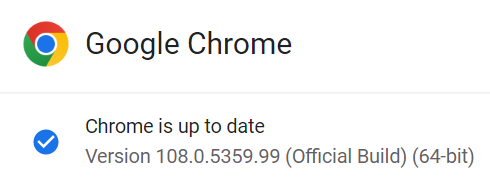
Acumatica has confirmed this is due to an update to Chrome & Edge.  We dont use the rate shop. We use UPS WorldShip and Chrome with the Acumatica Shipping tool is wont talk. I tried running it in incognito mode but that doesnt work either


5 replies

  • Freshman II
  • December 8, 2022

Having the same issue. Any resolution to this?


Dana Moffat
Community Manager
Forum|alt.badge.img+2
  • Community Manager
  • December 9, 2022

@JasonITsavvy I just tried a rate shop from Shipments and i didn’t have an error - i was able to successfully rate shop and then have rates calculated on the shipment.  (i used Chrome)


Kandy Beatty
Captain II
Forum|alt.badge.img+17
  • Captain II
  • December 9, 2022

Hi @JasonITsavvy 

It sounds cliche, but have you tried to clear your cache? 

Or have you tried to restart the application? I would only advise on this if you can get everyone out of your system however. 


  • Author
  • Freshman II
  • Answer
  • December 9, 2022

Acumatica has confirmed this is due to an update to Chrome & Edge.  We dont use the rate shop. We use UPS WorldShip and Chrome with the Acumatica Shipping tool is wont talk. I tried running it in incognito mode but that doesnt work either


Kandy Beatty
Captain II
Forum|alt.badge.img+17
  • Captain II
  • December 9, 2022

Acumatica has confirmed this is due to an update to Chrome & Edge.  We dont use the rate shop. We use UPS WorldShip and Chrome with the Acumatica Shipping tool is wont talk. I tried running it in incognito mode but that doesnt work either


The updates usually cause these issues. Glad you got an answer :)