

Solved

Attribute for storing probability percentage

  • Mar 8, 2024 4:34 PM UTC
  • 6 replies
  • 198 views
  • Translate All

Forum|alt.badge.img

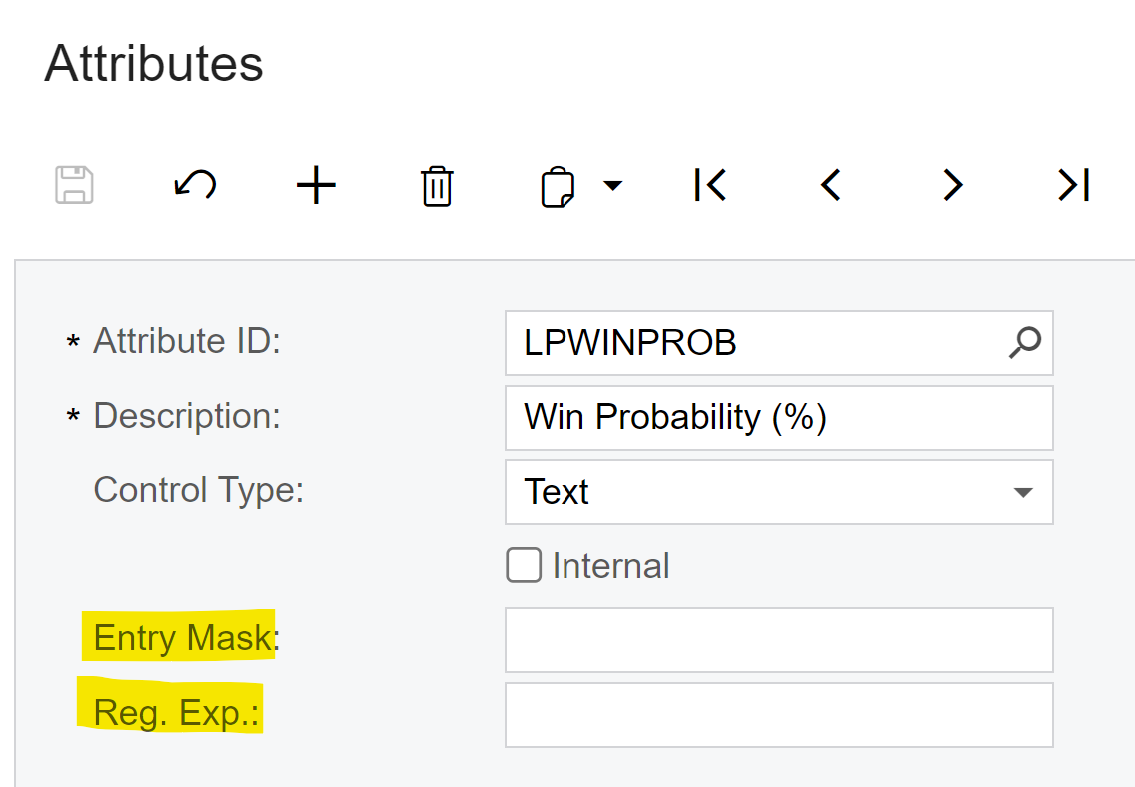
Does anyone have the Entry Mask or Reg Exp I would use to configure an attribute in Common Settings to only allow entry of whole numbers between 0 and 100?


Best answer by jturcotte

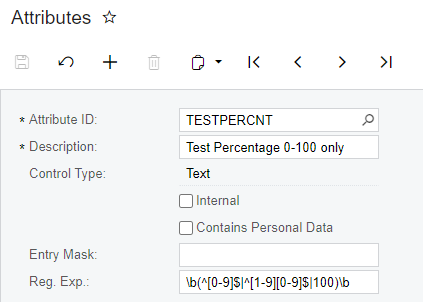
One way to force this with Regex is:
\b(^[0-9]$|^[1-9][0-9]$|100)\b

This will only allow the numbers 0 - 100 and prevent negative values and decimal values.


View original

6 replies

Forum|alt.badge.img+2

Hello @john55 

I found this community article that might be helpful 


Also a product idea that had been posted, encourage you to vote for it https://community.acumatica.com/ideas/need%2Dnumeric%2Dsupport%2Dfor%2Dattribute%2Dtype%2D3466


Translate

Forum|alt.badge.img
  • Author
  • Freshman I
  • Mar 8, 2024 5:25 PM UTC

Thank you @pallikasharma11, I’m referring here to configuring an attribute in Common Settings.  I updated my question to be more clear.  I had previously voted for the product idea.

Translate

Forum|alt.badge.img+2

My apologies, can you give this Entry mask a try #,###

Translate

Forum|alt.badge.img
  • Author
  • Freshman I
  • Mar 8, 2024 7:51 PM UTC

@pallikasharma11 

I’m familiar with using the # sign to limit user input to numeric values.  But #,### doesn’t prevent users from entering numbers greater than 100.  


Translate

Chris Hackett
Community Manager
Forum|alt.badge.img
  • Acumatica Community Manager
  • Apr 24, 2024 5:32 PM UTC

Hi @john55 were you able to find a solution? Thank you!

Translate

  • Jr Varsity I
  • Answer
  • Apr 25, 2024 2:37 PM UTC

One way to force this with Regex is:
\b(^[0-9]$|^[1-9][0-9]$|100)\b

This will only allow the numbers 0 - 100 and prevent negative values and decimal values.


Translate


