


It’s possible to create a Purchase Request with an Non Stock Item?
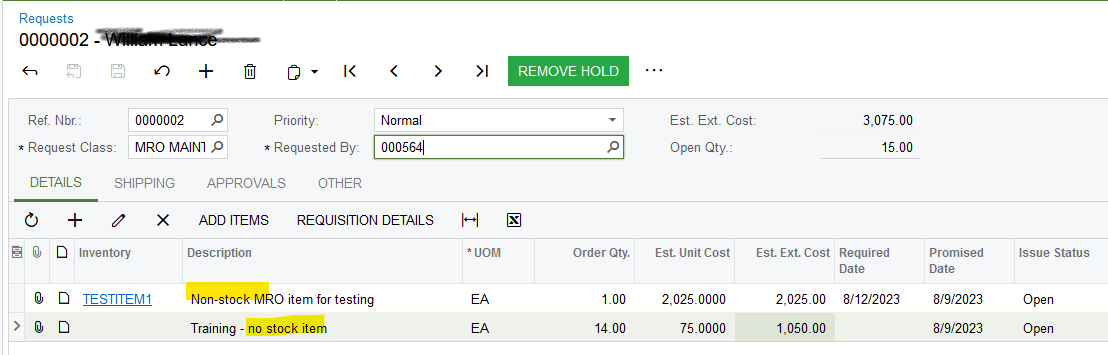
We want our store managers to request purchase items, but maybe they want to request new items that are not created as Stock Item.
Solved
Create Purchase Request with Non Stock Items
Best answer by Laura03
Hello,
We can add the Cross-Reference part numbers to our Stock and Non-Stock Items. After Cross-Reference part numbers are in the system, we can add Stock and Non-stock items to a Request by typing two or more characters of the Item ID, Alternate Part Number, Item Description, or Alternate Description. When we type 2 or more letters as described, Acumatica will pop up suggested part numbers that match.
If the Alternate Part and your Inventory ID need to appear on Details tab of Requsts screen, then I think you will need a small customization to add the Alternate ID field to the grid .
Laura



Login to the community
No account yet? Create an account
Social Login
Login with your Acumatica accountEnter your E-mail address. We'll send you an e-mail with instructions to reset your password.