Answer

Import From SQL to the Labor Screen AM301000

  • February 24, 2022
  • 6 replies
  • 131 views

cmoreland
Semi-Pro III
Forum|alt.badge.img

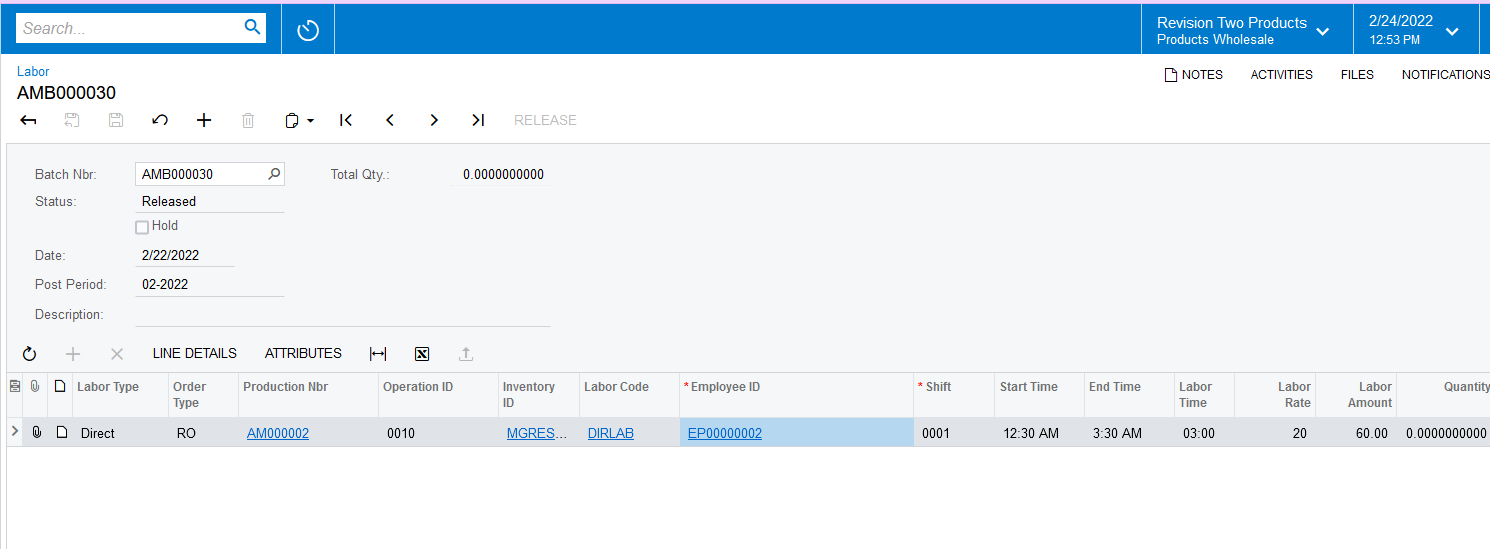
All - I have an Import Scenario created the goal is to import time from a SQL table to the Labor Screen and create the labor batch. 

See Scenario
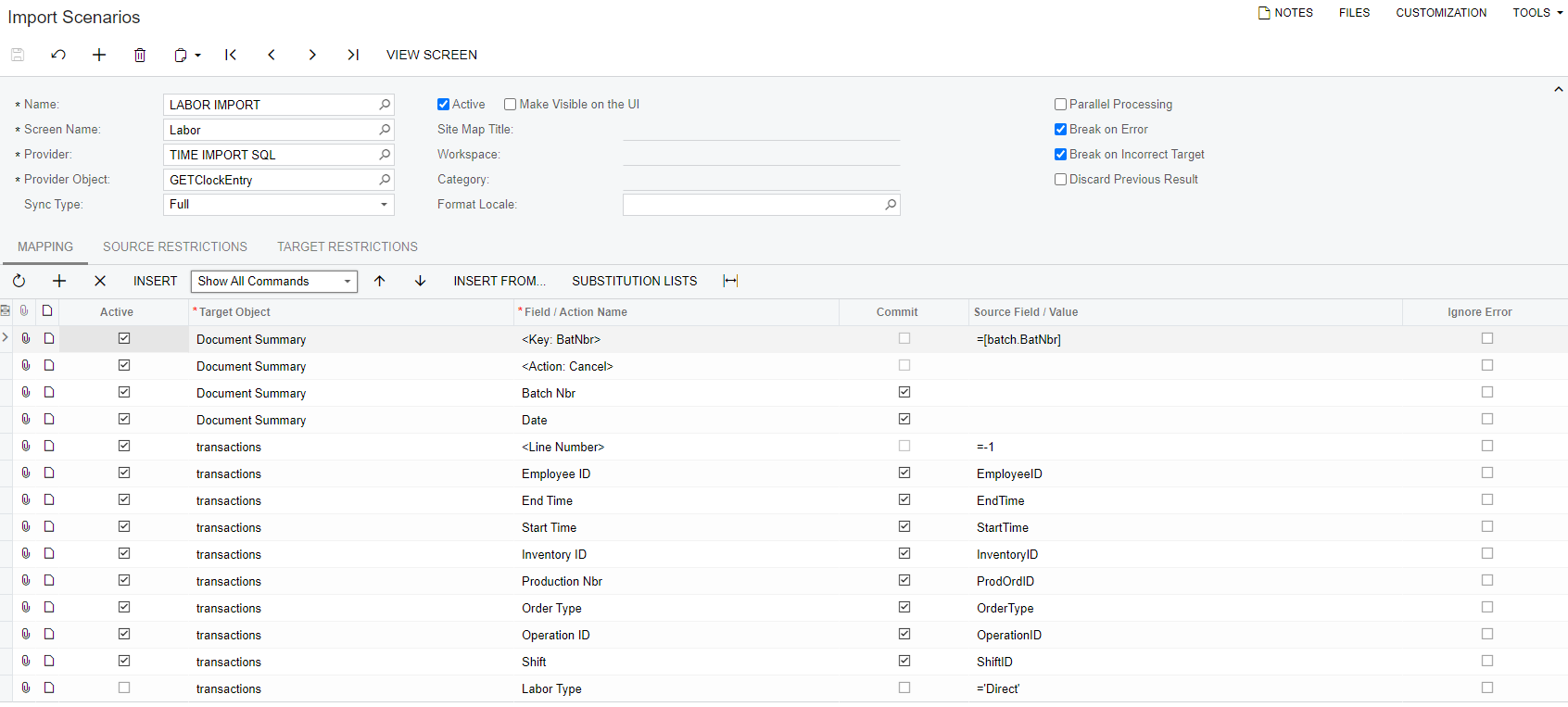
 

The data comes in with out issue when I prepare it however the import is giving me the following error.  

 

Any help is greatly appreciated. 
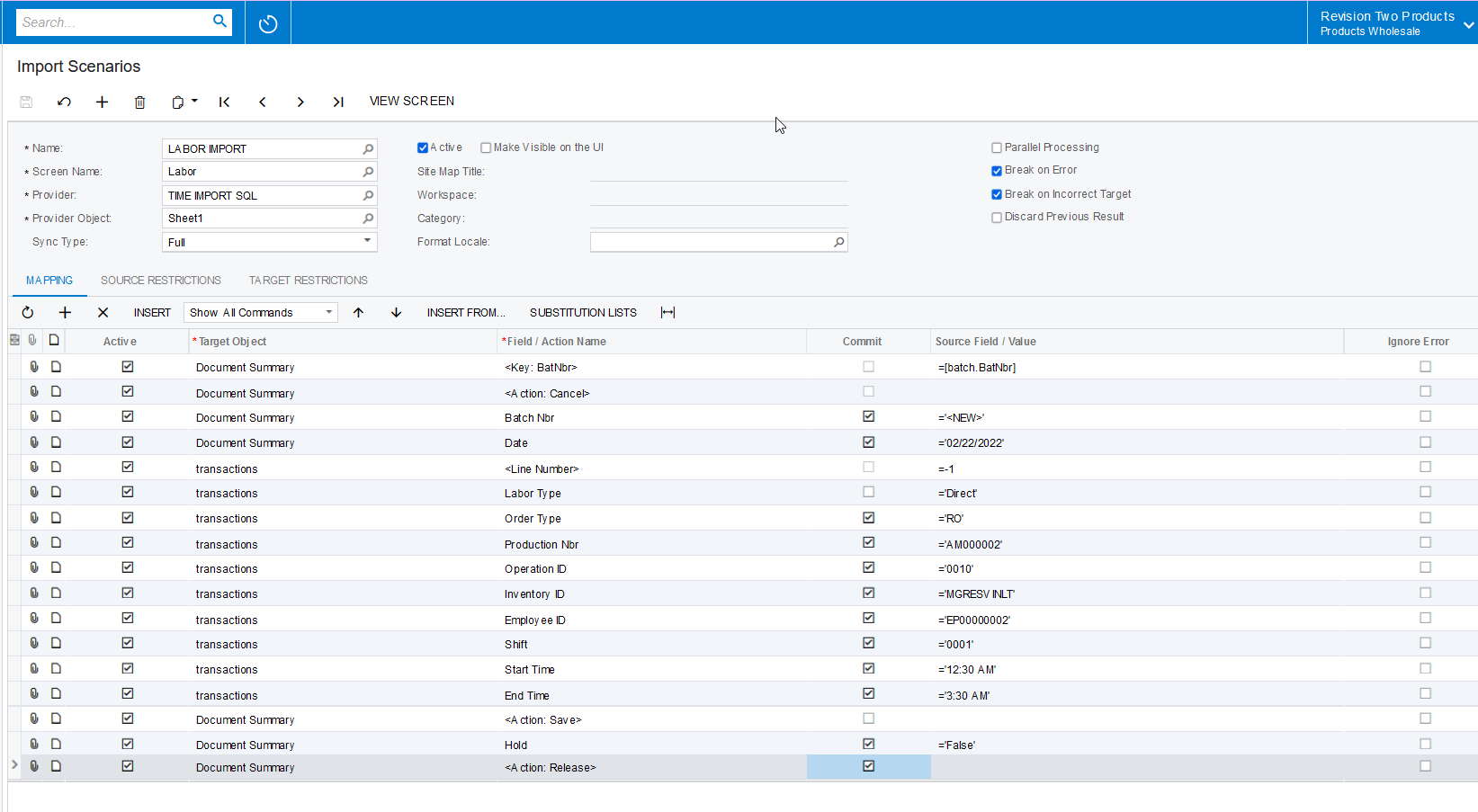
Best answer by Naveen Boga

Hi @cmoreland  I was updated in another post. Just posting the same here.


I have tried with the Excel Data Provider and modified your mappings and it is working for me. You can check the same for the SQL provider for the same mapping.


Hope this helps!

6 replies

Naveen Boga
Captain II
Forum|alt.badge.img+19
  • Captain II
  • February 24, 2022

@cmoreland  Please share the XML format of the import scenario file.


cmoreland
Semi-Pro III
Forum|alt.badge.img
  • Author
  • Semi-Pro III
  • February 24, 2022

@Naveen B  - here you go and thanks in advance for your help. 


cmoreland
Semi-Pro III
Forum|alt.badge.img
  • Author
  • Semi-Pro III
  • February 24, 2022

I did try recreating this as a csv import with the same error. 


Naveen Boga
Captain II
Forum|alt.badge.img+19
  • Captain II
  • Answer
  • February 25, 2022

Hi @cmoreland  I was updated in another post. Just posting the same here.


I have tried with the Excel Data Provider and modified your mappings and it is working for me. You can check the same for the SQL provider for the same mapping.


Hope this helps!


cmoreland
Semi-Pro III
Forum|alt.badge.img
  • Author
  • Semi-Pro III
  • February 26, 2022

@Naveen B thanks so much for your help


Naveen Boga
Captain II
Forum|alt.badge.img+19
  • Captain II
  • February 26, 2022

Most Welcome @cmoreland  I'm glad I was able to help you on this